S-Play User Manual
Part No.: 51301
8 October 2020
(v23)
Document ID: 4686708 Page|36
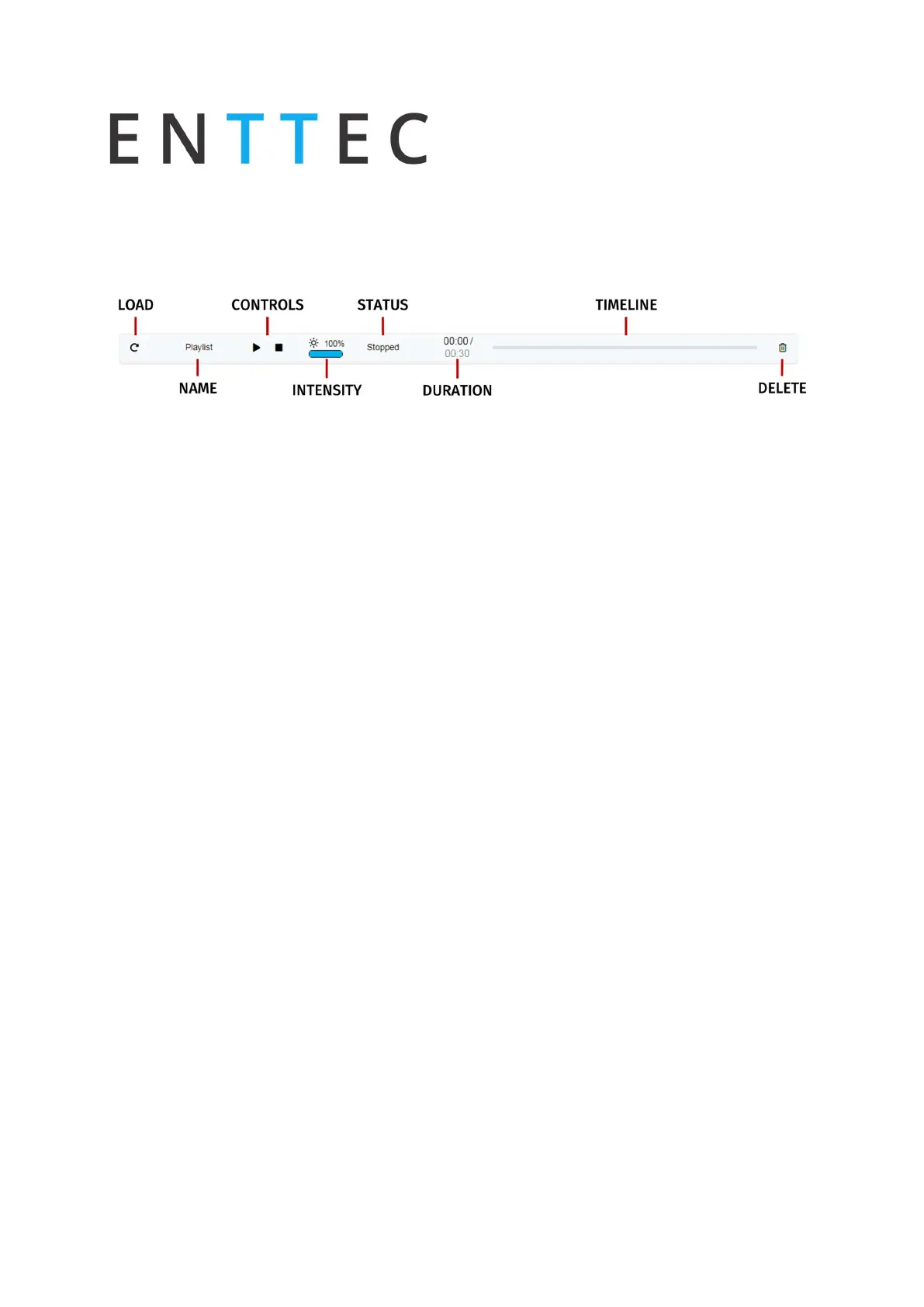
Created Playlists
This section lists all the playlist created. The section displays basic information like the playlist
name and duration and gives the user basic control over a playlist
Load: loads the playlist in the timeline and media track for editing
Name: Display the name of the playlist set in the playlist attribute section
Controls - Play/Pause, Stop
Play: Play the selected playlist, also the Playlist is loaded into the timeline and media
track section
Pause: Pause the selected playlist. By pausing a playlist, S-Play holds the las DMX value.
Stop: Stops the selected playlist. By stopping a playlist, S-Play stops outputting any
data (set DMX value t 0)
Intensity: real-time control of the master intensity of the playlist. By default, it is set to 100%
and it can be changed when the playlist is playing.
Status: states the status of the playlist. It can be: Playing, Paused, Stopped, Waiting for Trigger.
Duration and Timeline: real-time count down of the playlist. Actual time / Duration of the
Playlist. Once the playlist is done playing, S-Play stops outputting any data.
Delete: Deletes the playlist and schedules where the playlist is used.
Global Playlist Control
Gives control over all the created playlists. When pressing play on the global control, all the
playlists start playing. If there are conflicts in channels, the values are merged on a Highest
takes Precedence (HTP) basis, meaning that, the playlists with higher internal priority override
the other values played.
List of Playlists
This dropdown menu lists all the created playlist. For editing select a playlist from the list. To
create a new Playlist, select "Create New Playlist" from the list. This entry will always be the
first entry of the menu.



 To Next Page