S-Play User Manual
Part No.: 51301
8 October 2020
(v23)
Document ID: 4686708 Page|55
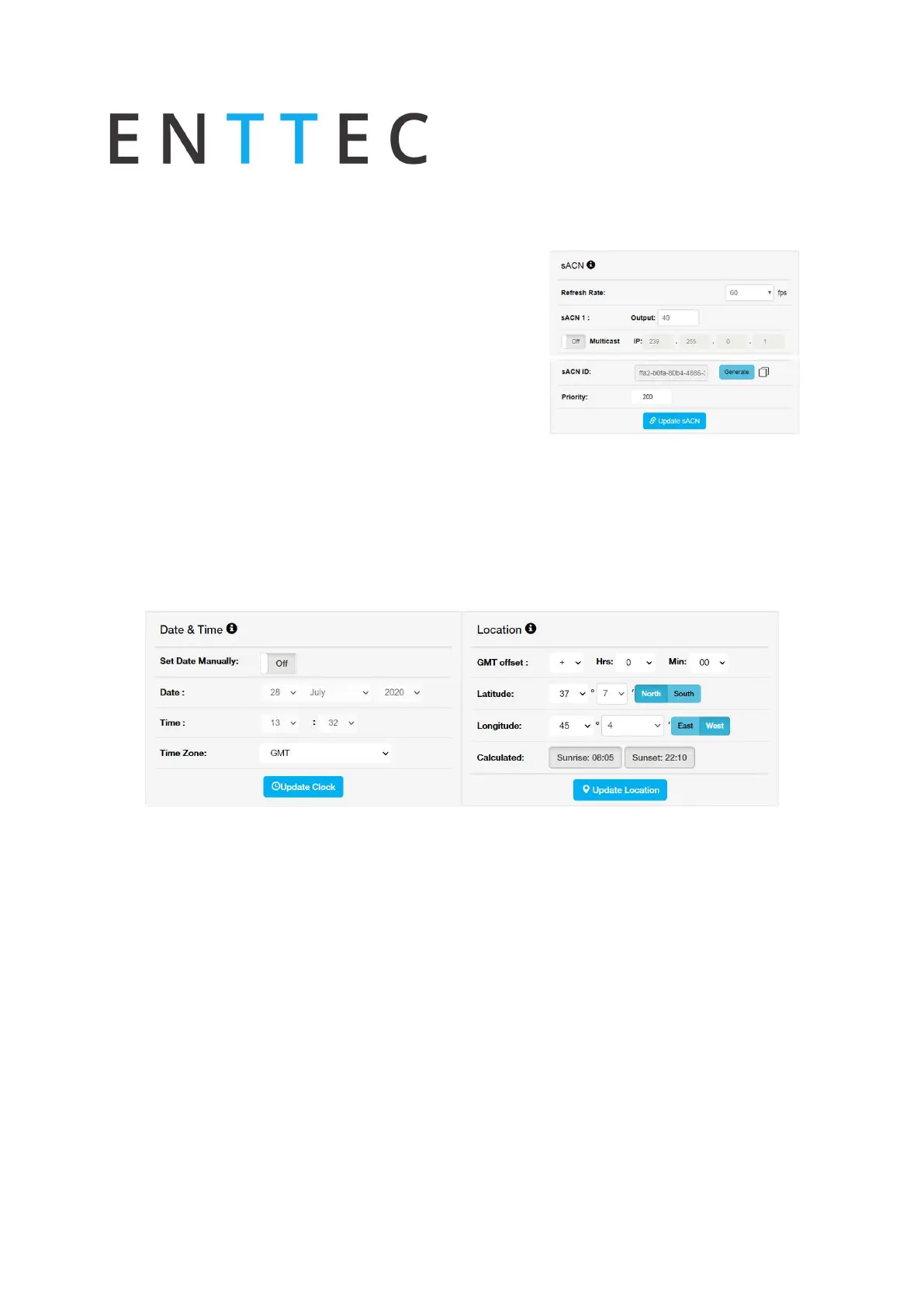
sACN output configuration
Configure output refresh rate for all sACN output
stream
Set output sACN each of the 32 universes
o
Universe
o
Unicast IP address
o
multicast
Save after any change by pressing "Update sACN"
Generate sACN ID
Set S-Play sACN priority
N.B. max refresh rate=60FPS
Change Date/Time and Location
Set time, date and location. This information is critical when setting schedules.
When the Set Date Manually is off and the S-Play is connected to an NTP server, the S-Play will
automatically update the system time information upon power-up.
If the S-Play’s system time is set manually the S-Play will stay locked to a set time. The user
must manually update the time to reflect daylight saving time twice a year.
Factory Reset
A factory reset can be undertaken using either the web interface or LCD providing the user
account is logged in. Performing a factory reset will result in:
The IP address will go back to DHCP
All cues, playlists and schedulers stored internally will be deleted
The output universes will return to DMX1 and DMX2



 To Next Page