S-Play User Manual
Part No.: 51301
8 October 2020
(v23)
Document ID: 4686708 Page|48
GMT Offset
Latitude
Longitude
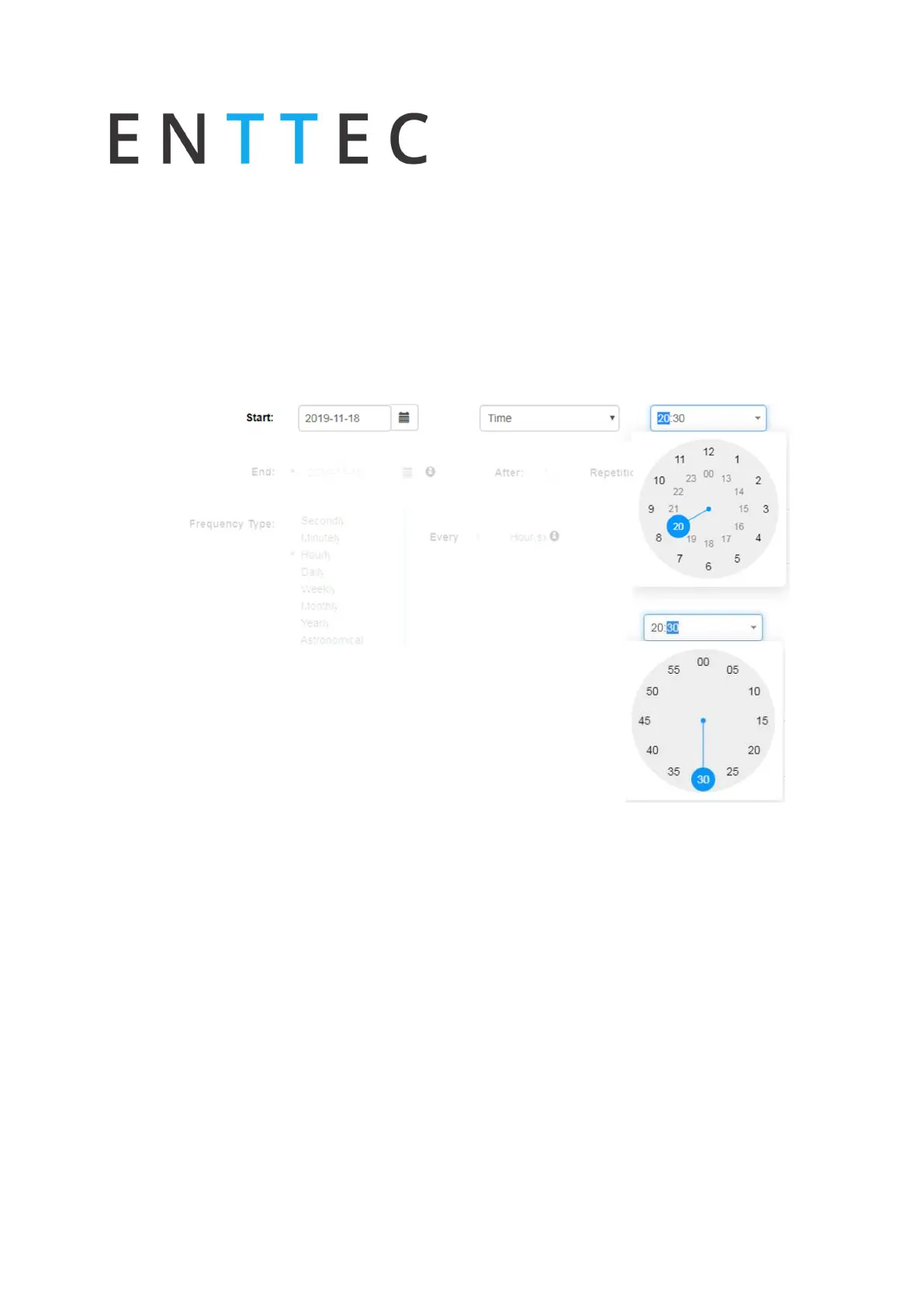
To set the start of the scheduler to a specific time do the following:
Select “Time” from the dropdown menu
Click the first two digits on the second dropdown menu and set the hour using the
dial. Note that the inner circle show hours past noon (>12) and the outer circle show
hours before noon (1AM to 12).
To set the minutes, click on the last two digits and use
the dial to select the desired time.
End Condition
The scheduler will be expired once the end condition is met. It can be on a specific date or
after a desired amount of repetitions.
Frequency Type
Set the frequency when the playlist set will play.



 To Next Page