S-Play User Manual
Part No.: 51301
8 October 2020
(v23)
Document ID: 4686708 Page|56
Art-Net output will be set to broadcast
sACN output will be set to multicast
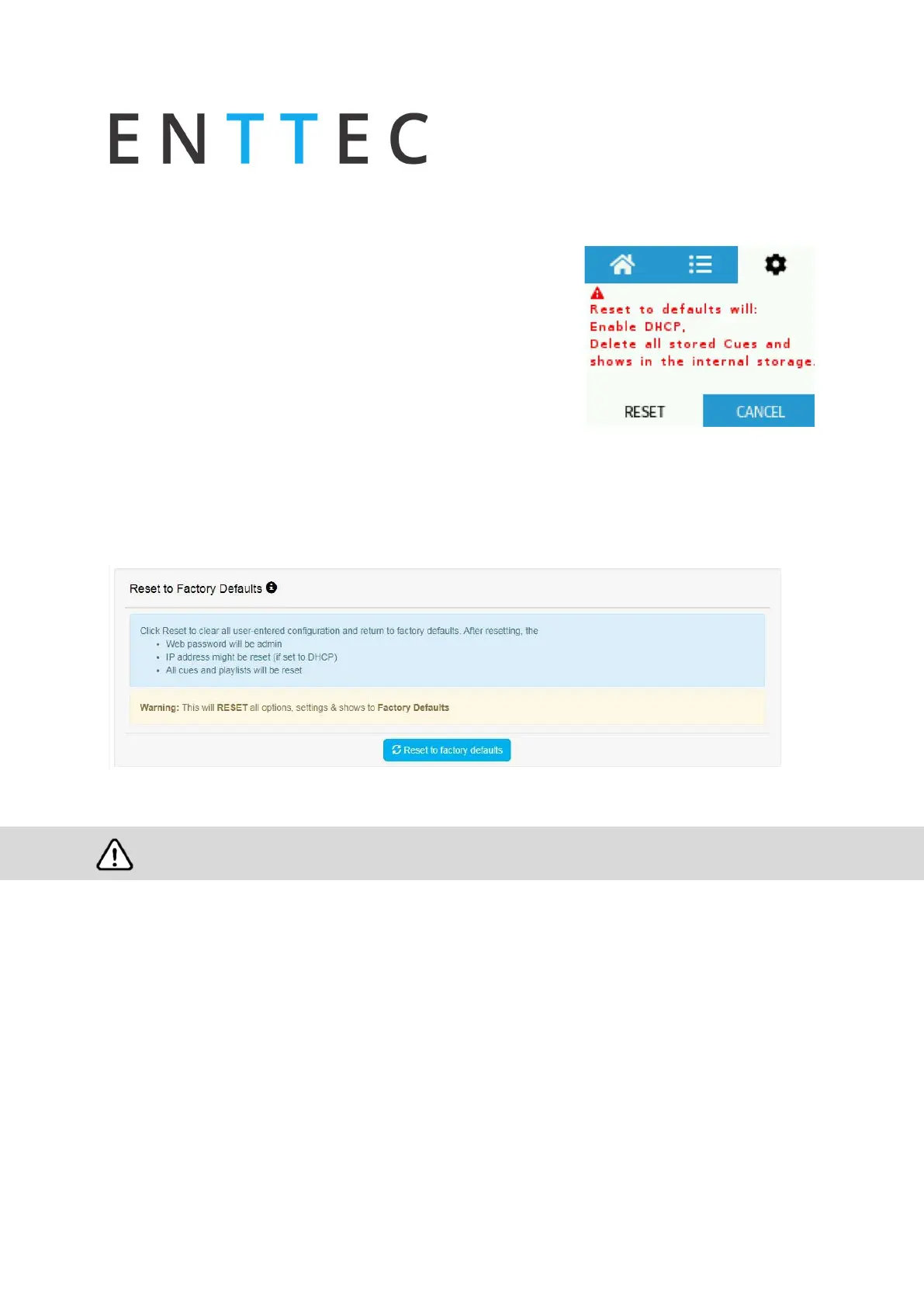
Factory Reset Via LCD
Navigate to settings
Locate Reset to Defaults
Select “RESET”
Following a factory reset, for best practice ENTTEC
recommends that the S-Play is power cycled.
Factory Reset Via Web Interface
Go to settings page, scroll down to the end of the page and click “Reset to factory Defaults”
Following a sucessful factory reset and the device re-powering, ENTTEC recommends removing power for 10
seconds, then re-plugging your device in order to fully flush the S-Plays RAM.



 To Next Page