46
Secondary Installation
paneL anD meDia instaLLation:
1. Remove the safety screen and glass door
2. If you are installing 50-3342 (Light Kit) remove the burner tray now using a T-20 Torx screwdriver;
refer to
seconDary InstallatIon - lIght KIt InstallatIon or see instruction sheet included with the kit.
Install perforated burner tray once lights are installed.
3. Place your burner media into the burner pan (vermiculite or glass media). Create a thin layer that
evenly covers the entire burner pan; pat it down gently. If ame looks uneven with overly high or
low sections the media can be adjusted. If ame is too high make media thicker, if low thin
media out.
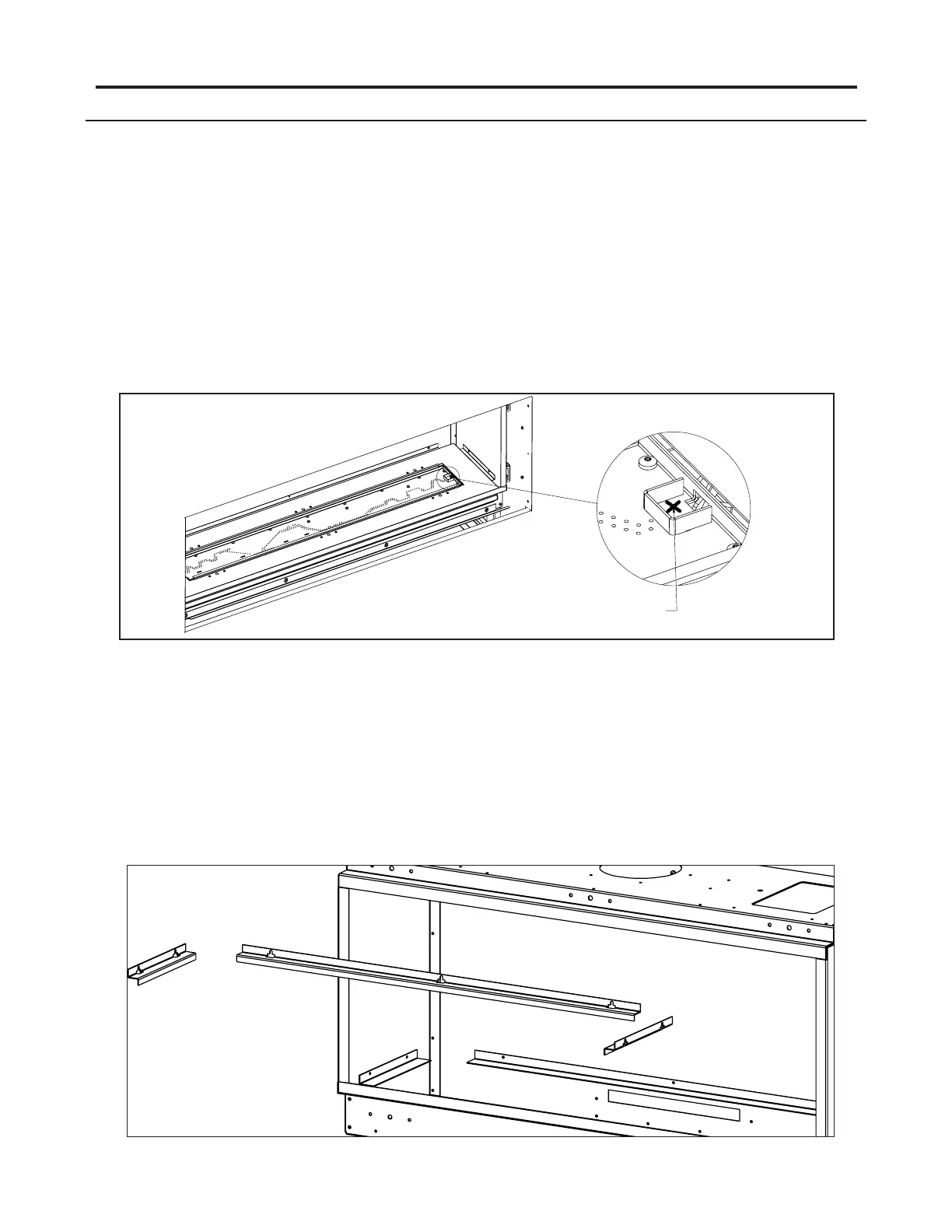
WARNING: Be sure there is no media in the protected pilot area of the
burner pan.
4. Wear clean vinyl gloves when handling 50-3338 (Fluted) and 50-3339 (Ledgestone) to prevent skin
contact with the refractory. Wear clean vinyl gloves when handling 50-3340 (Enameled) to prevent
smudging; use denatured alcohol to clean. Unwrap your new Enviro liner set from the protective
packaging. Be careful not to scratch or bump the liners as they are very fragile. If the liners arrive
damaged please contact your nearest Enviro dealer.
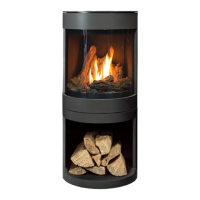
5. Remove the 3 liner retainers from inside the rebox, loosen screws using a T-20 Torx screwdriver. The
retainers are key slotted so they can be removed without removing the screws.
Figure 57: Panel Installation
NO MEDIA IN THIS AREA
Figure 56: Protected Pilot Area



 To Next Page