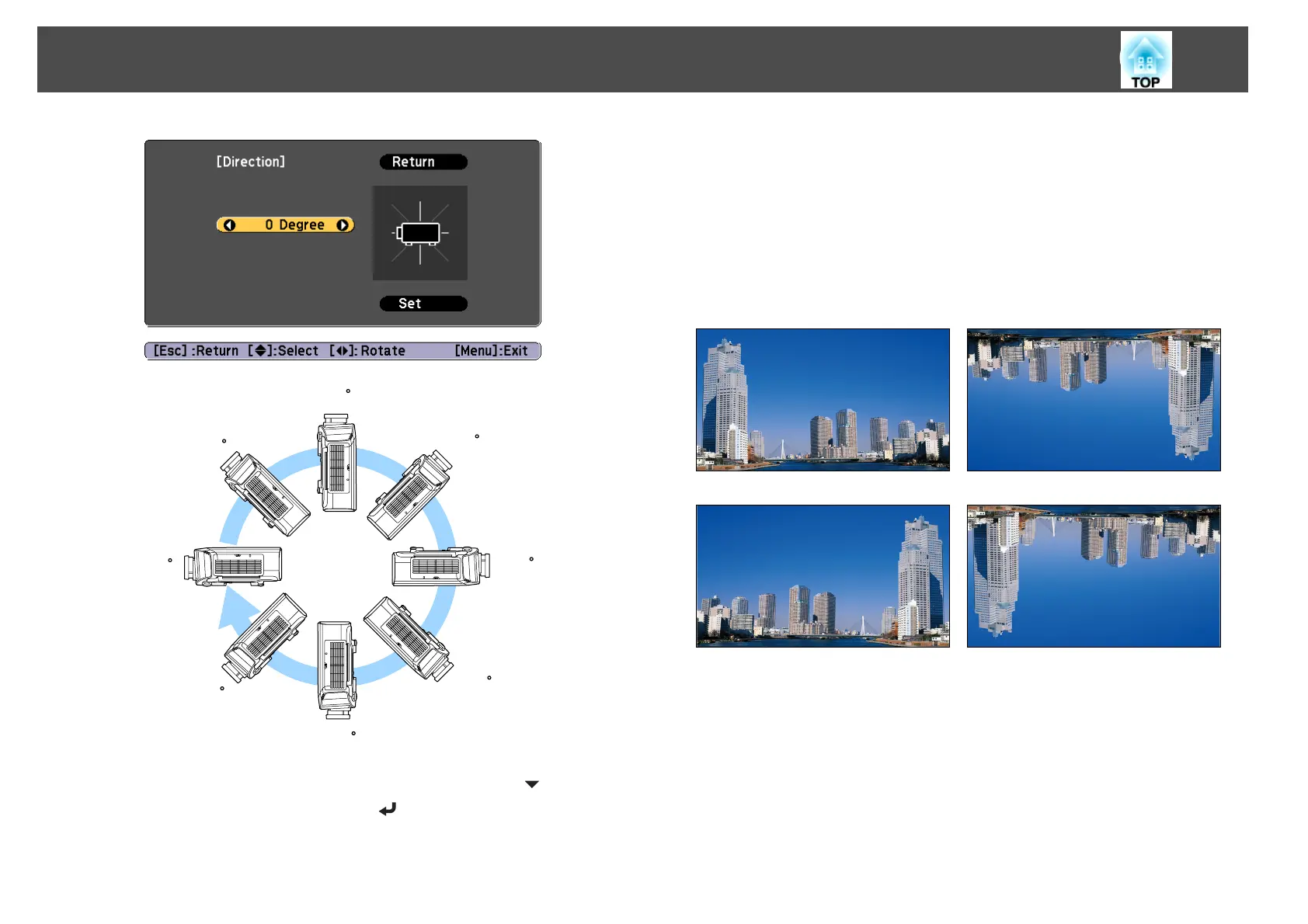
90
45
0
135
180
-135
-90
-45
e
When you have finished making settings, use the [ ] button to
select Set, and then press the [
] button.
Changing the direction of the image (projection mode)
You can change the direction of the image using Projection mode from the
Configuration menu.
s
Extended - Projection p.142
When Front is the standard, the image directions for each projection mode
are as follows.
Front (default) Front/Ceiling
Rear Rear/Ceiling
Installing the Projector
29



 To Next Page