Wireless Network Projection
128
b
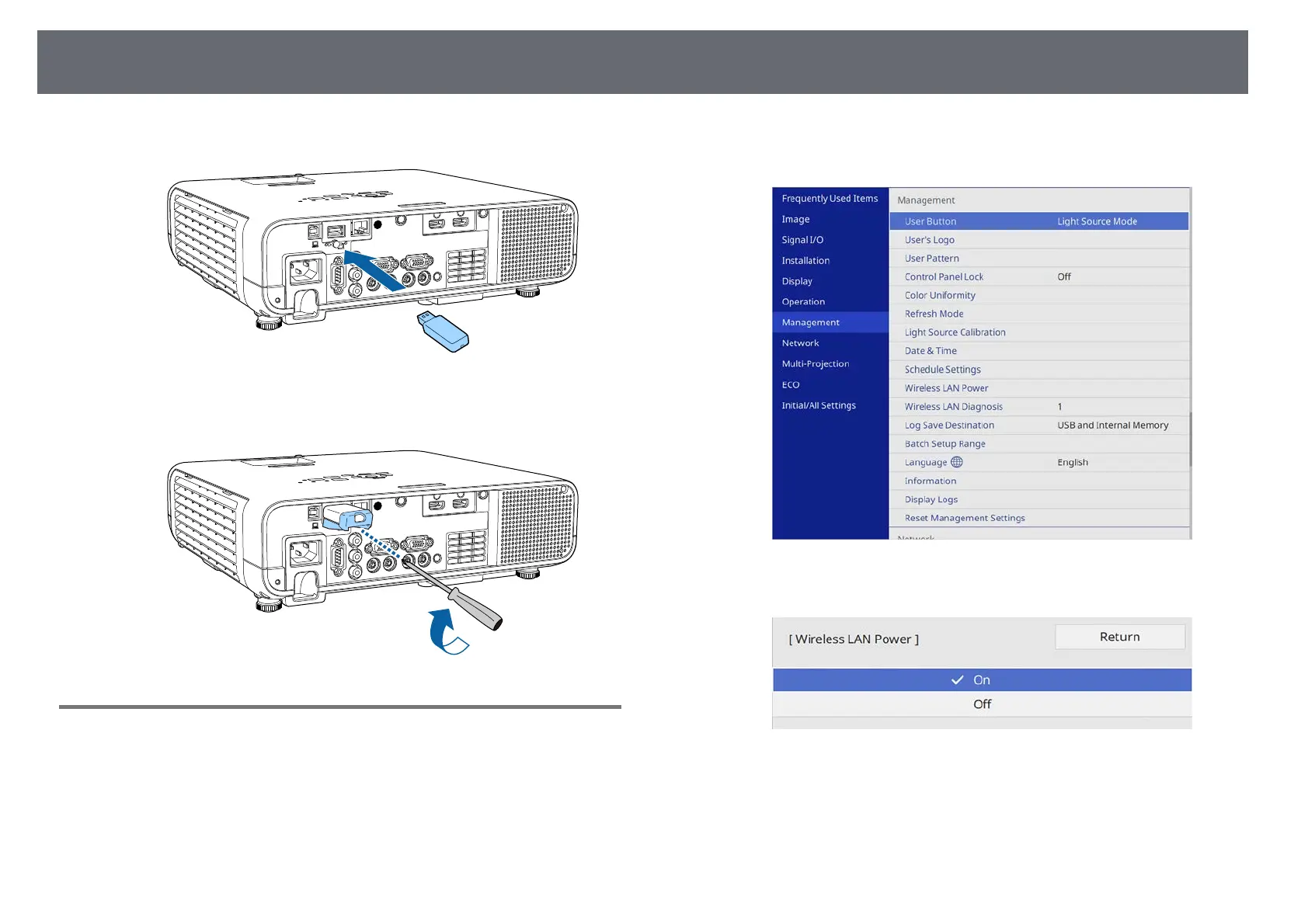
Connect the wireless LAN module to the USB-A port.
c
Attach the wireless LAN module cover, and secure it in place with the
screw.
Selecting Wireless Network Settings Manually
Before you can project from your wireless network, you need to select
network settings for the projector.
a
Press the [Menu] button, select the Management menu, and press
[Enter].
b
Set the Wireless LAN Power setting to On.











 To Next Page