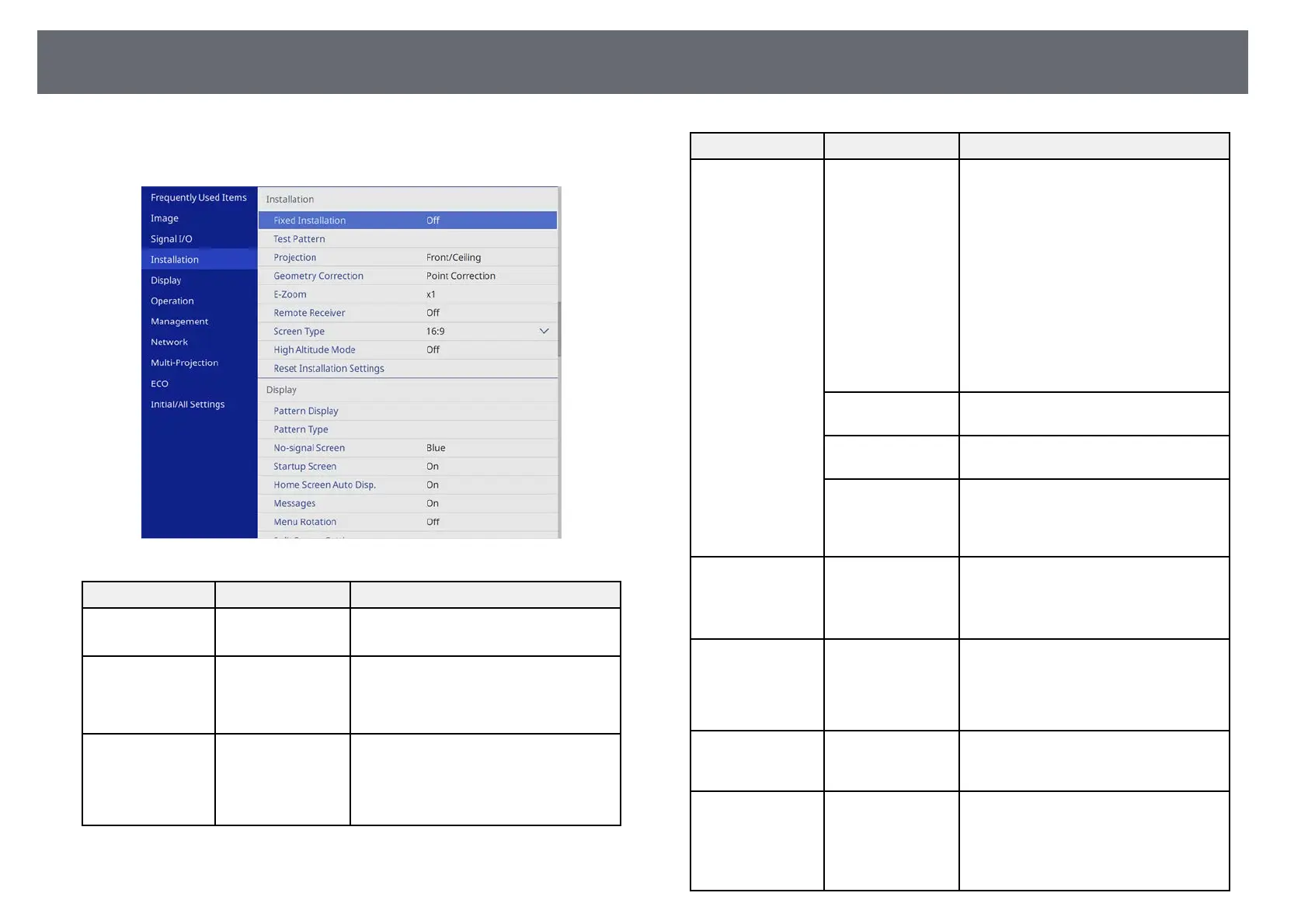
Projector Installation Settings - Installation Menu
172
Settings on the Installation menu help you set up your projector in your
installation environment.
Setting Options Description
Fixed Installation On
Off
Set to On if you installed the projector in
a fixed location.
Test Pattern — Displays a test pattern to assist in
focusing and zooming the image and
correcting image shape (press the [Esc]
button to cancel pattern display).
Projection Front
Rear
Front/Ceiling
Rear/Ceiling
Sets the way the projector faces the
screen so the image is oriented correctly.
Setting Options Description
Geometry
Correction
H/V-Keystone Manually corrects horizontal and vertical
sides.
V-Keystone: lets you manually correct
vertical side.
H-Keystone: lets you manually correct
horizontal side.
Auto V-Keystone: enables or disables
automatic vertical keystone adjustment.
H-Keystone Adjuster: enables or
disables manual horizontal keystone
adjustment using the slider on the
projector.
Quick Corner Corrects image shape and alignment
using an on-screen display.
Arc Correction Corrects the corners and sides of an
image projected on a curved surface.
Point Correction Divides the projected image into a grid
and corrects the distortion by moving the
selected point of intersection from side to
side and up and down.
E-Zoom Varying levels
available
Adjust the size of the image from the
document camera.
Setting is only displayed when Scale is set
to Off. (EB‑L255F/EB‑L250F)
Remote Receiver Front/Rear
Front
Rear
Off
Limits reception of remote control
signals by the selected receiver; Off turns
off all receivers.
Projector ID
(EB‑L200F/EB‑L200
W/EB‑L200X)
Off
1 through 9
Assigns an ID for the projector when you
use multiple projectors.
Screen Type 4:3
16:9
16:10
Sets the aspect ratio of the screen to fit
the image into the projection area.
Setting is only displayed when Content
Playback is set to Off.
(EB‑L255F/EB‑L250F)











 To Next Page