Image Shape
53
c
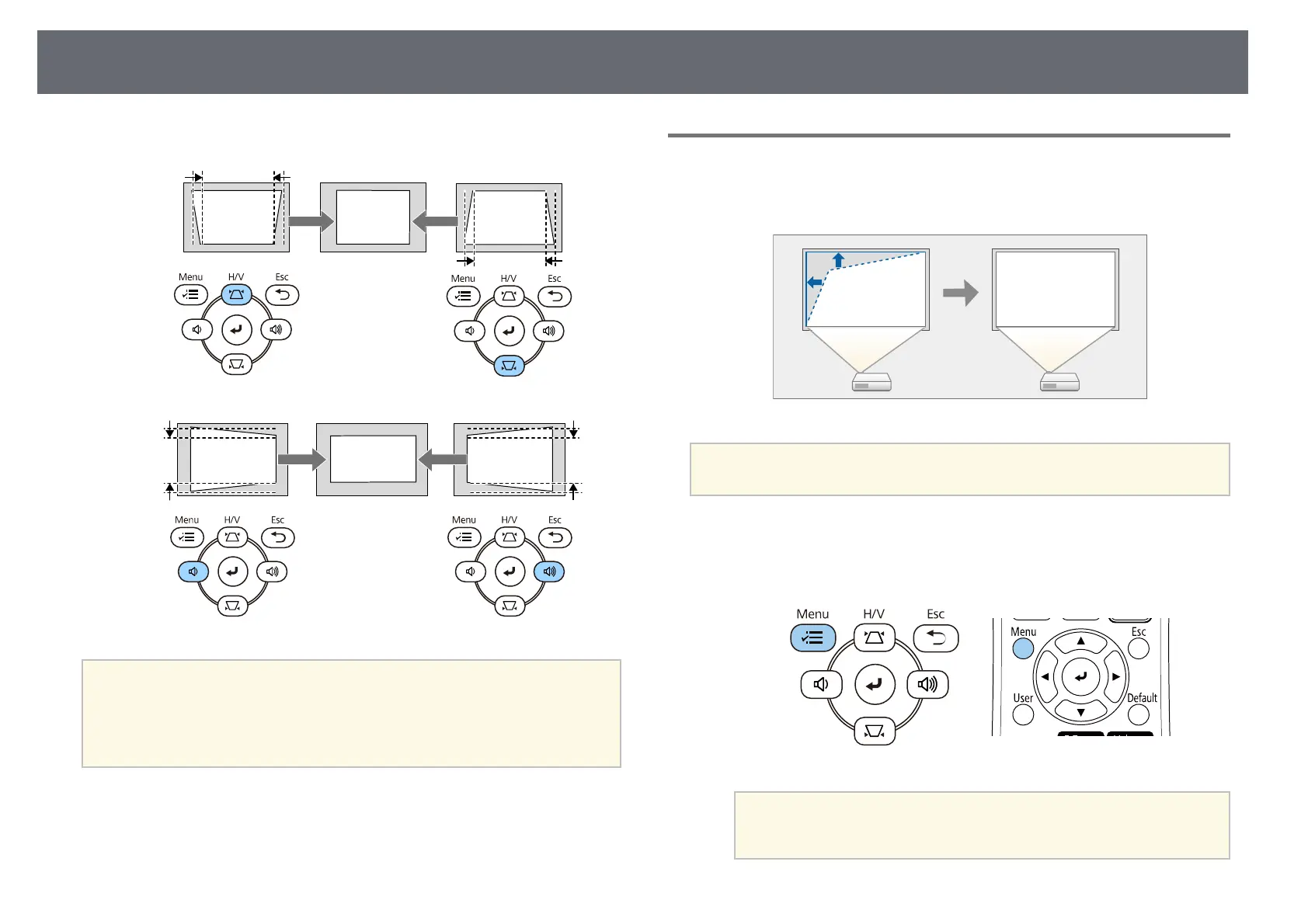
Press a keystone button to adjust the image shape.
a
• If the projector is installed out of your reach, you can also correct the
shape of the image using the remote control.
s Installation > Geometry Correction > H/V-Keystone
• You can also correct the shape of the image using the [Keystone]
button on the remote control (EB‑L255F/EB‑L250F).
Correcting the Image Shape with Quick Corner
You can use the projector's Quick Corner setting to correct the shape and size
of an image that is unevenly rectangular.
a
If you change the Screen Type and Screen Position settings, the
adjustments are reset.
a
Turn on the projector and display an image.
b
Press the [Menu] button on the control panel or remote control.
a
You can also open the Geometry Correction screen using the
[Keystone] button on the remote control (EB‑L255F/EB‑L250F).
Press the [Keystone] button and go to step 5.











 To Next Page