Setting the Screen Type
46
a
You may need to restart the projector. Follow the on-screen
instructions.
g
Adjust the aspect ratio for the projected image, if necessary.
a
When the Screen Type setting changes, the EDID settings are
automatically adjusted.
gg Related Links
• "Adjusting the Image Position Using Screen Position" p.46
Adjusting the Image Position Using Screen Position
You can adjust the image position if there are margins between the edge of
the image and the projected screen frame.
a
You cannot adjust the screen position if you set the Screen Type
setting to the same aspect ratio as the projector resolution.
a
Turn on the projector and display an image.
b
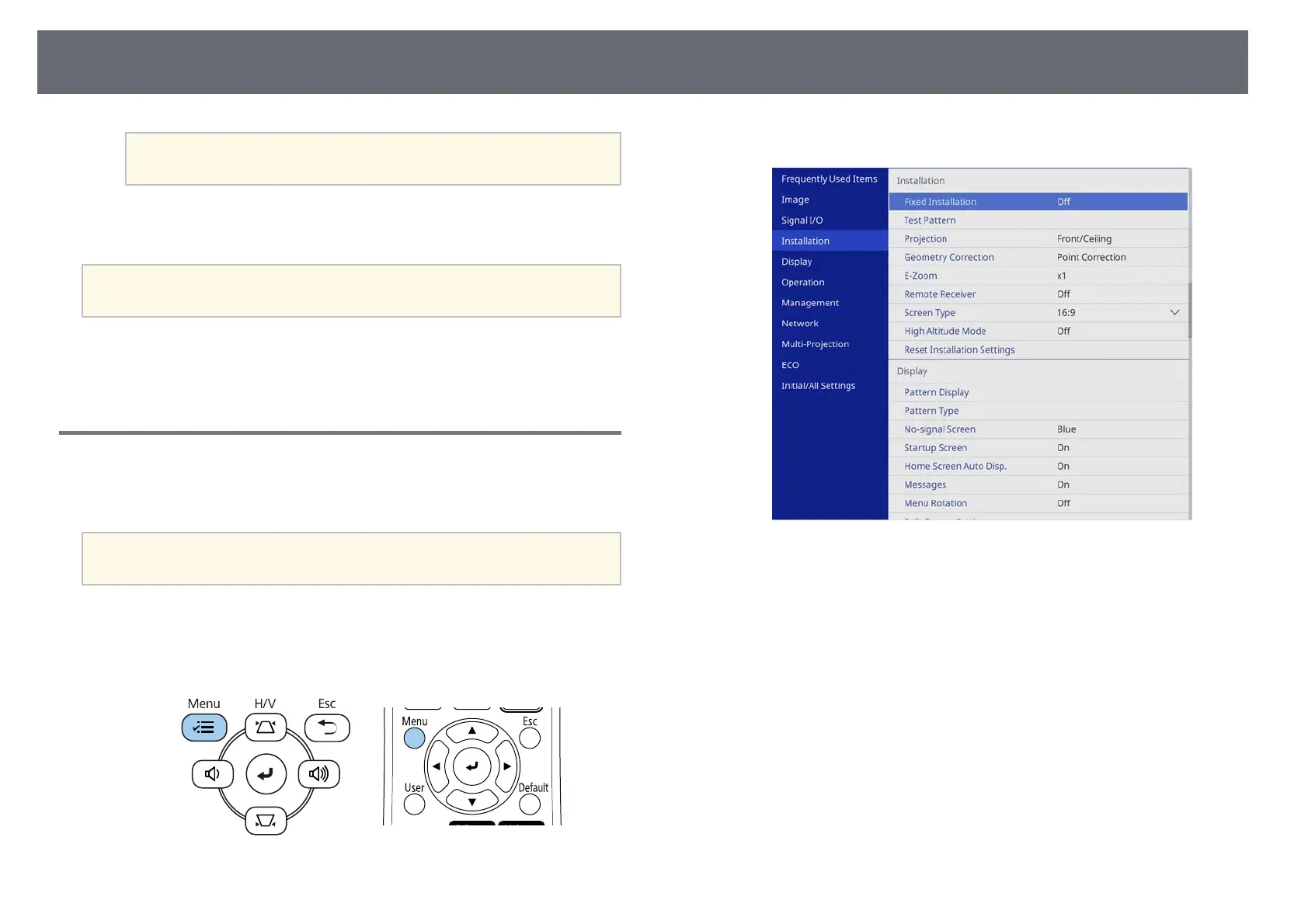
Press the [Menu] button on the control panel or remote control.
c
Select the Installation menu and press [Enter].
d
Select Screen Position, and press [Enter].











 To Next Page