Adjusting the Image Color
71
You can fine-tune various aspects of how colors are displayed in your
projected images (EB‑L255F/EB‑L250F).
gg Related Links
• "Adjusting the Hue, Saturation, and Brightness" p.71
• "Adjusting the Gamma" p.72
Adjusting the Hue, Saturation, and Brightness
You can adjust the Hue, Saturation, and Brightness settings for individual
image colors.
a
Turn on the projector and switch to the image source you want to use.
b
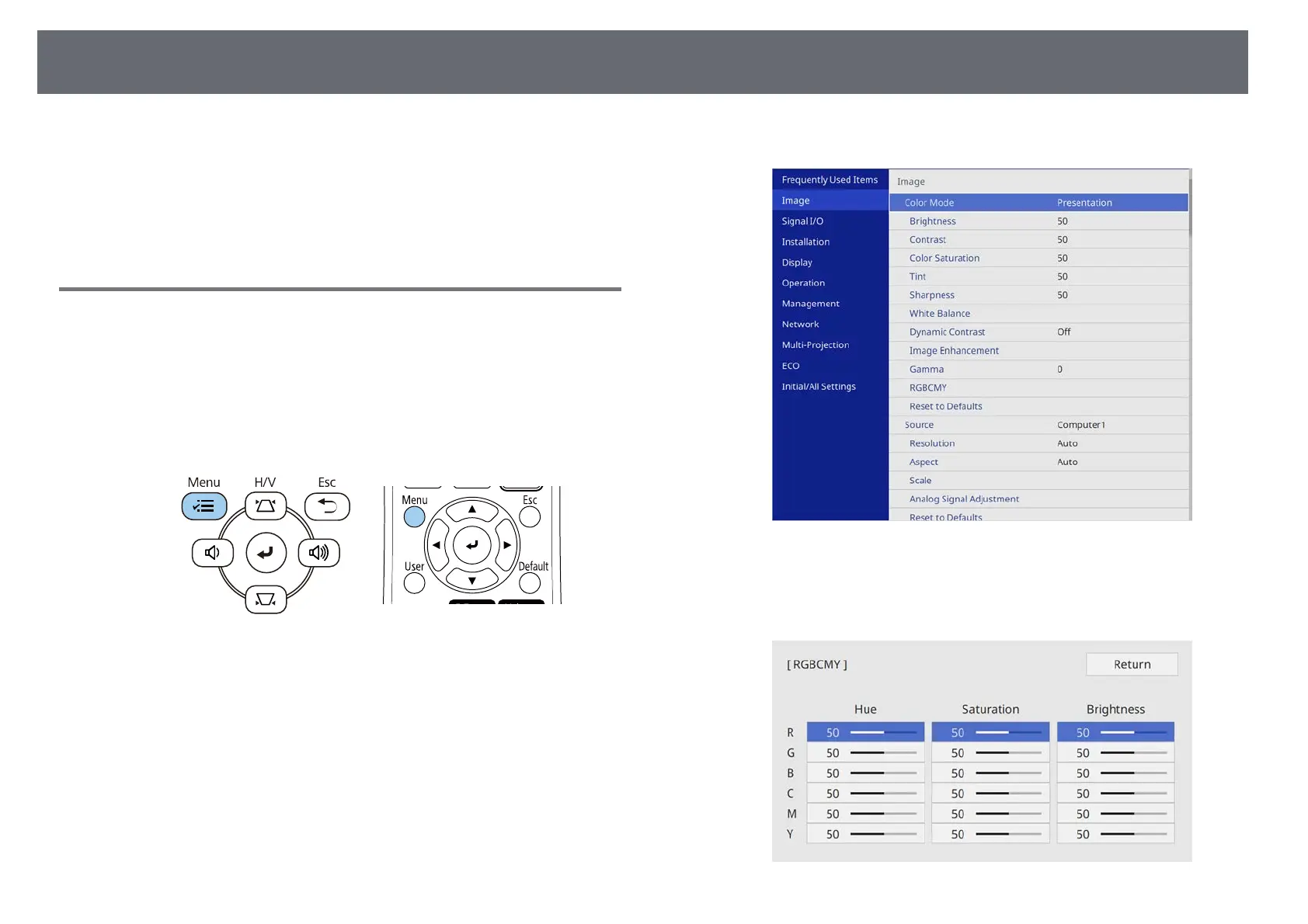
Press the [Menu] button on the control panel or remote control.
c
Select the Image menu and press [Enter].
d
Select RGBCMY and press [Enter].
e
Select the color to adjust, and press [Enter].











 To Next Page