Using ESC/VP21 Commands
156
You can control the projector from an external device using ESC/VP21.
gg Related Links
• "ESC/VP21 Command List" p.156
• "Cable Layouts" p.156
ESC/VP21 Command List
When the power ON command is transmitted to the projector, the power
turns on and it enters warm-up mode. When the projector's power has turned
on, a colon ":" (3Ah) is returned.
When a command is input, the projector executes the command and returns a
":", and then accepts the next command.
If the command being processed terminates abnormally, an error message is
output and a ":" is returned.
The following commands are available.
Item Command
Power On/Off On PWR ON
Off PWR OFF
Signal selection Computer1 SOURCE 10
Computer2 SOURCE 20
HDMI1 SOURCE 30
Video SOURCE 41
USB Display SOURCE 51
USB SOURCE 52
LAN SOURCE 53
Screen Mirroring1 SOURCE 56
Spotlight SOURCE 58*
Screen Mirroring2 SOURCE 59
HDMI2 SOURCE A0
Item Command
A/V Mute On/Off On MUTE ON
Off MUTE OFF
* Spotlight is available only with the EB‑L255F/EB‑L250F.
Add a Carriage Return (CR) code (0Dh) to the end of each command and
transmit.
Contact Epson for more details.
Cable Layouts
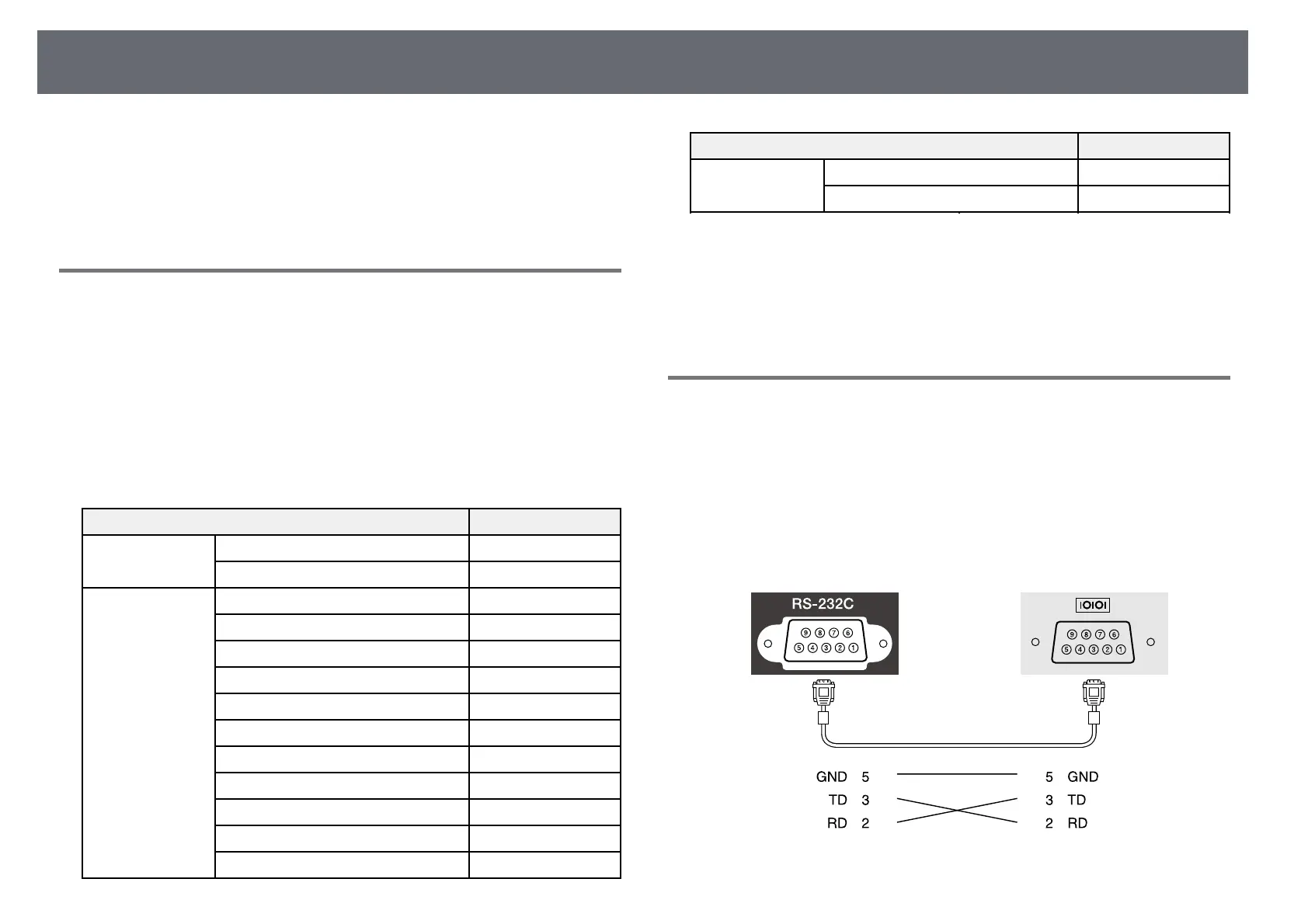
Serial connection
• Connector shape: D-Sub 9-pin (male)
• Projector input port name: RS-232C
• Cable type: Crossover (null modem) cable
In the following illustration, the projector side is shown on the left, and the
computer side on the right:











 To Next Page