Projector Connections
29
b
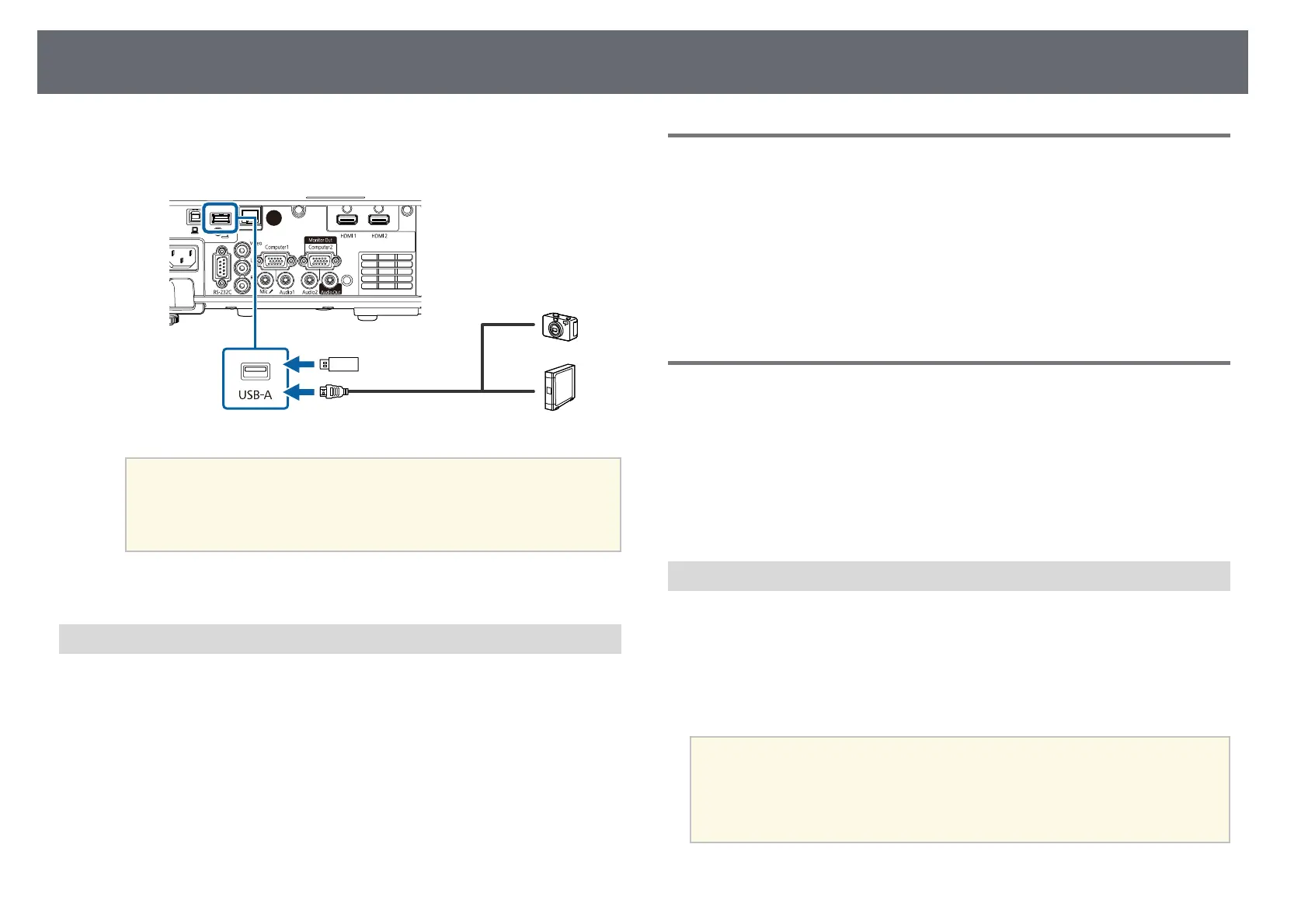
Connect the USB cable or USB flash drive to the projector's USB-A port
as shown.
Attention
• Use the USB cable supplied with or specified for use with the device.
• Do not connect a USB hub or a USB cable longer than 3 meters, or the
device may not operate correctly.
c
Connect the other end to your device, if necessary.
Disconnecting a USB Device
When you have finished projecting with a connected USB device, disconnect
the device from the projector.
a
Turn off and unplug the device, if necessary.
b
Disconnect the USB device from the projector.
Connecting to a Document Camera
You can connect a document camera to your projector to project images
viewed by the camera.
The connection method varies depending on your Epson document camera
model. See the document camera manual for details.
gg Related Links
• "Getting the Latest Version of the Documents" p.9
Connecting to External Devices
Follow the instructions in these sections to connect external devices to the
projector.
gg Related Links
• "Connecting to a VGA Monitor" p.29
• "Connecting to External Speakers" p.30
• "Connecting a Microphone" p.30
Connecting to a VGA Monitor
If you connected the projector to a computer using a Computer port, you can
also connect an external monitor to the projector. This lets you see your
presentation on the external monitor even when the projected image is not
visible.
To output images to an external monitor, set the Monitor Out Port setting to
Monitor Out in the projector's Signal I/O menu.
a
• If you want to output images to an external monitor when the
projector does not project any images, set the A/V Output setting to
Always On in the projector's Signal I/O menu.
• Monitors that use a refresh rate of less than 60 Hz may not be able to
display images correctly.











 To Next Page