Projector Parts and Functions
14
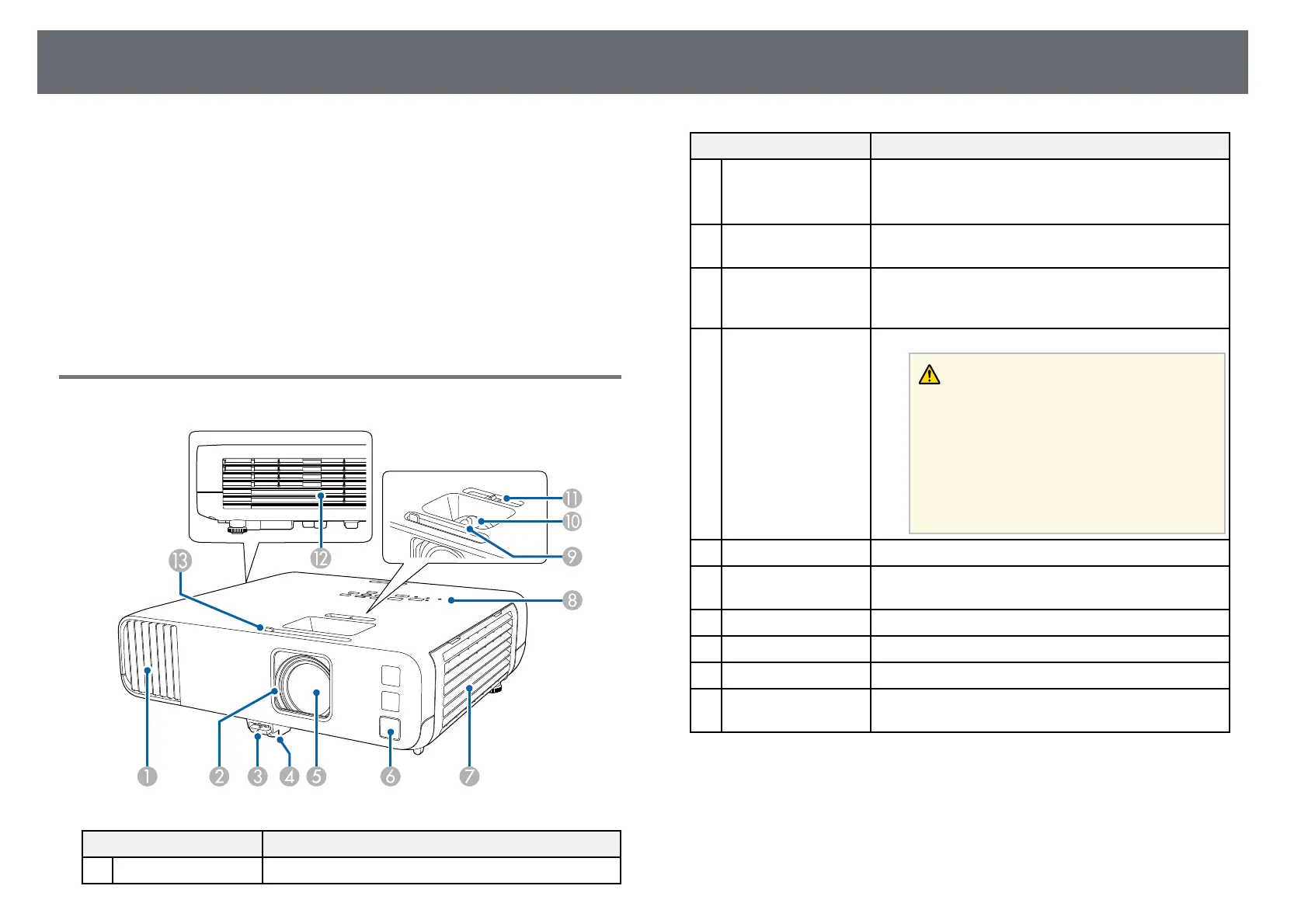
The following sections explain the projector parts and their functions.
All of the features in this guide are explained using illustrations of EB‑L200F
unless otherwise mentioned.
gg Related Links
• "Projector Parts - Front/Top" p.14
• "Projector Parts - Rear" p.15
• "Projector Parts - Base" p.16
• "Projector Parts - Control Panel" p.17
• "Projector Parts - Remote Control" p.18
Projector Parts - Front/Top
Name Function
A
Air intake vent Takes in air to cool the projector internally.
Name Function
B
Lens cover Close when not using the projector to protect the lens.
By closing it during projection you can hide the image
and the sound.
C
Foot release lever Press the foot release lever to extend and retract the
front adjustable foot.
D
Front adjustable foot When the projector is set up on a surface such as a
desk, extend the foot to adjust the position of the
image.
E
Lens Images are projected from here.
Warning
• Do not look into the projection lens while
projecting.
• Do not place any objects or put your hand
near the projection lens. It could cause
burns, fire, or the object to warp because this
area reaches a high temperature due to the
concentrated projection light.
F
Remote receiver Receives signals from the remote control.
G
Air intake vent (air
filter)
Takes in air to cool the projector internally.
H
Control panel Operates the projector.
I
Focus ring Adjusts the image focus.
J
Zoom ring Adjusts the image size.
K
Horizontal keystone
slider
Corrects horizontal distortion in the projected image.











 To Next Page