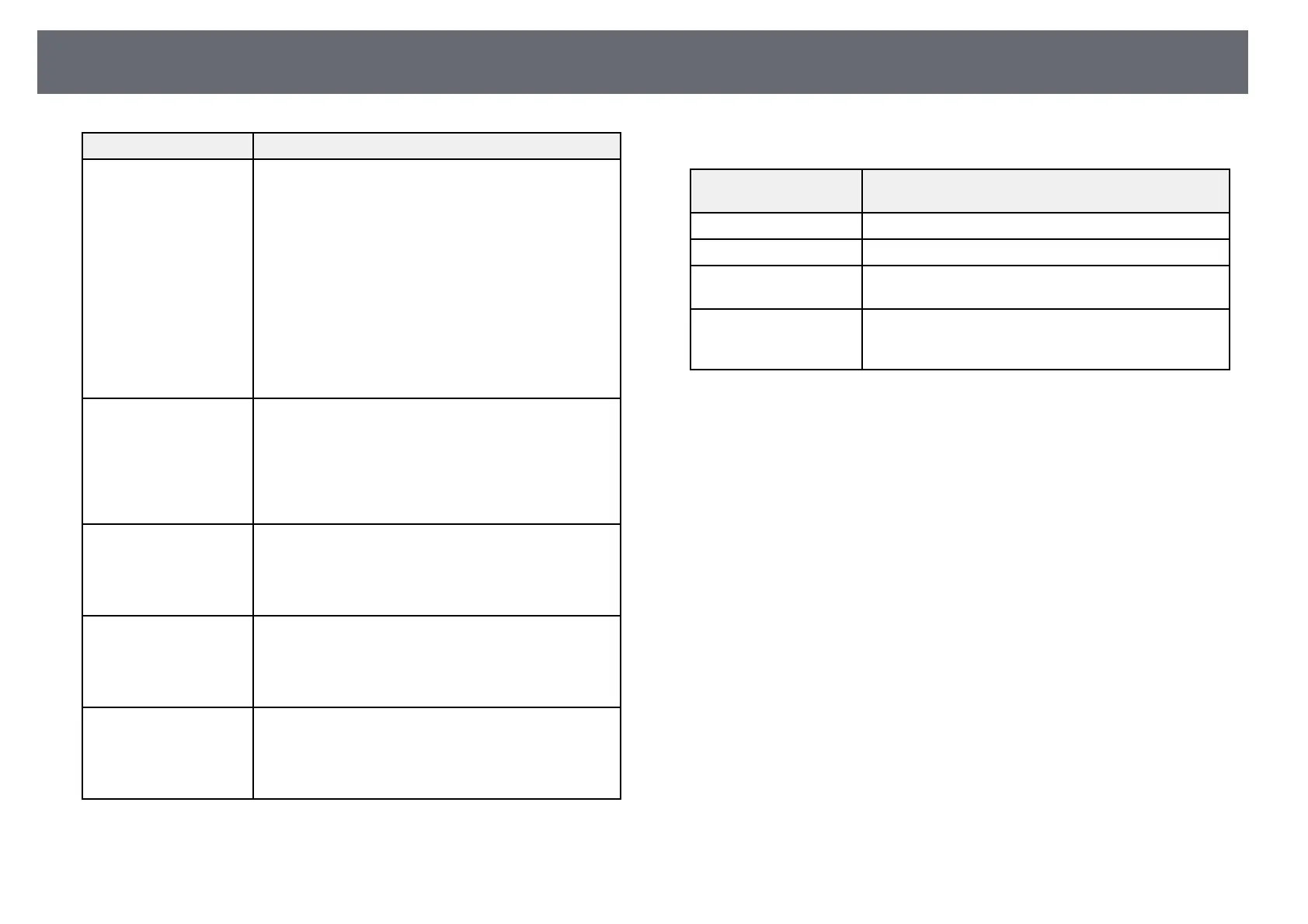
Projector Indicator Status
207
Indicator and status Problem and solutions
Power: Off
Status: Flashing blue
Laser: Off
Temp: Lit orange
Projector has overheated and turned off. Leave it turned
off to cool down for 5 minutes.
• Make sure that the vents and air filter are not clogged
with dust or obstructed by nearby objects.
• Make sure the environmental temperature is not too
hot.
• Clean or replace the air filter.
• If operating the projector at high altitude, set the High
Altitude Mode setting to On in the projector's
Installation menu.
• If the problem persists, unplug the projector and
contact Epson for help.
Power: Flashing blue
Status: Indicator status
varies
Laser: Flashing orange
Temp: Indicator status
varies
Laser warning.
Turn the projector off, unplug it, and contact Epson for
help.
Power: Off
Status: Flashing blue
Laser: Lit orange
Temp: Off
Laser has a problem.
Turn the projector off, unplug it, and contact Epson for
help.
Power: Off
Status: Flashing blue
Laser: Off
Temp: Flashing orange
A fan or sensor has a problem.
Turn the projector off, unplug it, and contact Epson for
help.
Power: Off
Status: Flashing blue
Laser: Flashing orange
Temp: Off
Internal projector error.
Turn the projector off, unplug it, and contact Epson for
help.
Wireless LAN status
Wireless LAN indicator
status
Problem and solutions
Lit blue Wireless LAN is available.
Flashing blue (quickly) Connecting to a device.
Flashing blue (slowly) An error has occurred. Turn off the projector and then
on again.
Off Wireless LAN is not available. Make sure the Wireless
LAN Power setting is set to On in the projector's
Management menu.
gg Related Links
• "Projector Administration Settings - Management Menu" p.178
• "Cleaning the Air Filter and Vents" p.199
• "Replacing the Air Filter" p.199











 To Next Page