Image Shape
56
c
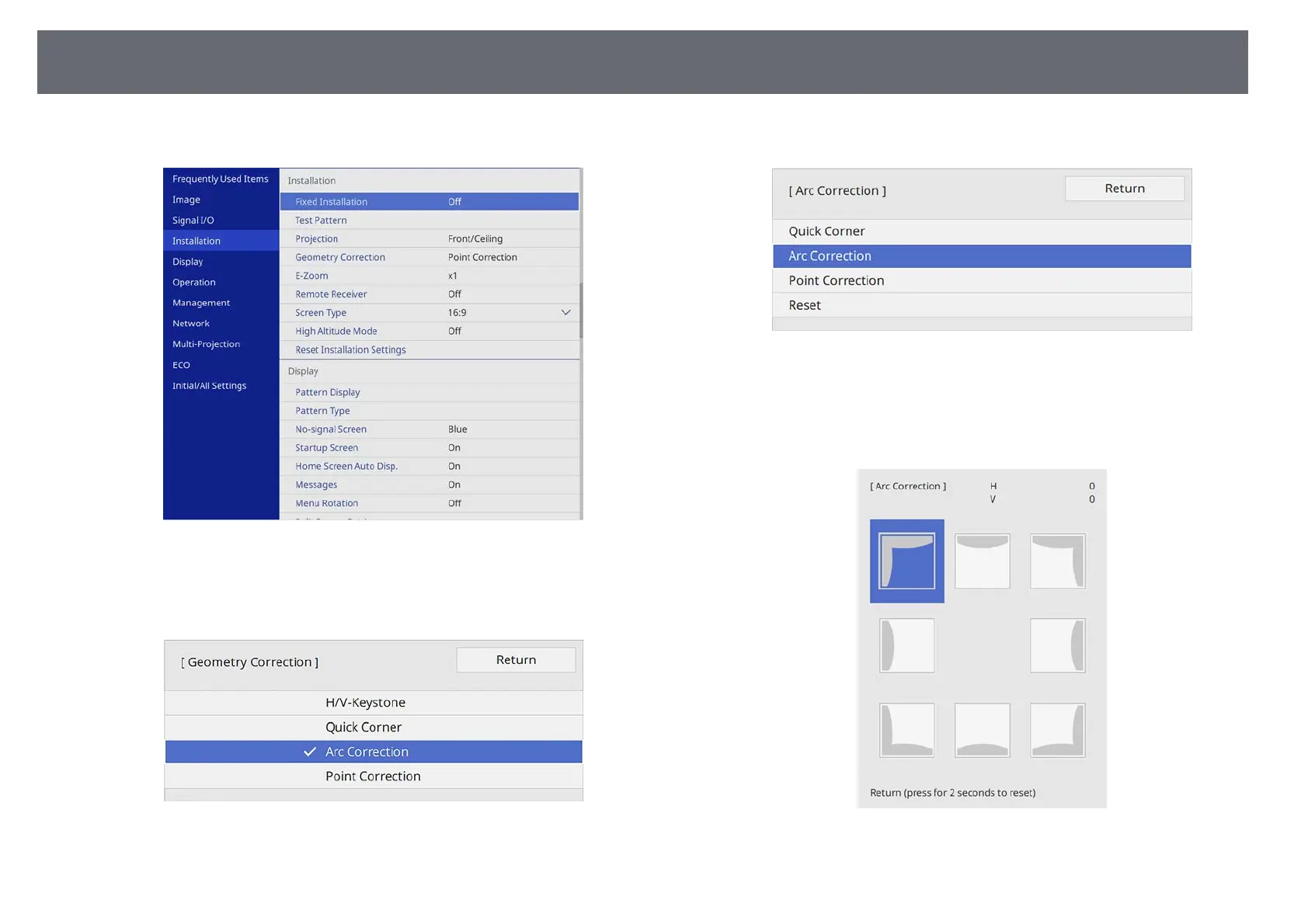
Select the Installation menu and press [Enter].
d
Select Geometry Correction and press [Enter].
e
Select Arc Correction and press [Enter].
f
Select Arc Correction and press [Enter].
You see the area selection screen.
g
Use the arrow buttons to select the area of the image you want to
adjust, then press [Enter].
h
Press the arrow buttons to adjust the image shape of the selected area as
necessary.











 To Next Page