Note:
Fax is only displayed on printers equipped with the fax function.
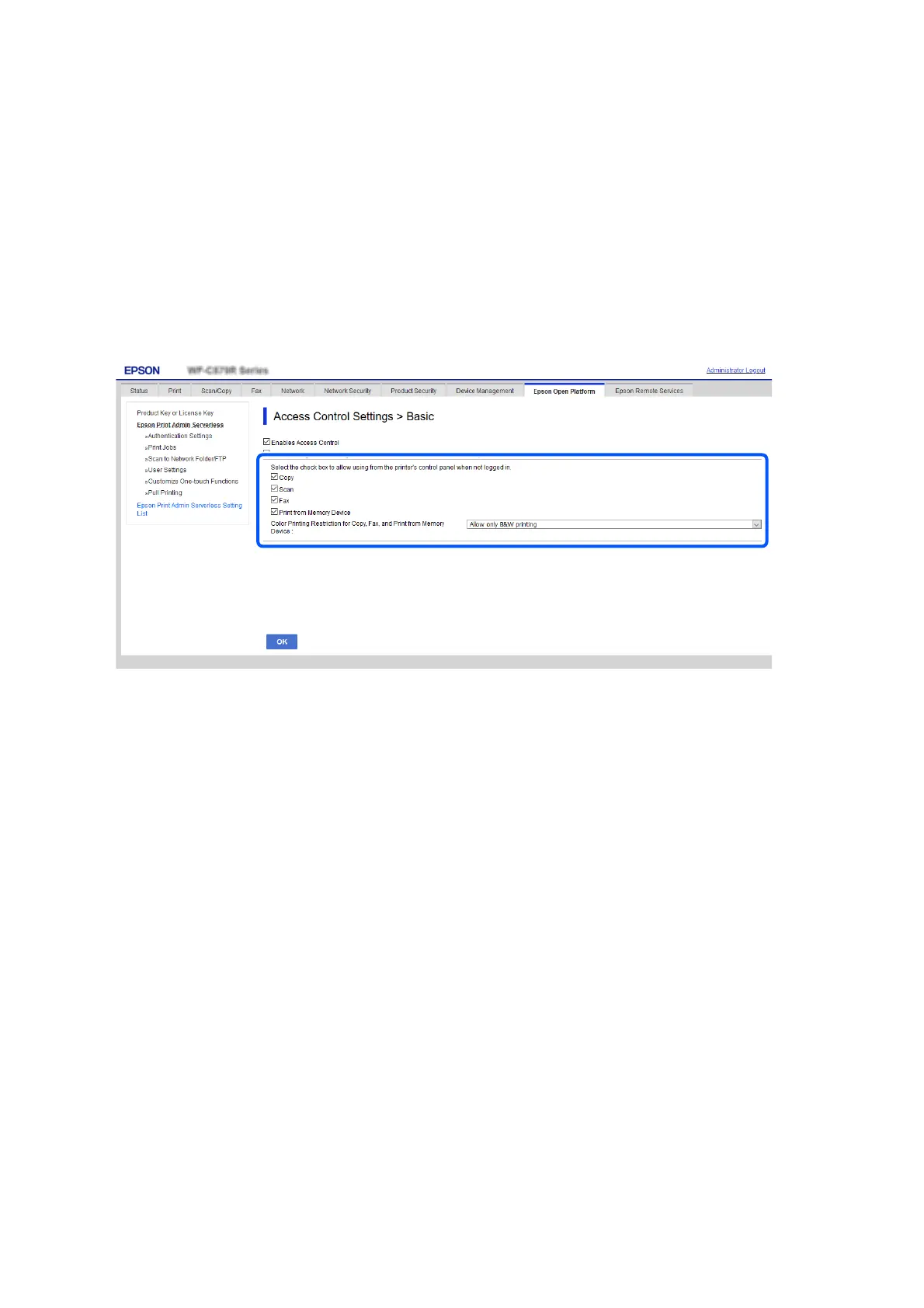
1. Select the Epson Print Admin Serverless Setting List > Access Control Settings > Basic.
Or access Product Security tab > Access Control Settings > Basic.
2. Conrm that the Enables Access Control is selected.
3. Enable the functions that you want to permit to use without authentication in Select the check box to allow
using from the printer's control panel when not logged in..
4. Click OK.
Related Information
& “Making the Function Settings for Use Without Authentication (Conguration Template)” on page 78
Making Authentication Device Settings (Web Cong)
Set the reading format for authentication information received from an ID card.
1. Select the Epson Print Admin Serverless Setting List > Card Reader.
Or access Device Management tab > Card Reader.
Setup & Administration Guide
Information Registration and System Conguration
52



 To Next Page
 Loading...












