Step Description Diagram
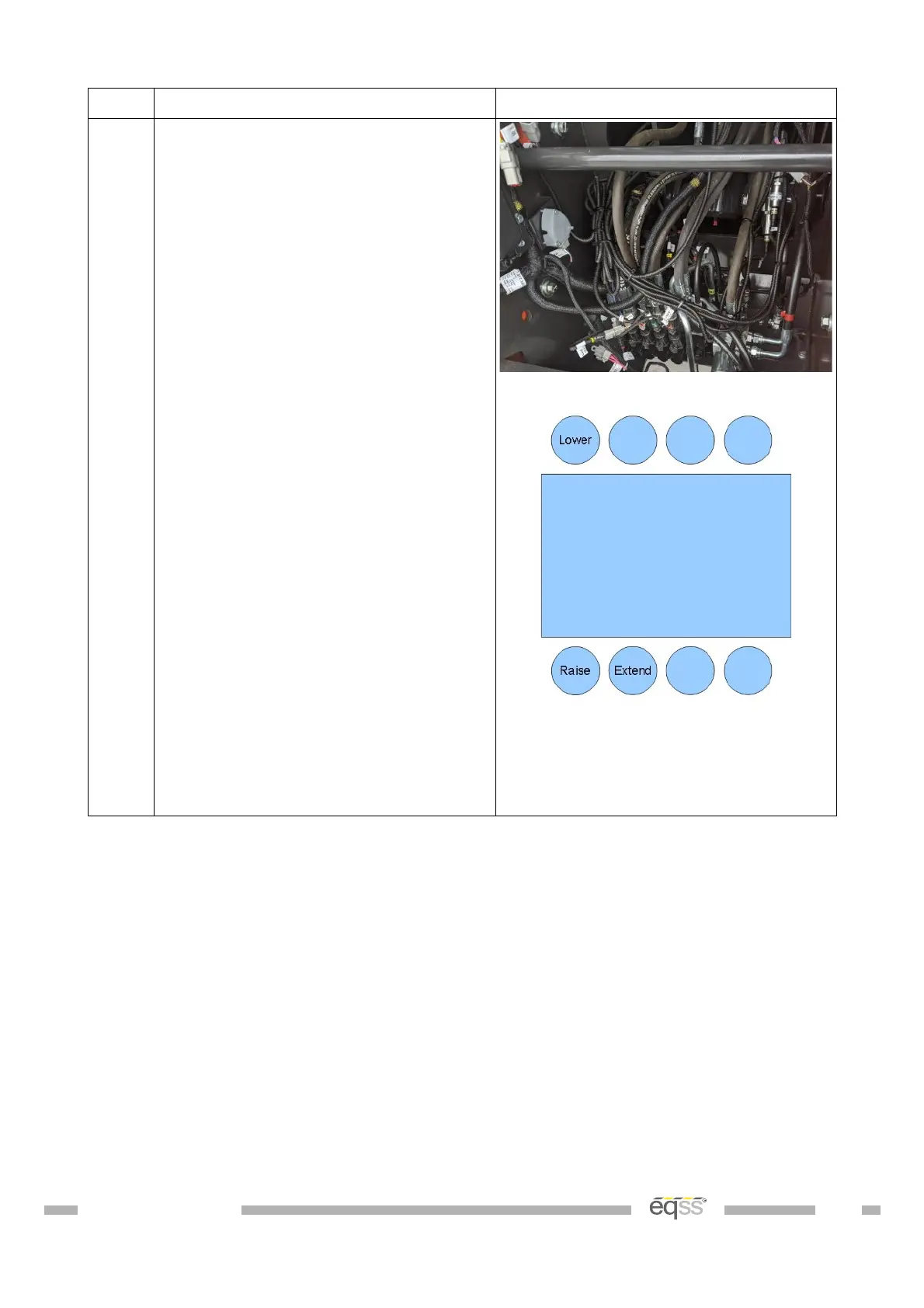
3. Run the height limiter cable from out
the left side of the CPIM to the
hydraulic block at the rear of the
machine.
Connect the tee connector labelled
“Raise” from the height limiter cable
to the boom raise (bottom left)
connector on the hydraulic block and
the tee connector labelled “Extend”
from the height limiter cable to the
boom extend (down second from
right) connector on the hydraulic
block.
Place a single cable tie to hold each
cable position then disconnect the
tee's from the raise and extend
connectors, otherwise the boom will
not move.
Complete the cable installation
during External Cable Completion on
page 28.
Note: The location of the connectors
in the picture above may not match
the machine, check the label on the
connector
Table 7: Can Pressure Input Module (CPIM) Installation
DO001547 VER: 2303241610 22 of 58


 To Next Page