Step Description Diagram
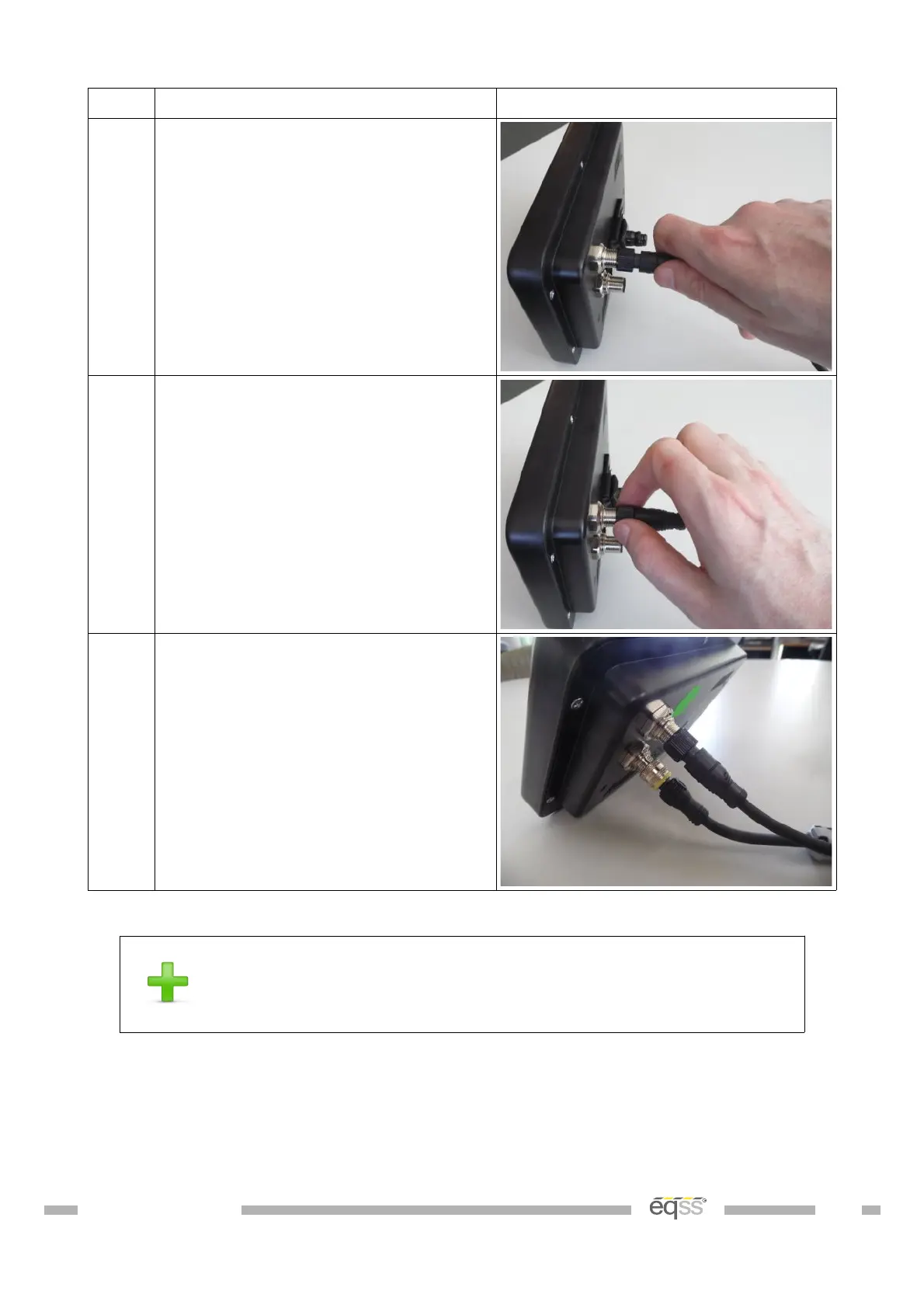
3. Push the female connector from the
cable into the male connector on the
display.
4. Rotate the nut on the female
connector by hand in a clockwise
direction, until the tension on the nut
starts to increase.
5. Push the cable in again and repeat
steps 3 and 4 until the connector is
secure.
Table 18: Install Display Connector Procedure
The method to correctly secure the cable is to push-twist-
push-twist until the connector is fully inserted and secure.
This will minimise the twisting force applied to the connector.
Below is a picture of a damaged connector on the PCB inside the display. This damaged
occurred because the connector was over tightened.
DO001547 VER: 2303241610 53 of 58



 To Next Page