Forward Camera
The forward camera video is displayed on the screen when the machine is in forward gear
to allow the operator to see past the boom to obstructions that would damage the right
front tyre.
system is operating as this can damage the fuse.
Step Description Diagram
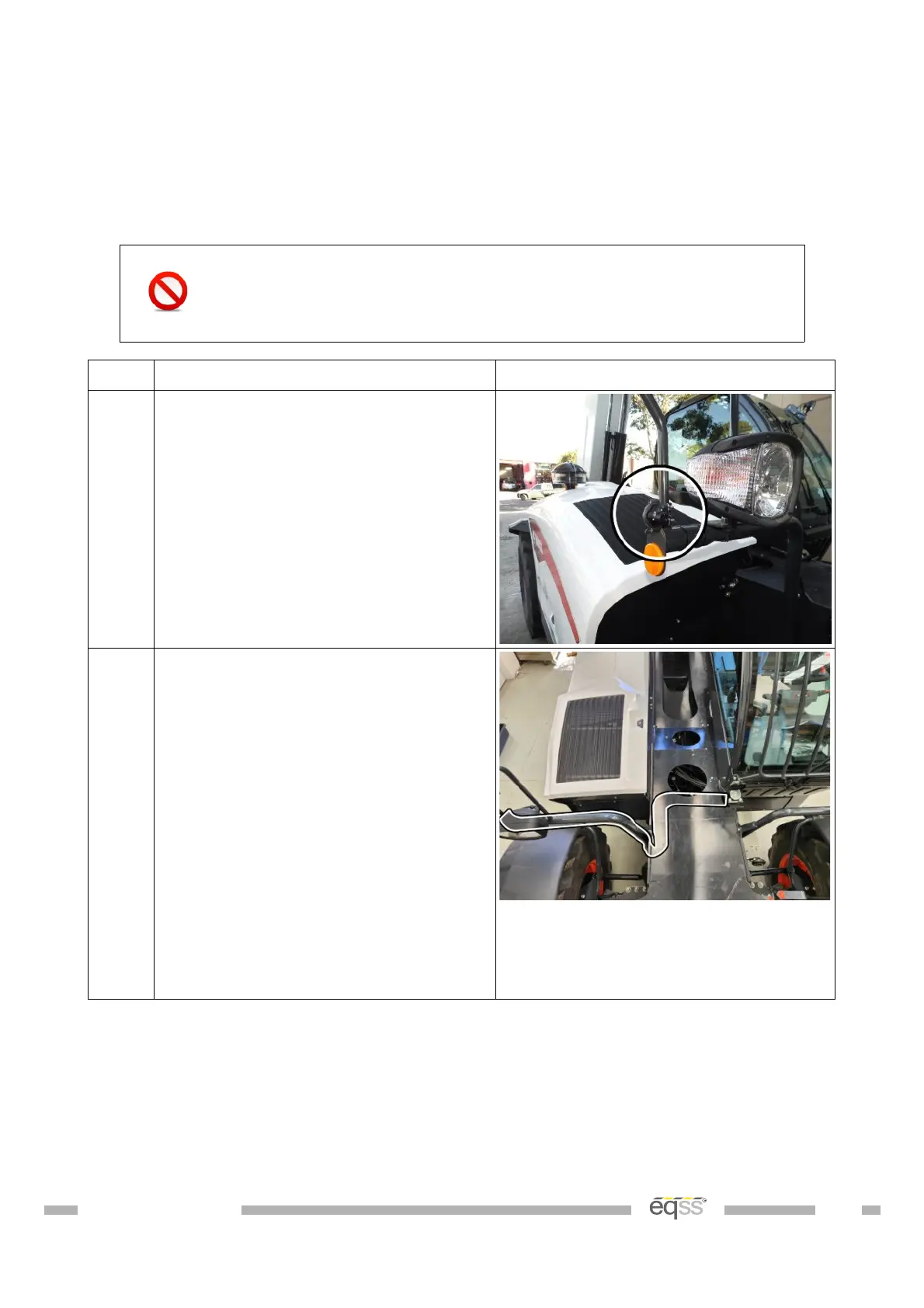
1. Mount the camera to the side mirror
post using the p-clips as shown.
Secure using two M6 nuts.
2. Connect the camera power and
signal connectors to the supplied 5m
camera cable (CB001032).
Note; The white connector is not
used.
Run the cable along the same path
as the headlight cable through the
headlight post.
Run the remainder of the cable
towards the cabin following the
headlight cable and insert into cabin
during External Cable Completion on
page 28.
Table 9: Forward Camera Installation
DO001547 VER: 2303241610 26 of 58


 To Next Page