External Cable Completion
All external cabling is completed in this step.
Step Description Diagram
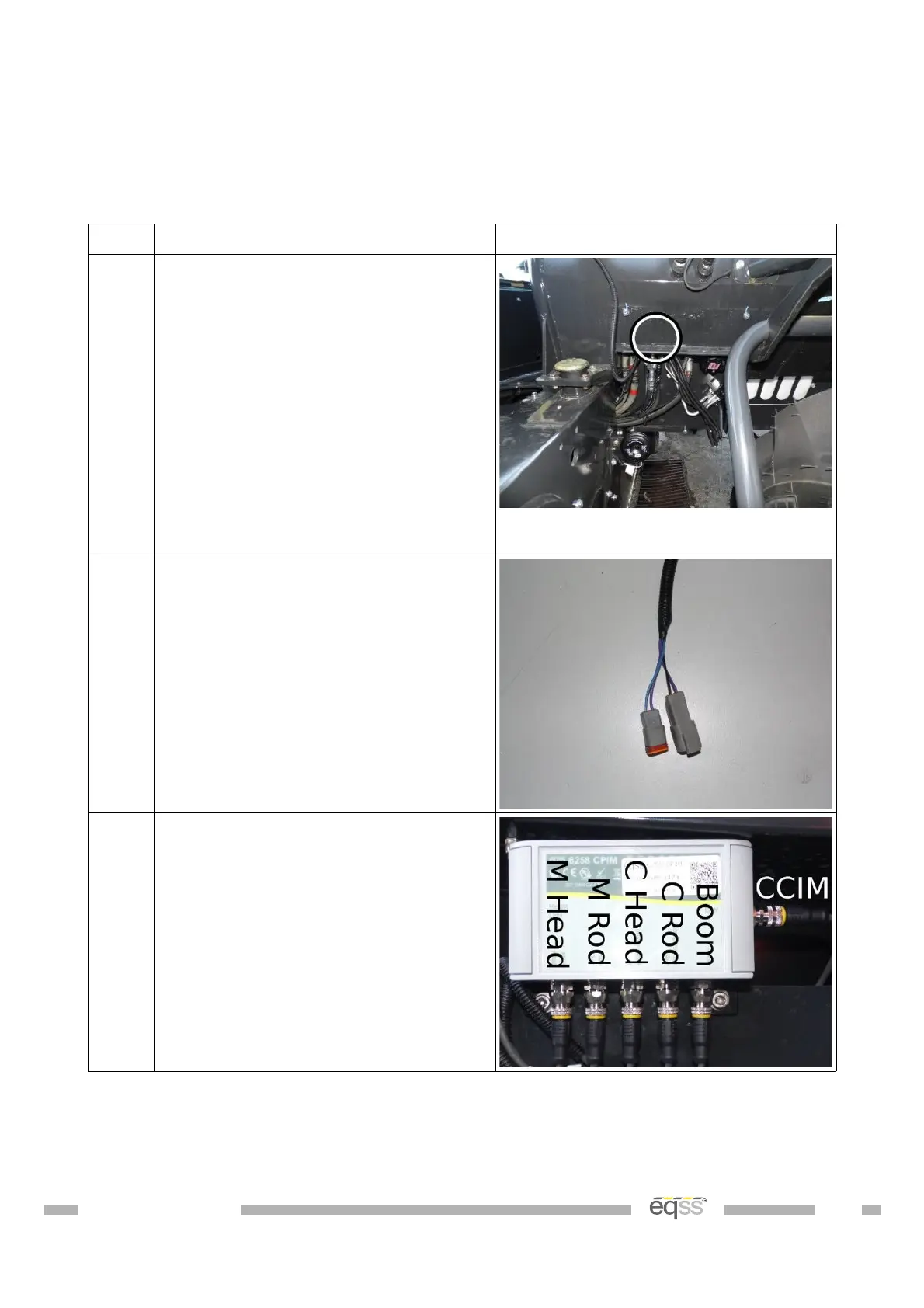
1. Locate the cable entrance hole from
the inside of the cabin to the outside
of the chassis, located inside the
dashboard to outside the front of the
cabin.
View from behind the front left
wheel towards the cabin
2. Run the connector pairs from the
cutout and lock pin release
harnesses through the connector
hole from inside the cabin to the
outside of the chassis.
3. Connect the supplied M12 4 metre
cable (CB001026) into the right side
of the CPIM for the CCIM cable.
DO001547 VER: 2303241610 28 of 58


 To Next Page