Step Description Diagram
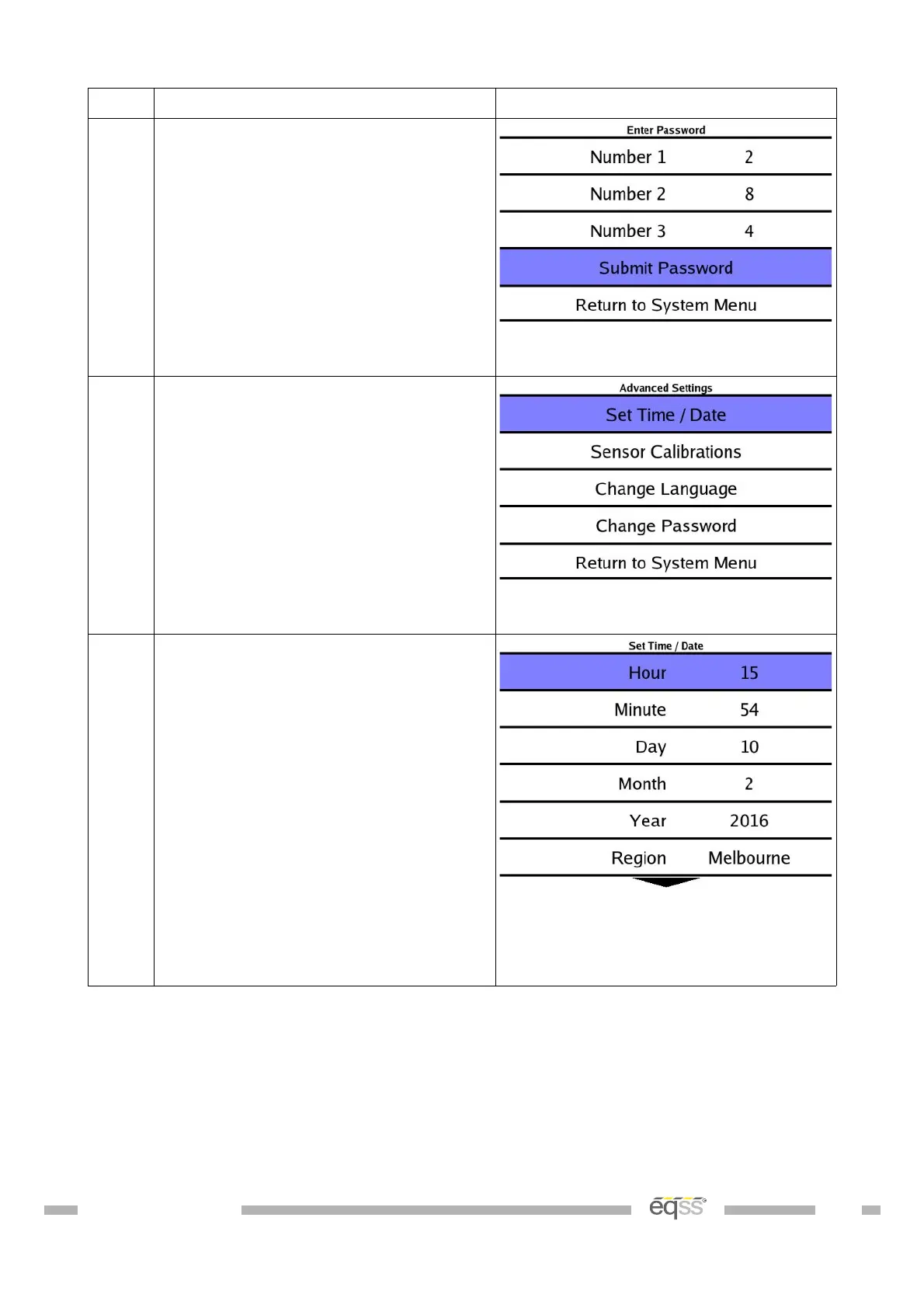
3. Enter the password
(Default Password: 2-8-4)
4. Select Set Time / Date
5. Enter the correct time and date for
your area.
Press the arrow keys to select a
time/date parameter
Press Enter and the parameter will
change to red, press the arrow keys
to change the value and then press
the Enter key to store the value.
Note: The hour parameter is in 24
hour clock
Repeat for the rest of the time
values
DO001547 VER: 2303241610 46 of 58



 To Next Page