SOFTWARE UPDATE
0740 801 028
- 58 -
© ESAB AB 2017
When updating several units it is possible to stop the file from being renamed simply by
adding a line first in the “update.txt”file. That first line should read (case independent):
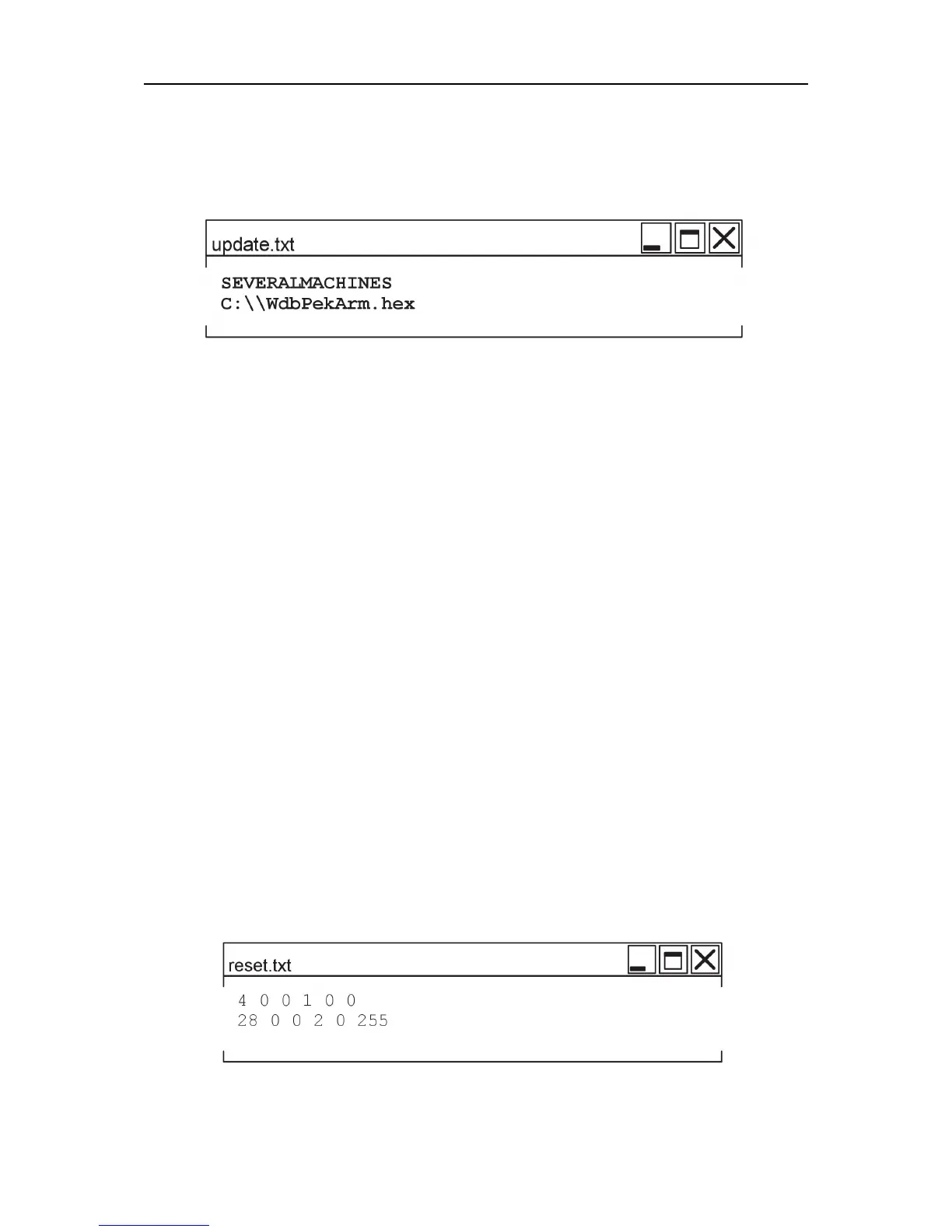
SEVERALMACHINES
An example of the “update.txt”file looks like:
This will prevent the text file from being renamed after an update and the USB memory is
ready for updating the next unit without any manual correction of the filename.
The new software release
New software realeases are distributed through the ESAB service network. The boot
program in the PEK, used for the upgrade, has support for software files ending with:
*.hex
*.sre
*.fcf
Thefile“reset.txt”
To make a reset of a unit, the USB memory must contain a text file named:
reset.txt
The “reset.txt”file, must be located directly at the root of the USB memory.
After a successful program reset the “reset.txt”file is automatically renamed to:
“reset.txt_” to prevent a new reset at the next power on, if the USB memory is still
connected.
Before the USB memory stick can be used for updating another unit the text file must be
edited by a computer back to: “reset.txt”.
When updating several units it is possible to stop the renaming of the file by adding a line
first in the “reset.txt”file. The first line should read (case independent):
SEVERALMACHINES
This prevents the renaming of the the text file after the reset operation.
An exemple of the content in the “reset.txt”file is:



 To Next Page