Chapter 6: Election Day Tasks 105
EVS5200_DOC_SOP_DS850
Software Version 2.10
Published: February 26, 2014
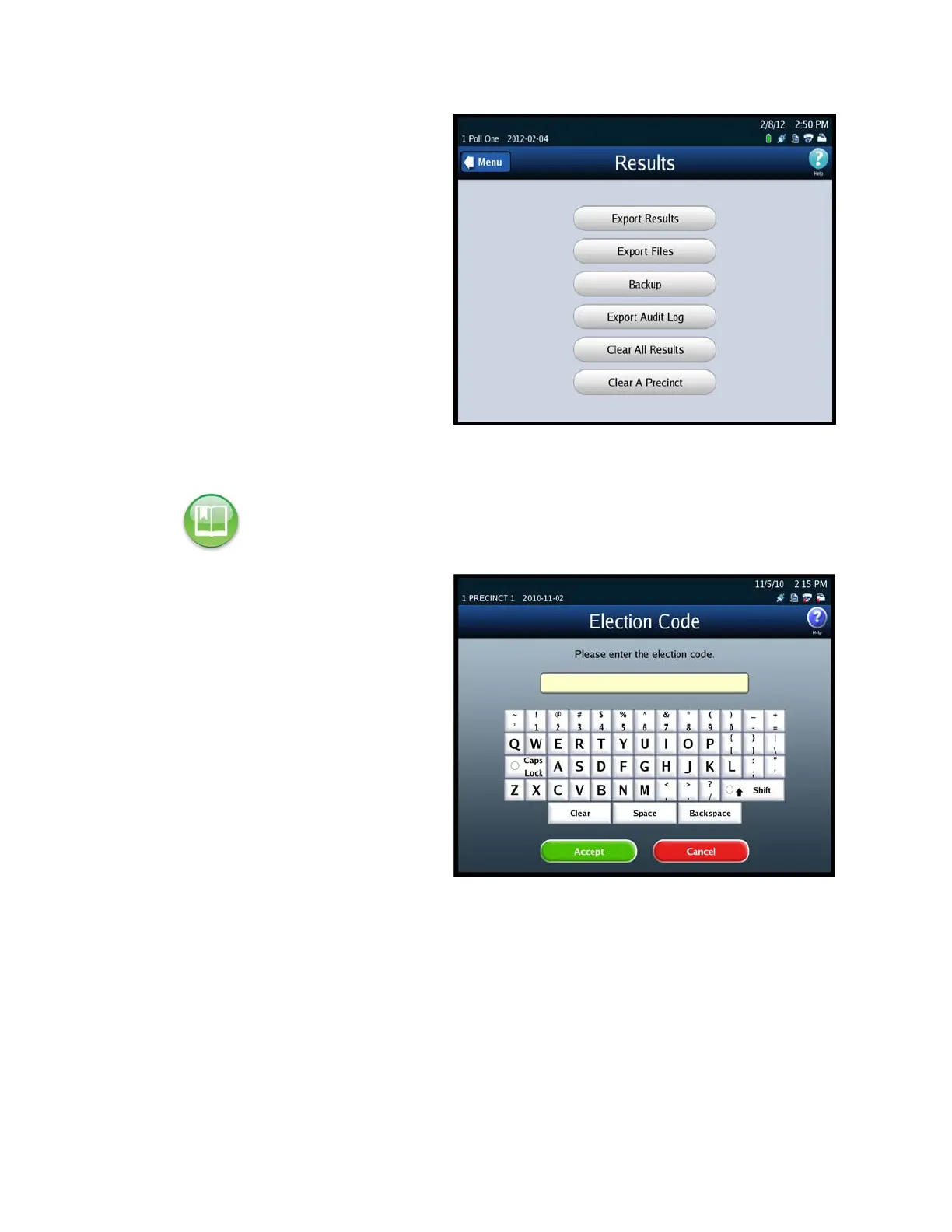
2. From the Election menu, press
Results to display the Results
screen.
3. From the Results screen, press
Export Results. This displays
the Searching for ES&S Media
Device pop-up screen.
4. Insert the Election Definition
Media Device flash drive or a
blank ES&S Media Device flash
drive into one of the scanner’s
USB ports. The previous
pop-up screen is temporarily
replaced by a Detecting
inserted device pop-up screen.
Then, the Election Code screen
appears.
5. Enter the Election Code and
then press Accept.
Reference: See Using USB Media Devices for instructions.


 To Next Page