Chapter 6: Election Day Tasks 90
EVS5200_DOC_SOP_DS850
Software Version 2.10
Published: February 26, 2014
Chapter 6: Election Day Tasks
This chapter contains instructions for the following Election Day tasks:
Scanning
Printing Election Reports
Exporting Data
Clearing Election Results
Special Instructions for Processing Folded Ballots
This section covers instructions on how to process folded ballots.
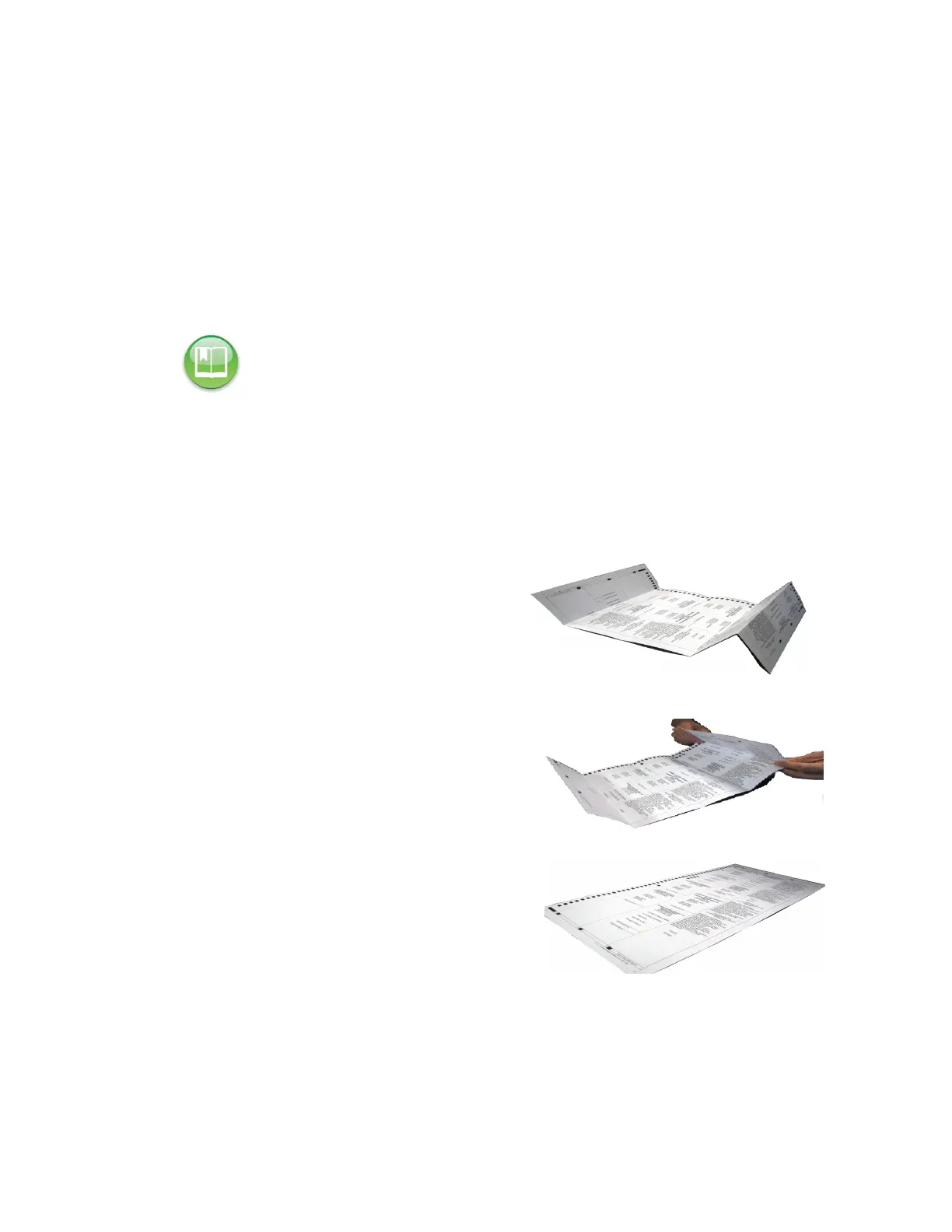
1. Remove the ballot from the envelope
and unfold it.
2. Back fold the crease on each fold in the
ballot.
3. Start running ballots by laying them flat
in small stacks of about 25 to 50 ballot.
Slowly increase the stack size if the
scanner successfully processes smaller
ballot batches without issues. Maximum
stack size for folded ballots should not
exceed 150 ballots.
Reference: Before you begin the Election Day tasks, see Chapter 5: Pre-Election Day Tasks to
make certain that all pre-election tasks have been completed.



 To Next Page