Chapter 3: DS850 User Interface 24
EVS5200_DOC_SOP_DS850
Software Version 2.10
Published: February 26, 2014
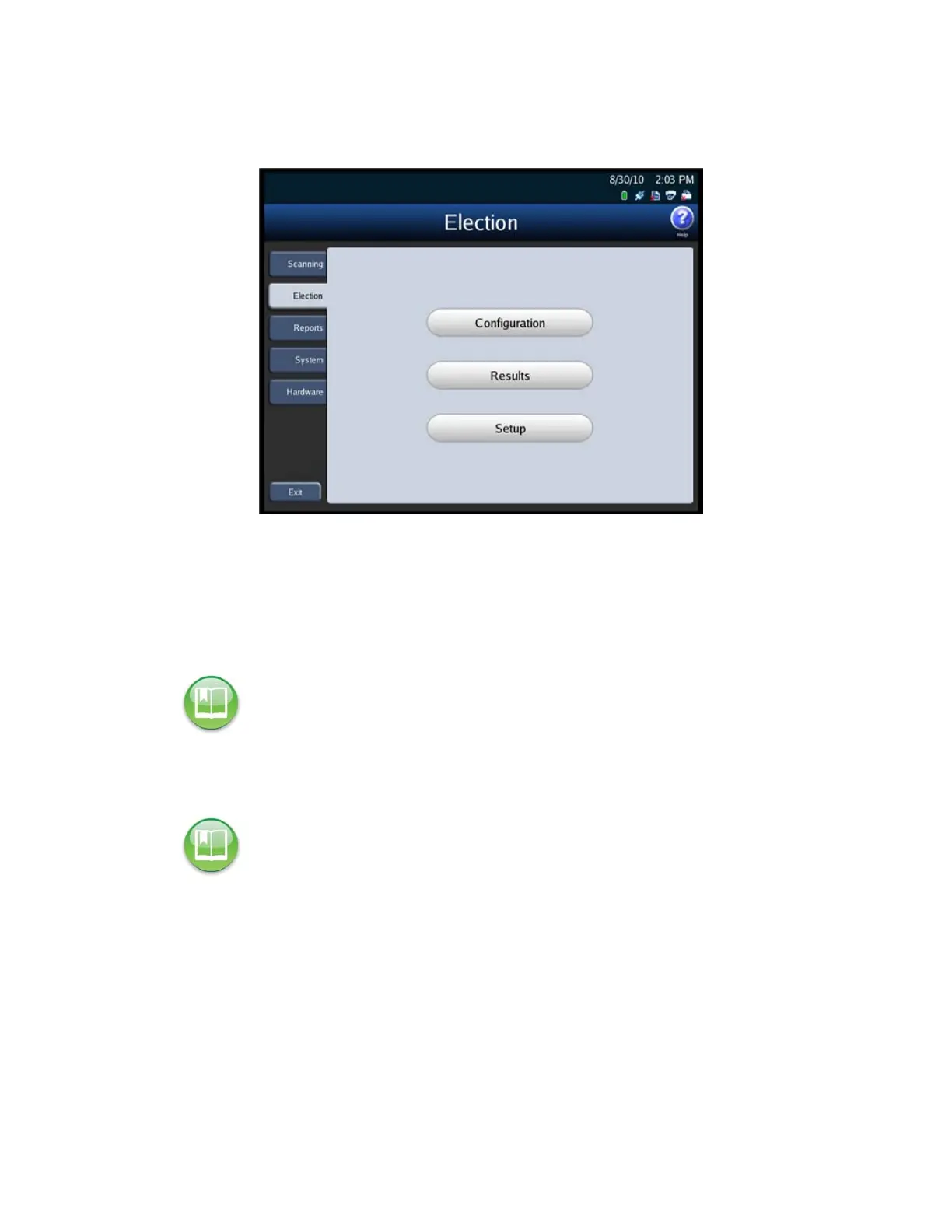
The following is an example of the Election menu.
Press Configuration to set your scanner’s configuration options. See Configuring
the Scanner for information on setting your scanner’s configuration options.
Press Results to access the Results screen. From the Results screen, you can export
the poll place collection data, the election definition and the audit log. The Results
screen is also used to clear election results. You can clear all election results or the
election results for only a selected precinct.
Press Setup on the Election menu to view election setup and ballot count
information, clear and initialize the scanner, and load an election definition.
Reports Menu
Use the Reports menu to print or preview reports. See Chapter 8: Reports for additional
information on the various reports that are available and for the steps to follow to
preview or print the reports.
Reference: See Exporting Data and Clearing Election Results for more information on the
Results screen.
Reference: See Clearing and Initializing the Scanner and Loading the Election Definition for
more information on the Setup screen.



 To Next Page