Chapter 5: Pre-Election Day Tasks 58
EVS5200_DOC_SOP_DS850
Software Version 2.10
Published: February 26, 2014
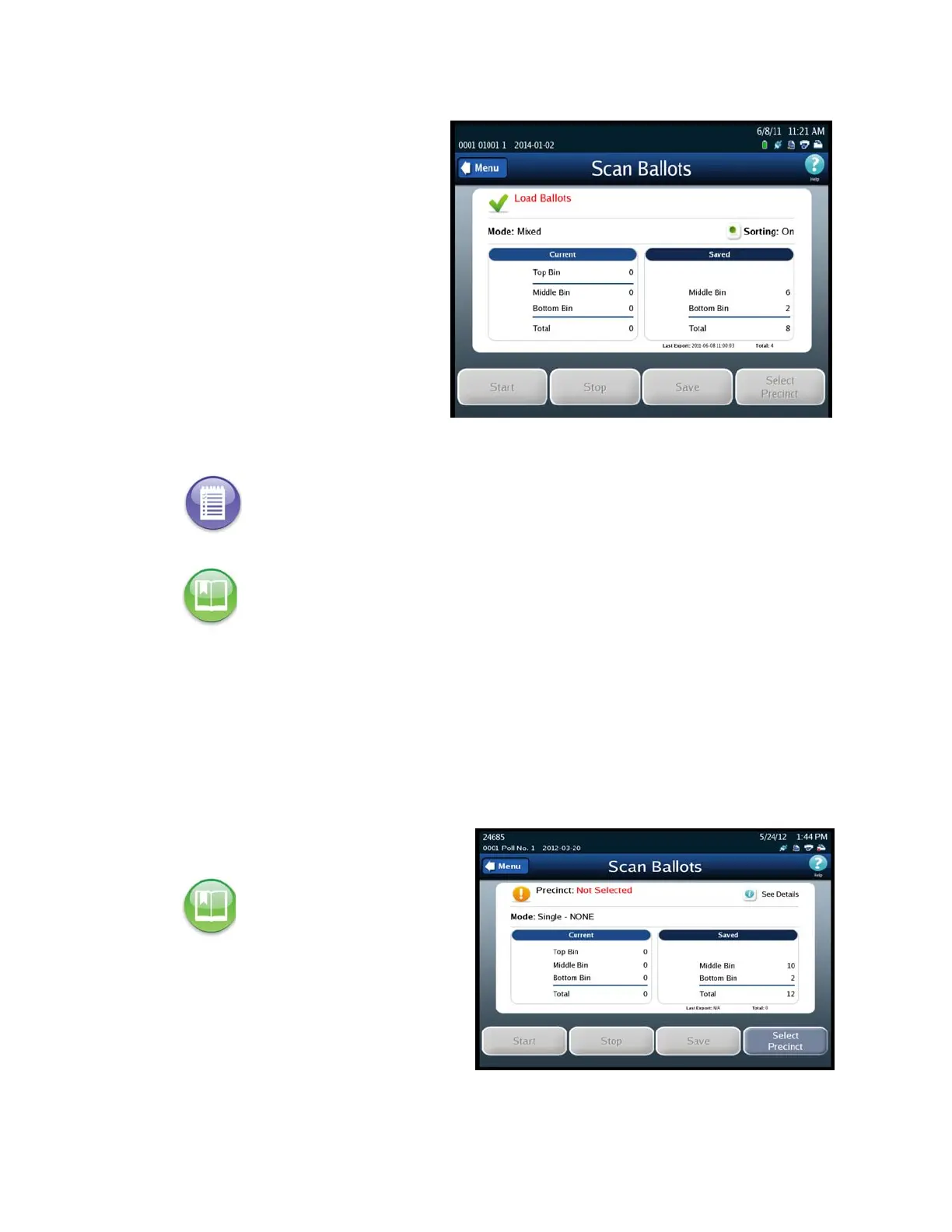
If an election definition has
been loaded on the scanner
and User Access is disabled,
the screen that appears when
the scanner is started is the
Scan Ballots screen. If you are
ready to scan ballots, place the
ballots in the input tray and
press Start. The following is an
example of the Scan Ballots
screen.
Select a Precinct
If an election is By Style or if the Processing Mode is set to Single Precinct, you must
select a precinct before you can scan ballots.
Follow the steps below to select a precinct:
1. Press Select Precinct
.
2. Enter the precinct number or
name and then press Search or
just press Search.
Note: If the election is By Style or if the Processing Mode is set to Single Precinct, you will
have to select a precinct before you can begin scanning the ballots. See Select a Precinct for
more information. If the Processing Mode is set to Mixed Precinct, you will not need to select
a precinct before you can scan ballots. The Select Precinct button will be the only available
button until you select a precinct.
Reference: See Scanning for the steps to follow to perform the procedure. See Select a
Precinct for instructions on selecting a precinct.
Reference: See Scanning for an
example of the Scan Ballots
screen showing the Select
Precinct button.



 To Next Page