Chapter 5: Pre-Election Day Tasks 83
EVS5200_DOC_SOP_DS850
Software Version 2.10
Published: February 26, 2014
Precinct Labels
The Precinct Labels section will allow you to change the name of how a precinct is
labeled on the scanner. You will be able to change the name to your jurisdictions
preference (example: borough, ward, etc...). For example, if you change the name to
borough, it will replace “precinct” on the screens and reports.
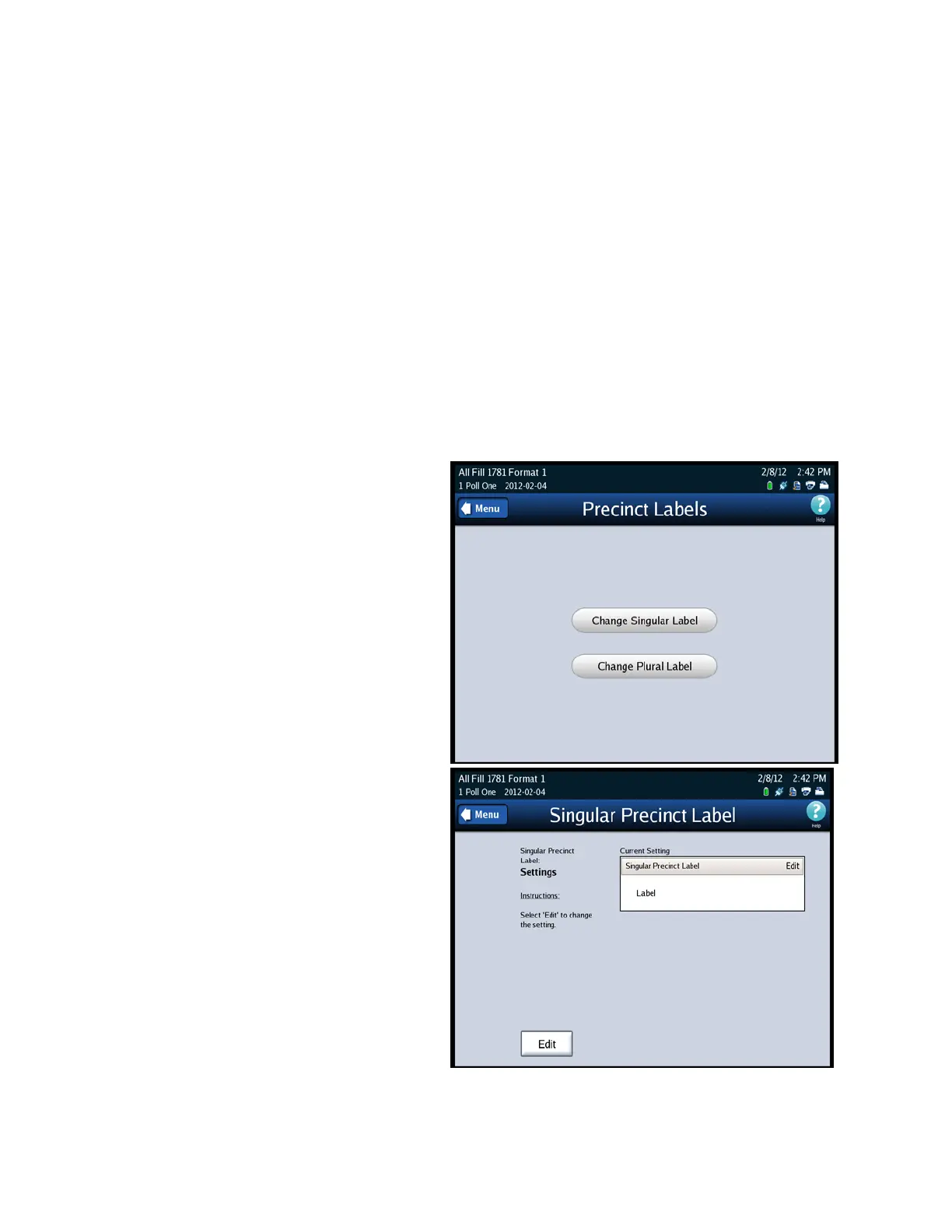
1. Select Precinct Label on the Configuration screen to access the Precinct Labels
settings screen.
2. When the Precinct Labels screen comes up, you will have the following choices:
Change Singular Label - this will change any of the labels that are singular text.
Change Plural Label - this will change any of the labels that are plural.
Singular Label
3. Press Change Singular Label
to change the singular text.
4. Press Edit to change the text
of the label.



 To Next Page