Chapter 6: Election Day Tasks 109
EVS5200_DOC_SOP_DS850
Software Version 2.10
Published: February 26, 2014
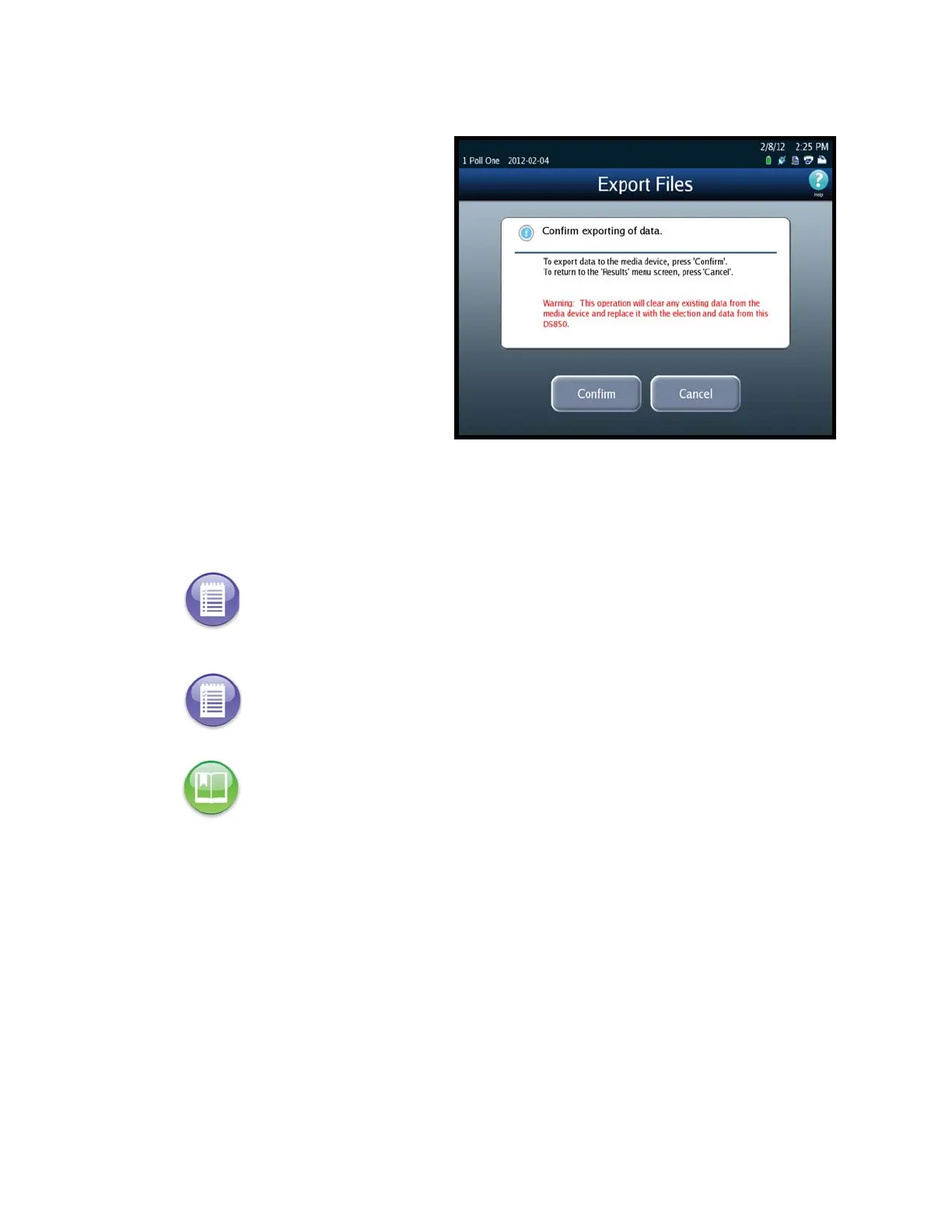
8. When the Export Files
confirmation screen appears,
press Confirm to confirm that
you want to export the data, or
press Cancel to cancel the
process. If you press Confirm,
the DS850 clears any existing
data from the media device.
Then it collects the saved cast
vote records that were marked
for inclusion in the collection
process, generates the vote
results, and exports those
results to the USB flash drive,
along with the election
definition, gathered ballot data
(including ballot images) of any
scanned ballot that was not
out-stacked, and the audit log.
While this process is occurring, a pop-up screen will display indicating that the batch
data is being collected and exported.
Note: The saved cast vote records for ballots that are diverted to the Processed bin
(bottom bin) and to the Ballots with Write-ins bin (middle bin) are marked for
inclusion in the collection process. The saved cast vote records for ballots that are
diverted to the Not Processed bin (top bin) are marked for exclusion from the
collection process. See Bin Sorting for more information.
Note: An option in the ElectionWare Deliver Module can be set to prevent images
from being exported to a media device.
Reference: See the ES&S ElectionWare Volume IV: Deliver User’s Guide for additional
information on ElectionWare.



 To Next Page