Chapter 6: Election Day Tasks 111
EVS5200_DOC_SOP_DS850
Software Version 2.10
Published: February 26, 2014
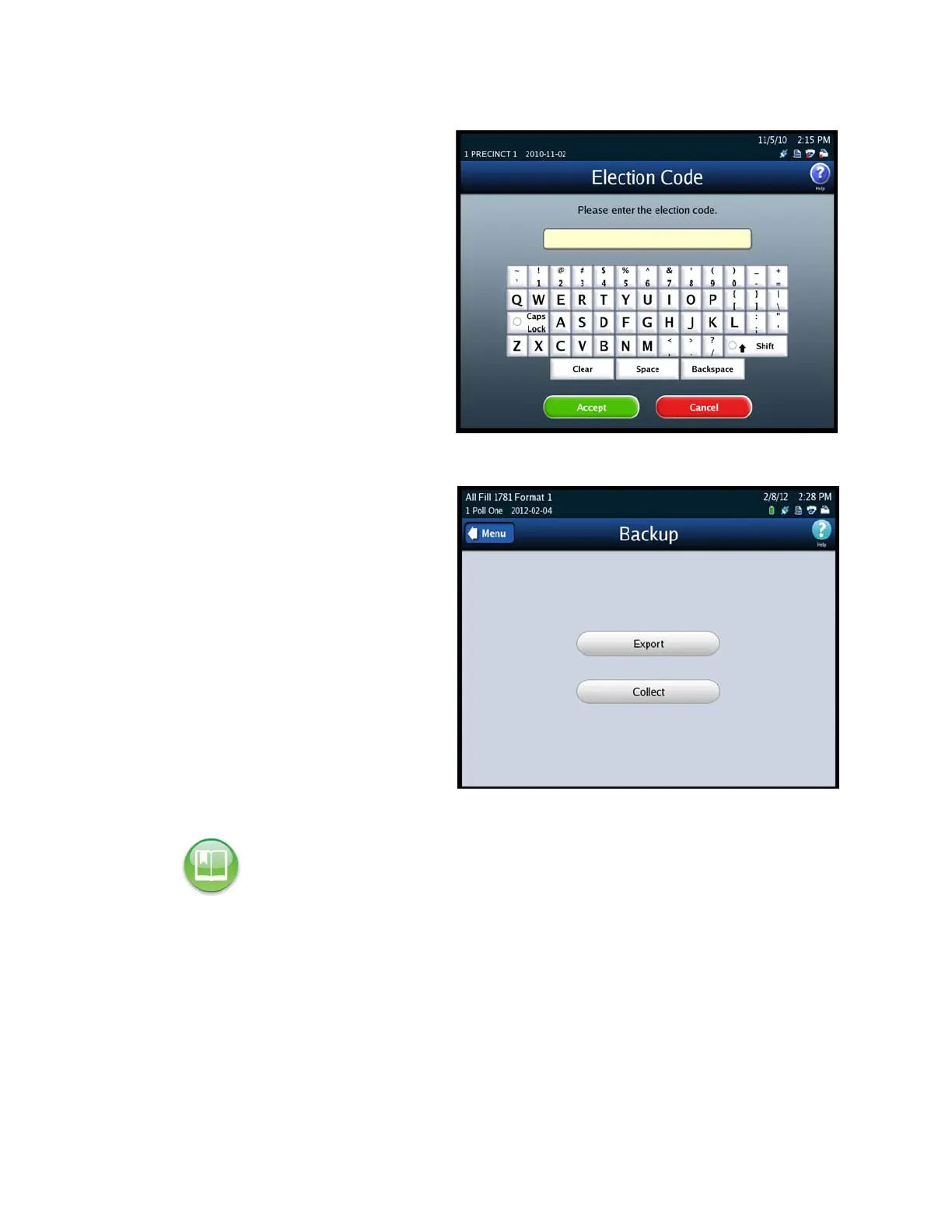
4. Enter the Election Code and
then press Accept.
5. When you have successfully
entered the Election Code, the
Backup selection screen
appears.
6. Select from one of the following
options:
• Export
• Collect
7. Insert the Election Definition
Media Device flash drive or a
blank ES&S Media Device flash
drive that you want to use as the
target media device. The
Detecting inserted device
pop-up screen is displayed
briefly. The message in red on
the Archive Data selection
screen disappears, and the
inserted flash drive is listed in
the Media Devices field.
Reference: See Using USB Media Devices for instructions.


 To Next Page