Chapter 9: DS850 Network 137
EVS5200_DOC_SOP_DS850
Software Version 2.10
Published: February 26, 2014
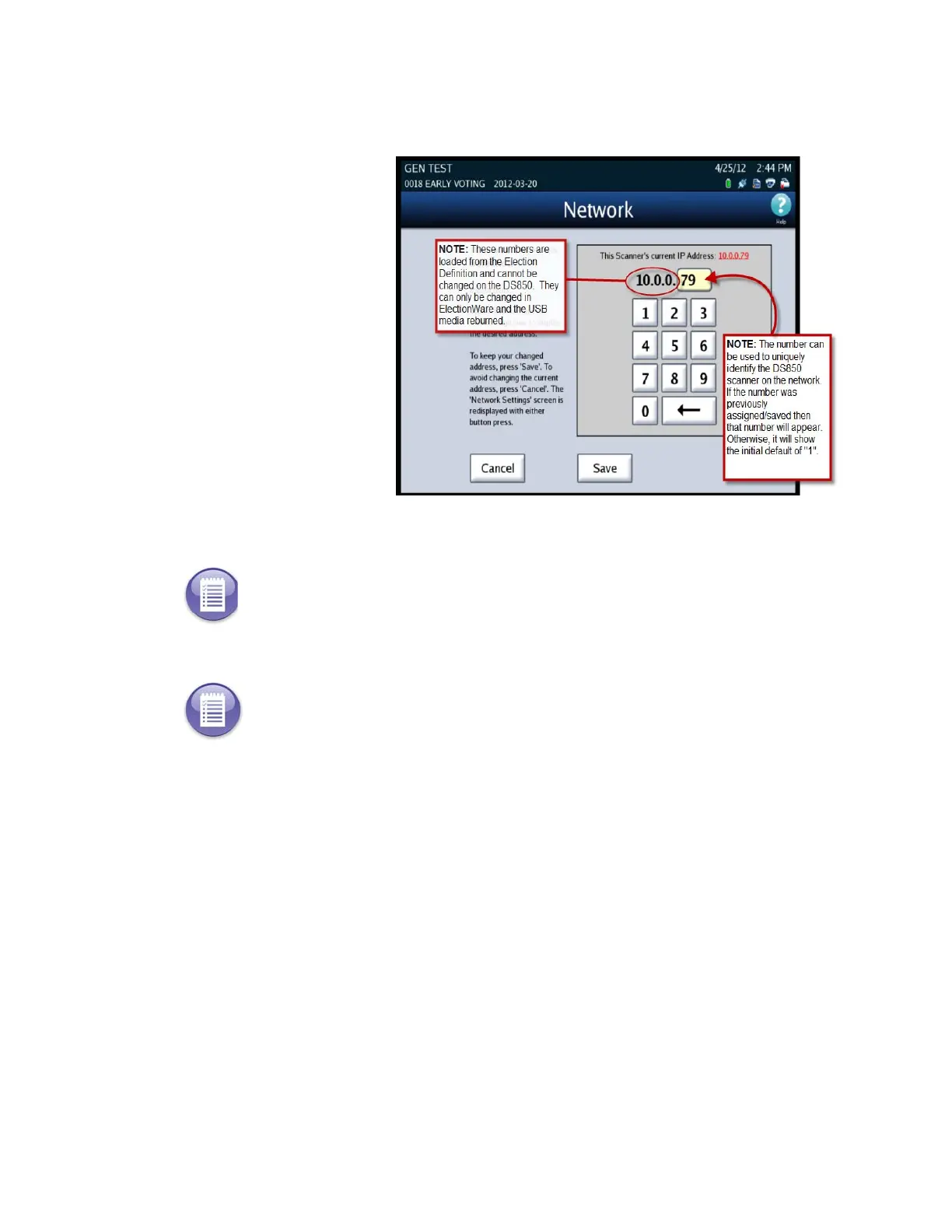
5. Type a number in the
Address Digit-box for
the scanner. Then select
Save to save your
changes or press
Cancel to exit the
screen without making
any changes.
6. Once your IP Address is
set then you can test
the connection to the
server, by pressing Test.
The DS850 will test the
folder path and IP
address for the server.
You will receive a
message if it has been
successful, then select
OK to return to the
Configuration screen.
Note: If the test was not successful check to make sure the path and IP addresses are correct.
Note: To export results to the network server see Exporting Data section in Chapter 6:
Election Day Tasks



 To Next Page