Chapter 5: Pre-Election Day Tasks 80
EVS5200_DOC_SOP_DS850
Software Version 2.10
Published: February 26, 2014
Follow the steps below to change the number of copies to be automatically printed for
each report:
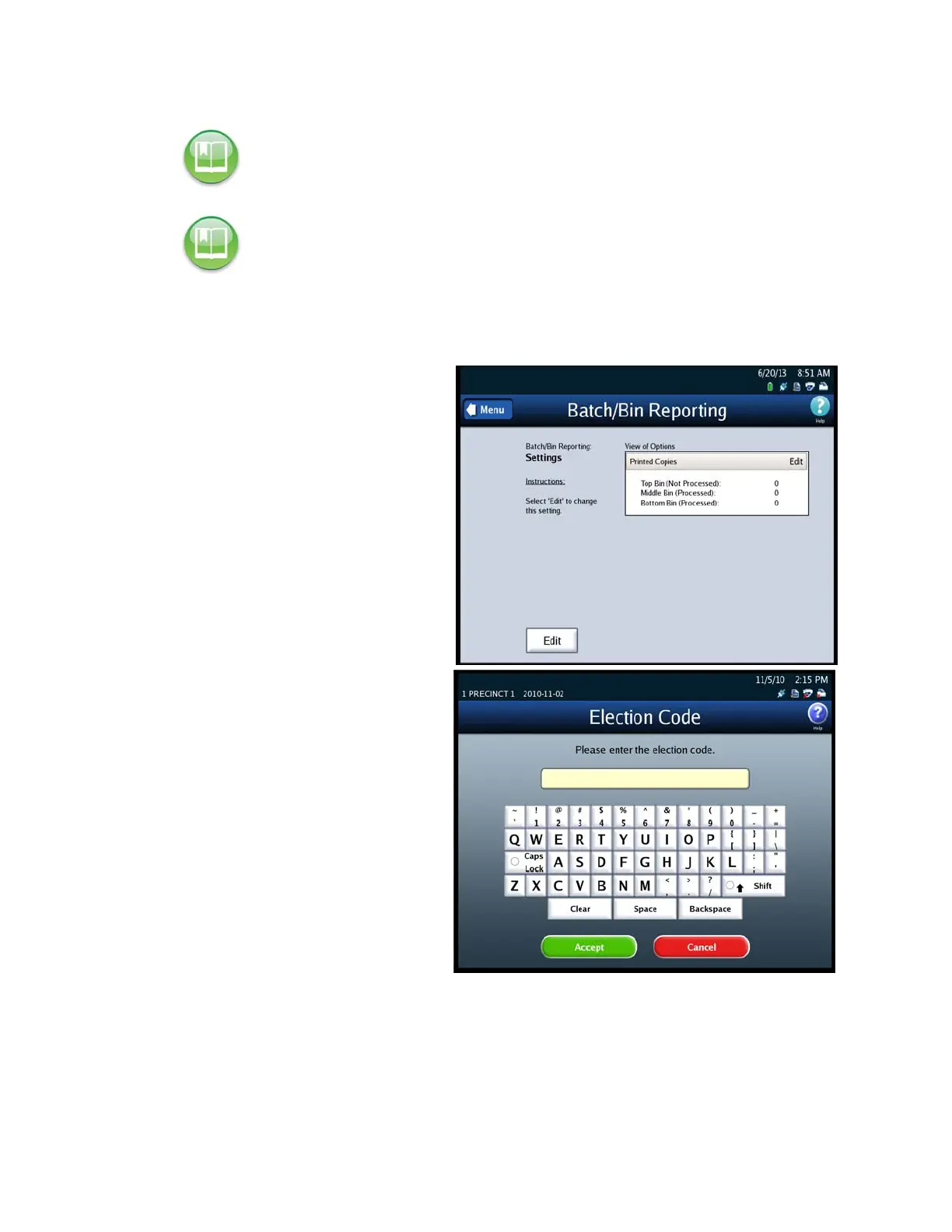
1. Press Batch/Bin Reporting on
the Configuration screen to
access the Batch/Bin Reporting
settings screen.
2. When the Batch/Bin Reporting
settings screen appears, press
Edit to modify the current
settings.
3. When prompted, enter the
Election Code and then press
Accept.
Reference: See the ES&S ElectionWare Volume IV: Deliver User’s Guide for additional
information on ElectionWare.
Reference: The Batch/Bin reports can also be printed from the Reports menu. See Chapter 8:
Reports for instructions on how to preview and print the reports and for an example of a
Batch/Bin Report.



 To Next Page