Chapter 3 Operation Instructions SuZhou Eshine Elevator Components Co., Ltd.
―18― YS-K01 Door Controller User Manual
Display faulty state
If the controller is faulty, the panel will be flashing to display the fault code. After troubleshooting,
press key to reset and the panel restores to stop state. Refer to Chapter 6.
3.2.2 YS-P02 Panel Self-testing
The panel of controller has self-testing function which facilitates periodic inspection for itself and
the keys.
In controller stopping state, the panel self-testing will be started when press key and
key simultaneously for 2
-
3 seconds.
The process of panel self-testing:
1
.
Press key and key simultaneously for 2
-
3 seconds, the panel’s five LEDs will
cyclically display “8.” from left to right in turn for three times which is as shown is Figure 3-17.
Figure 3-17 Self-testing of LED of YS-P02
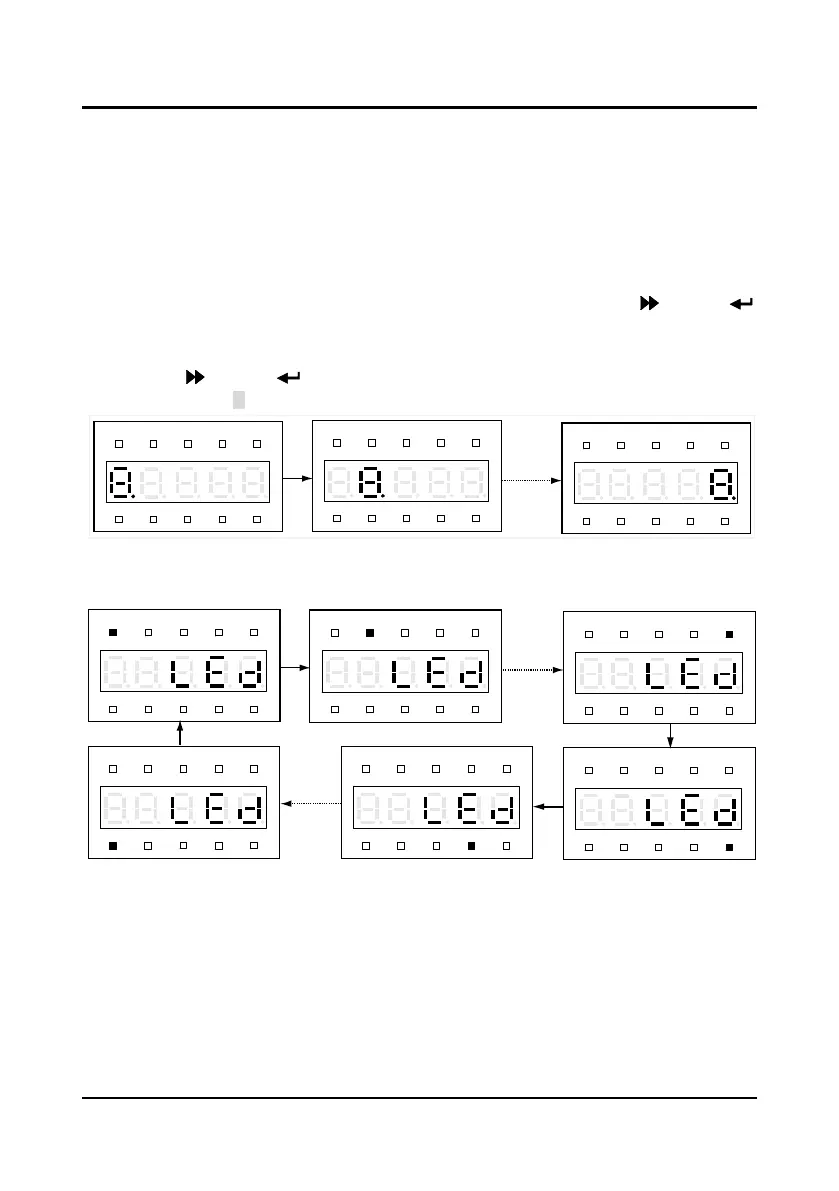
Later, the indicator will be cyclically bit by bit clockwise lighting from the first upper left for three
times, shown as Figure 3-18.
Figure 3-18 Self-testing of indicator of YS-P02
2
.
Press any key of the panel and observe the LED and the state indicators to detect the
corresponding key whether valid. And the correct correspondence is as shown in Figure 3-19.
Hz
A V RPM %
REVFWD ALM LO/RE LOCK
Hz
A V RPM %
REVFWD ALM LO/RE LOCK
Hz
A V RPM %
REVFWD ALM LO/RE LOCK
Hz
A V RPM %
REVFWD ALM LO/RE LOCK
Hz
A V RPM %
REVFWD ALM LO/RE LOCK
Hz
A V RPM %
REVFWD ALM LO/RE LOCK
Hz
A V RPM %
REVFWD ALM LO/RE LOCK
Hz
A V RPM %
REVFWD ALM LO/RE LOCK
Hz
A V RPM %
REVFWD ALM LO/RE LOCK



 To Next Page