Chapter 3 Operation Instructions SuZhou Eshine Elevator Components Co., Ltd.
―24― YS-K01 Door Controller User Manual
3.3.3 YS-P03 Panel Self-testing
The panel of the controller has self-testing function which facilitates periodic inspection for itself
and the keys.
The process of panel self-testing:
1
.
In stopping state, press key and key simultaneously for 2
-
3 seconds, the panel
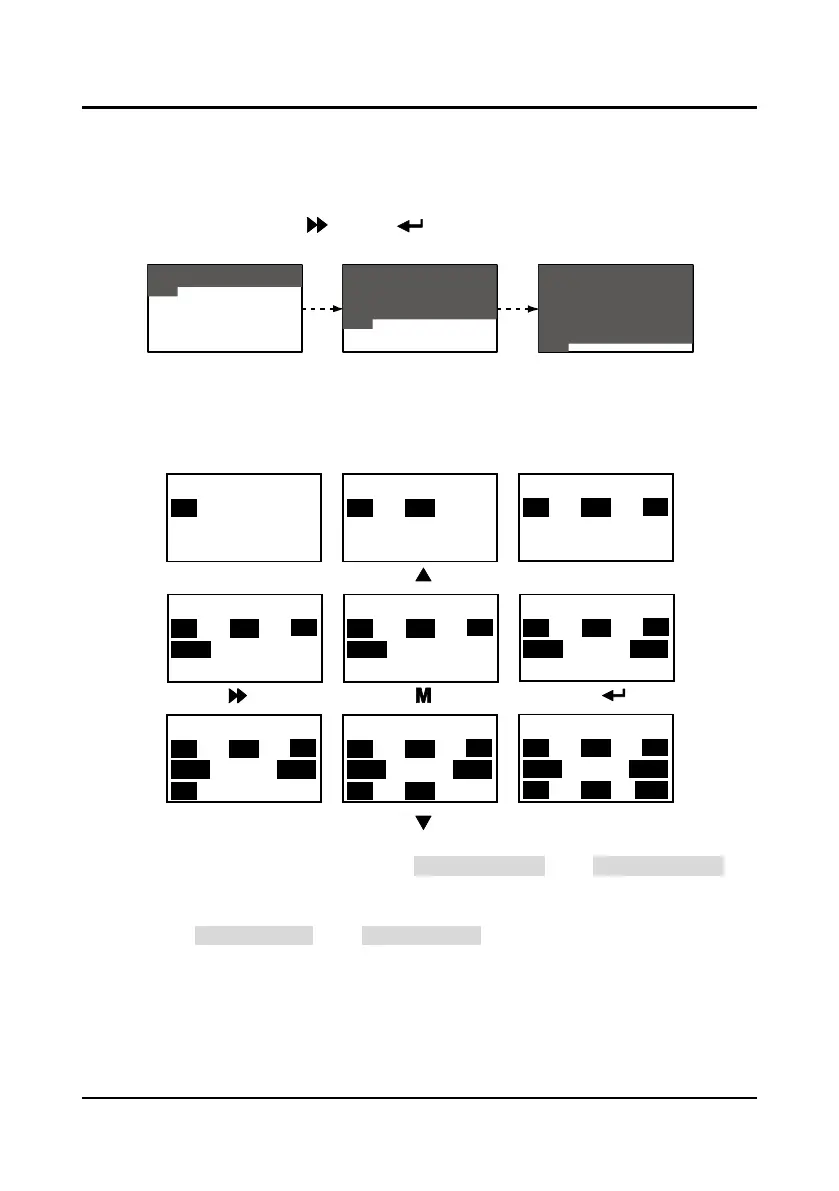
will check the LCD whether works well which is as shown in Figure 3-31.
Figure 3-31 Starting panel self-testing
2. Press any key of the panel and if the state is in anti-color display, it means the key is valid. And
the correct correspondence is as shown in Figure 3-32.
During this process, if there is no press in 4
-
5 seconds, it will directly jump to the step 4. If the
self-testing is success, it will jump to the step 3.
Figure 3-32 Correct correspondence of the keys and the displays
3
.
If all keys are valid, the panel will display “Panel self-test pass”. The “Panel self-test pass” will
auto-disappear within 3
-
5 seconds and back to display state before self-testing.
4
.
If the key is invalid, the correspondence display will not be in anti-color displaying. The panel
will display “Panel self-test fail”. The “Panel self-test fail” will auto-disappear within 3
-
5 seconds
and back to display state before self-testing.
The possible reasons of self-testing failure:
no press within 5 seconds or invalid key.
Please press the key
STOPOD
PRG
UP
DN
CD
SHIFT ENTER
Please press the key
STOPOD
PRG
UP
DN
CD
SHIFT ENTER
Please press the key
STOPOD
PRG
UP
DN
CD
SHIFT ENTER
Please press the key
STOPOD
PRG UP
DN
CD
SHIFT ENTER
Please press the key
STOPOD
PRG UP
DN
CD
SHIFT ENTER
Please press the key
STOPOD
PRG
UP
DN
CD
SHIFT
ENTER
Please press the key
STOP
OD
PRG UP
DN
CD
SHIFT ENTER
Please press the key
STOPOD
PRG UP
DN
CD
SHIFT
ENTER
Panel self-test pass
STOPOD
PRG UP
DN
CD
SHIFT
ENTER
CD
PRG
STOP
OD



 To Next Page