SuZhou Eshine Elevator Components Co., Ltd. Chapter 3 Operation Instructions
YS-K01 Door Controller User Manual ―25―
3.3.4 Reset Parameter and Clear Fault Information of YS-P03
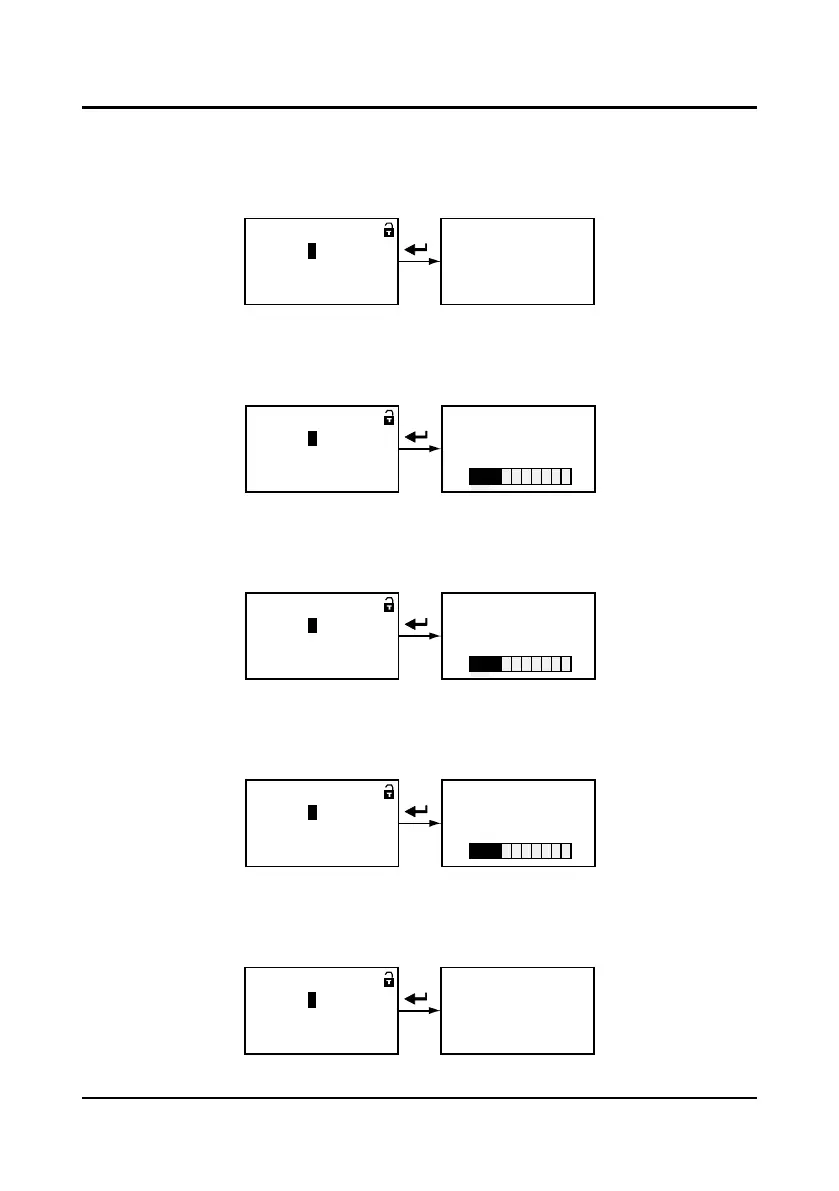
Reset default parameters (synchronous motor parameters)
After set P0.01=3, except the fault parameter value, the parameter value of P0.00
-
P8.14 will be
reset to the default parameter. At reset default parameter, the panel displays as Figure 3-33.
Figure 3-33 Reset default parameter
Reset 70W asynchronous motor parameters
After set P0.01=11, except the fault parameter value, the parameter value of P0.00
-
P8.14 will
be reset to the default parameter. At reset default parameter, the panel displays as Figure 3-34.
Figure 3-34 Reset 70W asynchronous motor parameter
Reset 80W asynchronous motor parameters
After set P0.01=12, except the fault parameter value, the parameter value of P0.00
-
P8.14 will
be reset to the default parameter. At reset default parameter, the panel displays as Figure 3-35.
Figure 3-35 Reset 80W asynchronous motor parameter
Reset 150W asynchronous motor parameters
After set P0.01=13, except the fault parameter value, the parameter value of P0.00
-
P8.14 will
be reset to the default parameter. At reset default parameter, the panel displays as Figure 3-36.
Figure 3-36 Reset 150W asynchronous motor parameter
Clear fault information
After set P0.01=4, the fault information of P9.00
-
P9.06 will be cleared which will be reset to the
default parameter. At clear fault information, the panel displays as Figure 3-37.
Figure 3-37 Clear fault information
Resetting parameter
= 0 3
P0.
01
:
Reset default parameter
Range: 0~30
= 1 1
P0.
01
:
Reset first para. of Eshine
Range: 0~30
Reset first para. of Eshine
Download progress:
30%
= 1 2
P0.
01
:
Reset second para. of Eshine
Range: 0~30
Reset second para. of Eshine
Download progress:
30%
= 1 3
P0.
01
:
Reset third para. of Eshine
Range: 0~30
Reset third para. of Eshine
Download progress:
30%
Clear fault information
= 0 4
P0.
01
:
Clear fault information
Range: 0~30



 To Next Page