Chapter 3 Operation Instructions SuZhou Eshine Elevator Components Co., Ltd.
―20― YS-K01 Door Controller User Manual
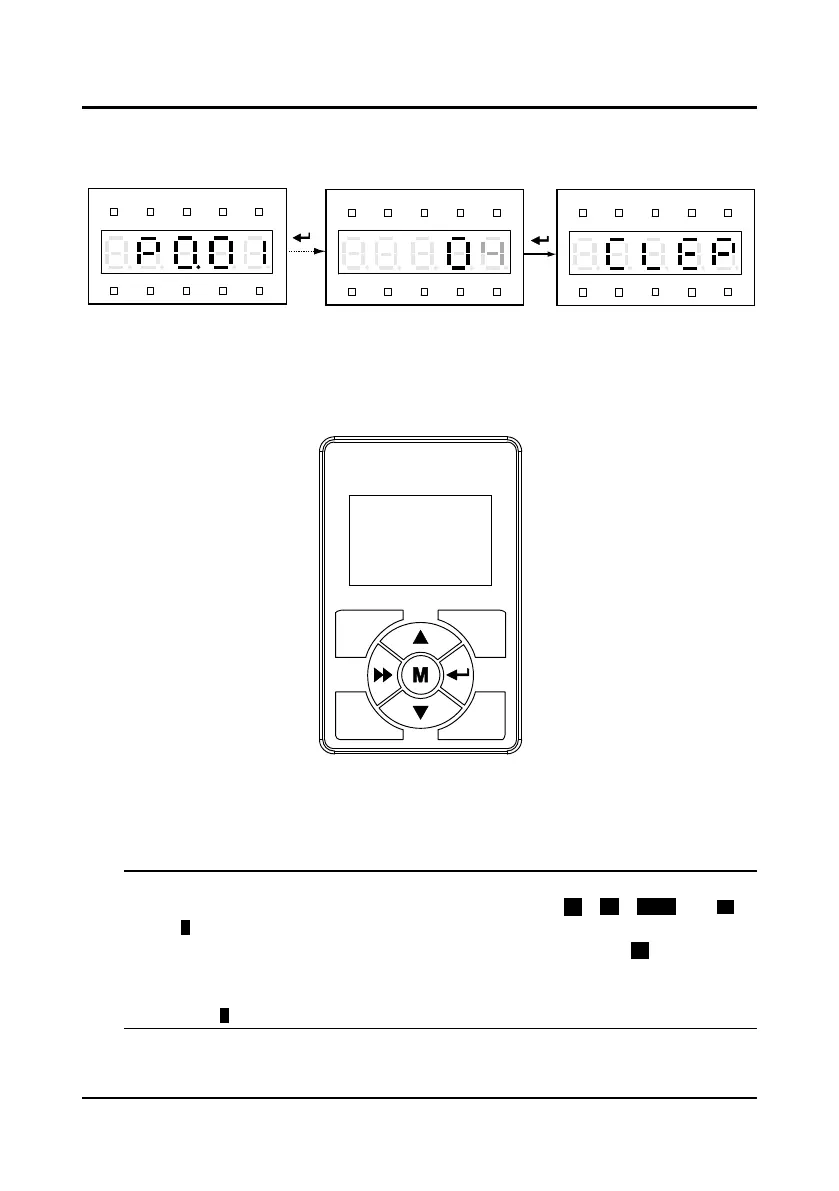
Clear fault information
After set P0.01=4, the fault information of P9.00
-
P9.06 will be cleared which will be reset to the
default parameter. At clear fault information, the panel displays as Figure 3-21.
Figure 3-21 YS-P02 clear the fault information
3.3 YS-P03 Panel Description
The default parameters of the controller can be changed via the optional LCD panel (YS-P03).
The YS-P03 is shown as Figure 3-22 and the key function is shown as Table 3-5.
Figure 3-22 YS-P03 panel
3.3.1 Display State of YS-P03 Panel
The controller parameters can be displayed via using the optional YS-P03 panel. The display
state of panel of controller has stopping state, running state, editing state and alarming state.
Note:
LCD anti-color displays: display in white on black, such as , , ,
、
etc.
If the state is in anti-color displaying, it means that it is in this state. Take for example, it
means the controller is in the OD controlling state.
If the parameter or the setting value is in anti-color displaying, it means that it can be changed.
Take for example, it means that the units of setting value can be changed.
Hz
A V RPM %
REVFWD ALM LO/RE LOCK
Hz
A V RPM %
REVFWD ALM LO/RE LOCK
Hz
A V RPM %
REVFWD ALM LO/RE LOCK



 To Next Page