SuZhou Eshine Elevator Components Co., Ltd. Chapter 3 Operation Instructions
YS-K01 Door Controller User Manual ―19―
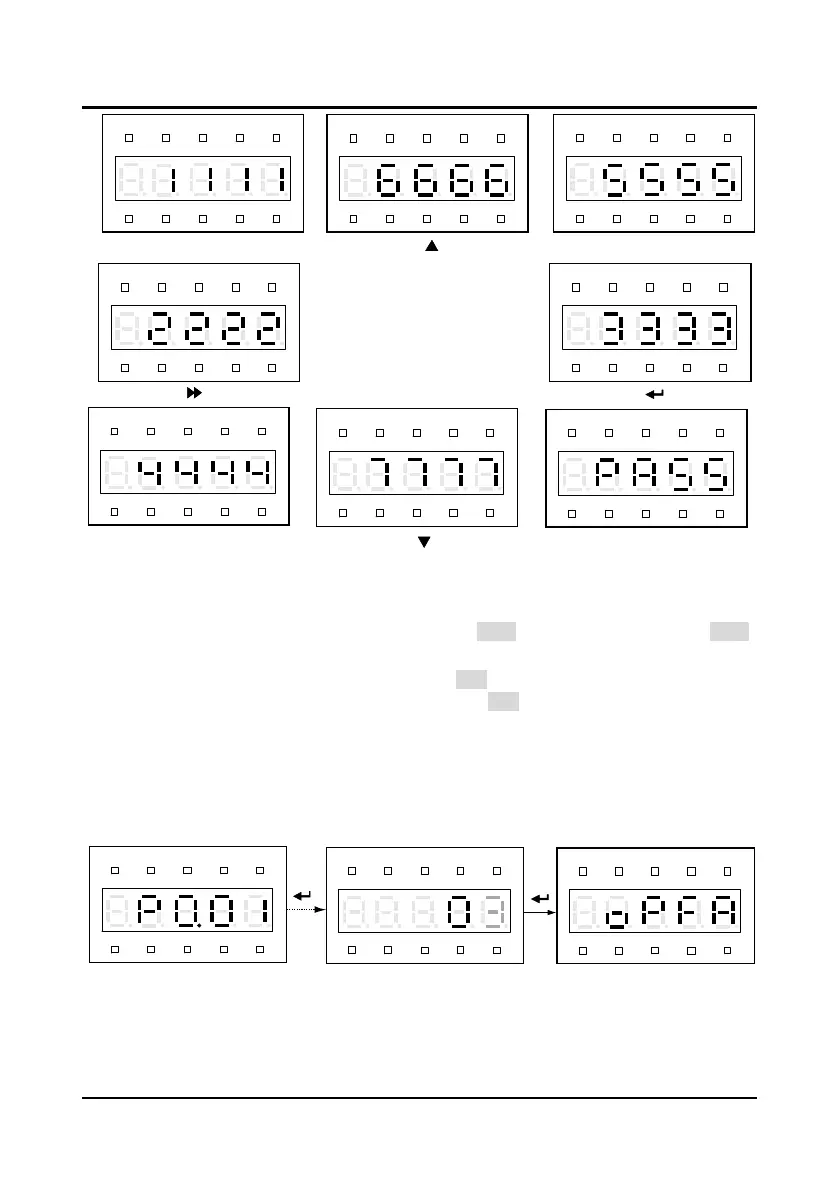
Figure 3-19 Correct correspondence of the keys and the displays of YS-P02
During this process, if there is no press in 4
-
5 seconds, it will directly jump to the step 4. If the
self-check is success, it will jump to the step 3.
3
.
If the self-testing is success, the panel will display “PASS” and all keys are valid. The “PASS”
will auto-disappear 3
-
5 seconds later and back to display state before self-testing.
4
.
If the self-testing is failure, the panel will display “FAIL”.
The possible reasons of self-testing
failure:
no press within 5 seconds or invalid key. The “FAIL” will auto-disappear 3
-
5 seconds
later and back to display state before self-testing.
3.2.3 Reset Parameter and Clear Fault Information of YS-P02
Reset default parameter
After set P0.01=3, except the fault parameter value, the parameter value of P0.00
-
P8.14 will be
reset to the default parameter. At reset default parameter, the panel displays as Figure 3-20.
Figure 3-20 YS-P02 reset the default parameter
It should refer to YS-P01 reset descriptions for the YS-P02 operations of reset 70W, 80W and
150W asynchronous motor.
Hz
A V RPM %
REVFWD ALM LO/RE LOCK
Hz
A V RPM %
REVFWD ALM LO/RE LOCK
Hz
A V RPM %
REVFWD ALM LO/RE LOCK
Hz
A V RPM %
REVFWD ALM LO/RE LOCK
Hz
A V RPM %
REVFWD ALM LO/RE LOCK
Hz
A V RPM %
REVFWD ALM LO/RE LOCK
Hz
A V RPM %
REVFWD ALM LO/RE LOCK
Hz
A V RPM %
REVFWD ALM LO/RE LOCK
CDPRG
STOP
OD
Hz
A V RPM %
REVFWD ALM LO/RE LOCK
Hz
A V RPM %
REVFWD ALM LO/RE LOCK
Hz
A V RPM %
REVFWD ALM LO/RE LOCK



 To Next Page