SuZhou Eshine Elevator Components Co., Ltd. Chapter 3 Operation Instructions
YS-K01 Door Controller User Manual ―23―
3.3.2 Encryption/Unlock User Password with YS-P03
When user set P0.00 to non-zero value and press key to save the present value and return
to P0.01. Then the user’s password will be valid. The lock identification of panel will be .
Unlock user’s password
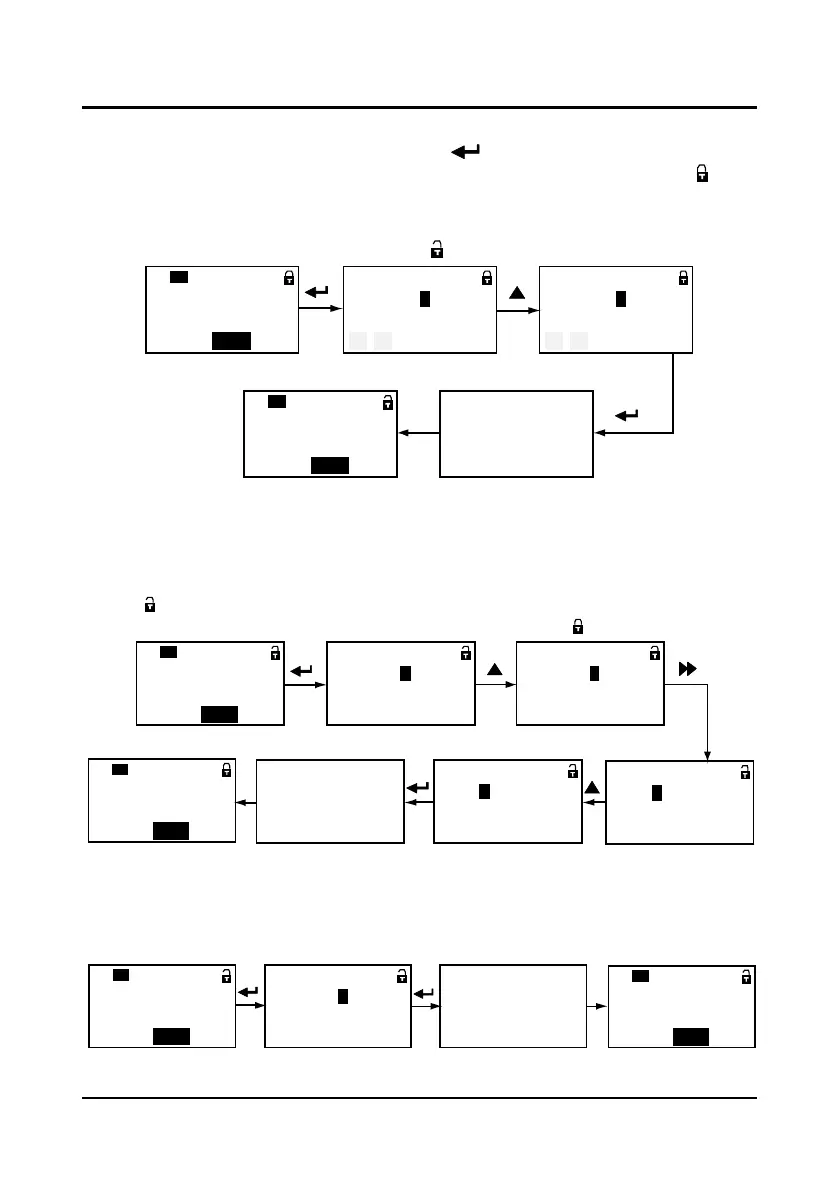
The operation of unlock user’s password is as shown in Figure 3-28 which takes 0005 as the
user’s password. The lock identification will be when it successfully unlocks.
Figure 3-28 Operation of unlocking user’s password
Modify user’s password
If no password, directly modify the value of P0.00 according to Figure 3-29. If there is password,
you should unlock the password according to Figure 3-28. When the lock successfully displays
the , you can set a new password according to Figure 3-29 which takes “0305” as the new
password. When the password is valid, the lock identification will be .
Figure 3-29 Operation of modifying user’s password
Clear user’s password
If there is password, you should unlock according to Figure 3-28. When it successfully displays
“P0.01”, you can clear the user’s password according to Figure 3-30.
Figure 3-30 Operation of clearing user’s password
User password
QUICKCDOD
BASIC
P0.
00
:
Password locked
P0.
00
= 0 0 0 0
Range: 0~9999
:
Password locked
P0.
00
= 0 0 0 5
Range: 0~9999
Input correct password
:
Unlocked
Unlock success
Batch disposal
QUICKCDOD BASIC
P0.
01
:
Second-level menu Third-level menu
Second-level menu
User password
QUICK
CDOD BASIC
P0.
00
:
No password
P0.
00
= 0 0 0 0
Range: 0~9999
:
No password
P0.
00
= 0 0 0 5
Range: 0~9999
Modify units
:
Encryption success
Encryption success
Batch disposal
QUICKCDOD BASIC
P0.
01
:
No password
P0.
00
= 0 0 0 5
Range: 0~9999
Shifting
:
No password
P0.
00
= 0 3 0 5
Range: 0~9999
Modify hundreds
:
Second-level menu Third-level menu
Second-level menu
User password
QUICKCDOD
BASIC
P0.
00
:
Password locked
P0.
00
= 0 0 0 0
Range: 0~9999
:
P.W. has been cleard
Clear password success
Batch disposal
QUICK
CDOD
BASIC
P0.
01
:
Second-level menu Third-level menu Second-level menu



 To Next Page