ETAS Hardware Description
ES930.1 - User Guide 18
3.3.2.2 LEDs
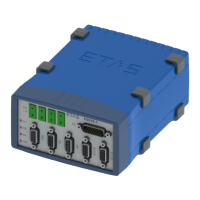
The front side of the ES930.1 module features four LEDs. The LEDs U1 and U2
can be configured by the user in the application software, the LEDs ER and ON
indicate the following operating states of the module:
3.3.2.3 Serial Number
The Serial number is located on the front side of the module. This number is
important for the unique addressing of the module in the application software.
LED ER LED ON Operating state Comment
Off Off Module off No power supply,
power supply defective
Off Green Normal Module on, no error
Red Off Hardware error Internal error
Red Green LED test Briefly during initialization of the
module
Red Green Internal error Module features no valid calibra-
tion. Measurements are possible
in principle. The measuring accu
-
racy is out of specification. Send
the module to ETAS for calibra
-
tion/repair.
Red,
flashing
Green Update process Update of firmware


 To Next Page