ETAS Startup
ES930.1 - User Guide 68
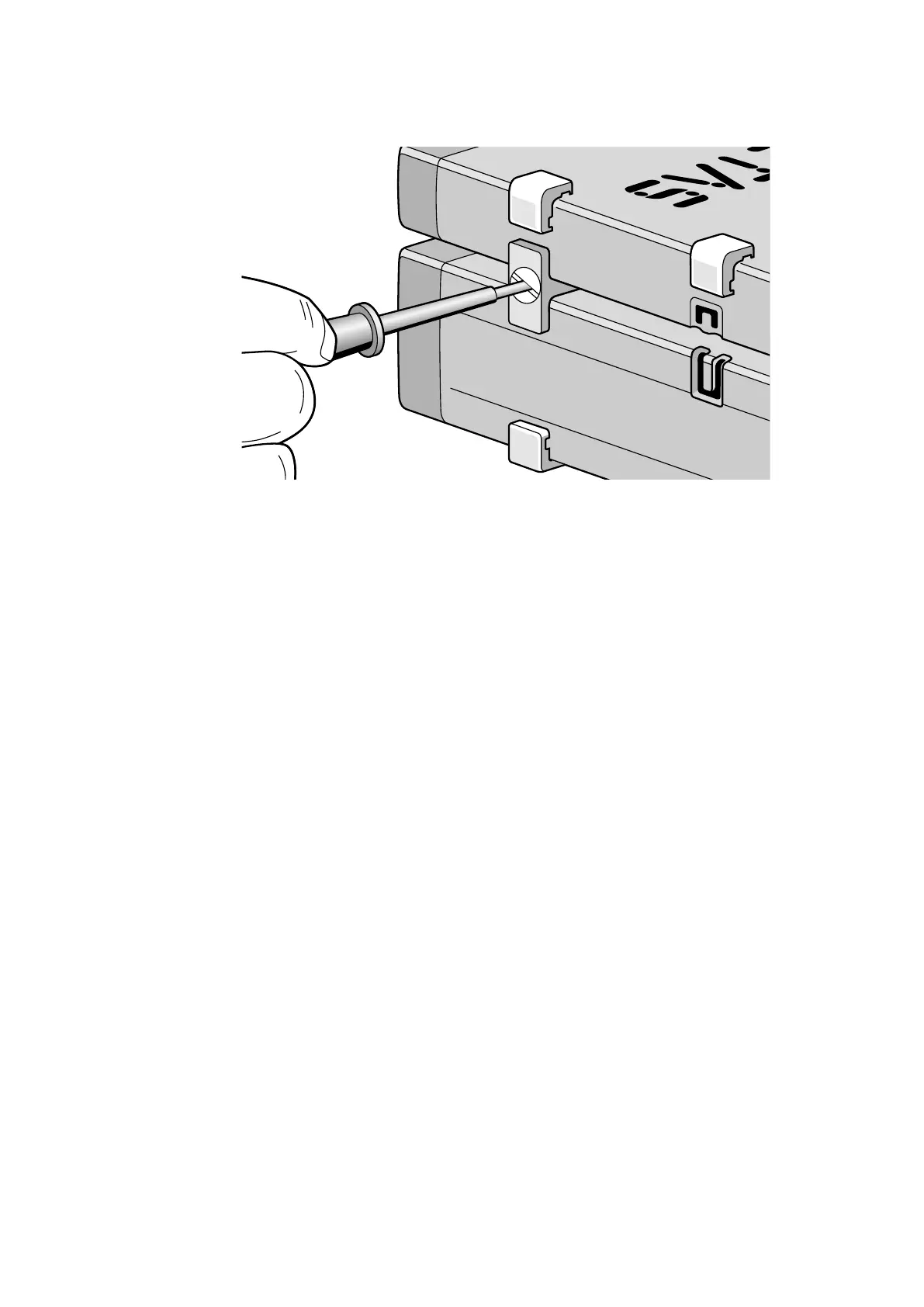
Fig. 11-3 Connecting the ES930.1 with another Module
6. Turn the fasteners of the T-connector by one-quarter turn. This
locks the connection of the two modules.
7. Click the two additional T-connectors into the installation
openings on the opposite longitudinal side of the device
8. Also lock those connectors.
9. If you want to stack additional modules and fasten them on
top of each other, repeat the process with the next module.


 To Next Page