250 Element User Manual
• E 1*. . . . . . . . . . . . . . . . .Indicates a cue level effects override.
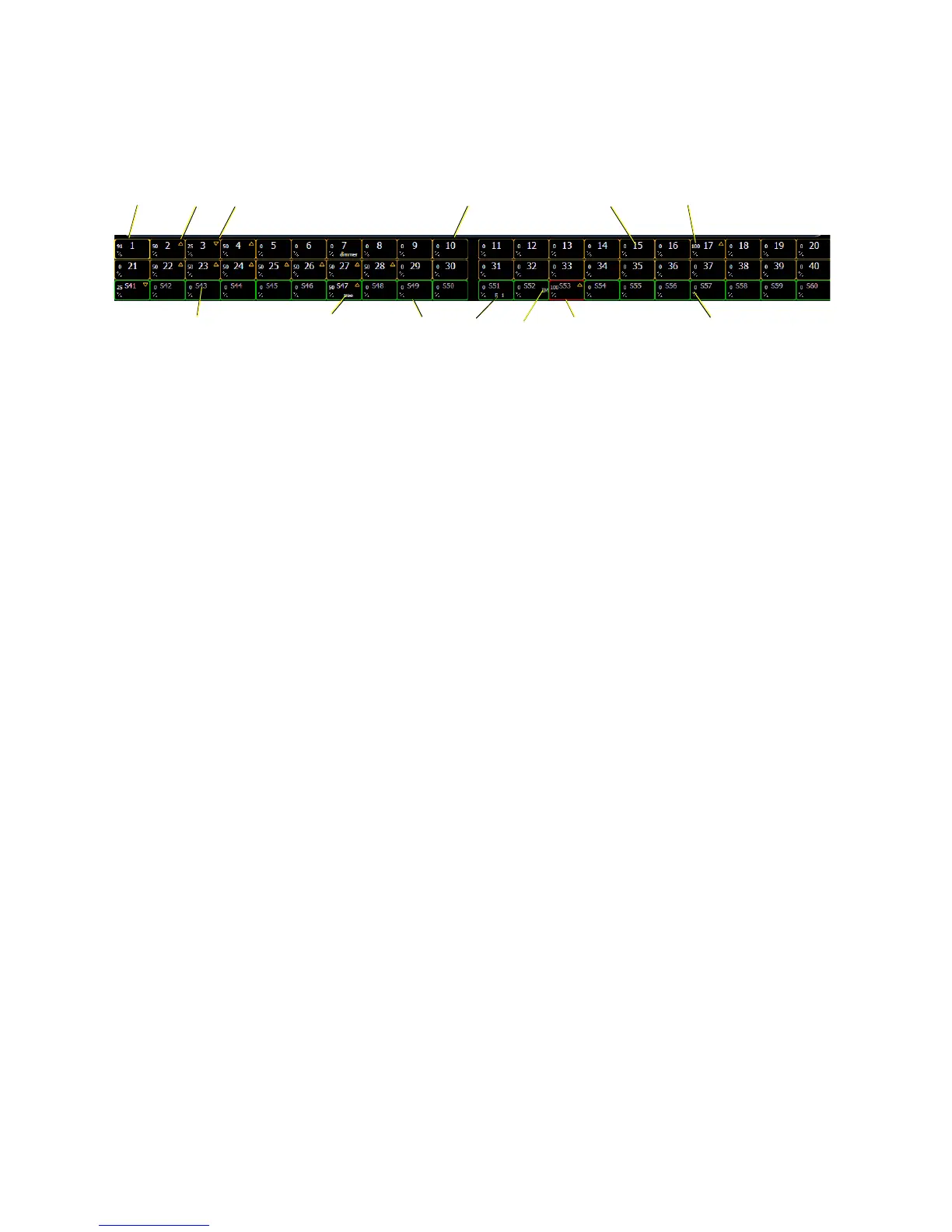
Indicators in the Fader Status Display
The Fader Status display is located directly under the Playback Status display.
• 1 . . . . . . . . . . . . . . . . . . .Amber box indicates a channel fader.
• 2 . . . . . . . . . . . . . . . . . . .Current channel number controlled by fader.
• 3 . . . . . . . . . . . . . . . . . . .Current channel level. (Level will display regardless of control
from fader or keypad.)
• 4 . . . . . . . . . . . . . . . . . . .Bright gold box indicates that fader 1 is currently being used.
• 5 . . . . . . . . . . . . . . . . . . .Up arrow indicates that there is a higher level currently set for
the channel and that the fader needs to be raised to match.
• 6 . . . . . . . . . . . . . . . . . . .Down arrow indicates that there is a lower level currently set
for the channel and that the fader needs to be lowered to
match.
• 7 . . . . . . . . . . . . . . . . . . .Label (channel and submaster labels will display).
• 8 . . . . . . . . . . . . . . . . . . .Green box indicates a submaster.
• 9 . . . . . . . . . . . . . . . . . . .Red box indicates an inhibitive submaster.
• 10 . . . . . . . . . . . . . . . . . .Current submaster number controlled by fader.
• 11 . . . . . . . . . . . . . . . . . .Level of submaster currently.
• 12 . . . . . . . . . . . . . . . . . .Indicates that the submaster is an intensity master.
• 13 . . . . . . . . . . . . . . . . . .Effect on a submaster.














 To Next Page