50 Element User Manual
Flexichannel Views in Patch
In patch by channel mode, [Flexi] can be used to view only those channels that are currently
patched. In patch by address mode, [Flexi] can be used to view only those addresses that are
currently patched. By pressing [Flexi], you can toggle the view between patched channels/
addresses, selected channels, and all channels/addresses.
Holding down [Flexi] will display the following softkeys:
• {Flexi All} - displays all the channels or addresses depending on which view is used.
• {Patch} - displays only the patched channels or addresses.
• {Selected} - displays any selected channels or addresses.
• {View Channels} - displays those channels selected for the View Channels flexichannel
state. See “View Channels” on page 23.
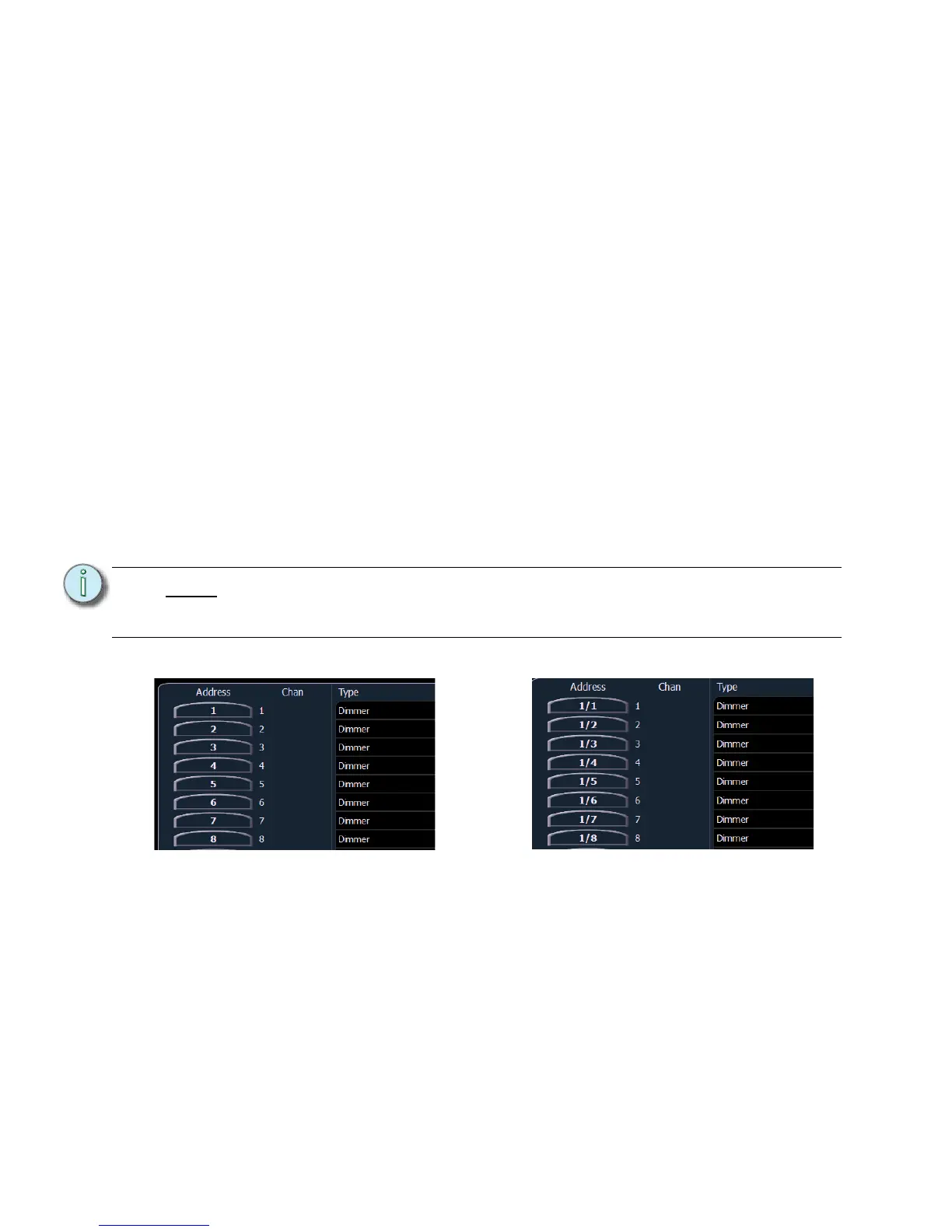
Using Output Address vs Port/Offset
The output address is the DMX or network DMX (often called EDMX) address. Examples of output
addresses are 510, 1, and 1024.
Port/offset refers to the DMX universe or port and the offset of the address. For example, since a
single DMX port can transmit 512 addresses (known as a “universe”), the port/offset for address
515 would look like 2/3 because address 515 is the 3rd address of universe 2.
An example of patching by port/offset in patch by address mode is [2][/][1][0] [At] [2][0] [Enter],
which patches universe 2 address 10, or 522, to channel 20.
[Dimmer/Address] [n] [/]
The syntax [Dimmer/Address] [n] [/] can be used to select a full universe in patch.
• [channel list] [Dimmer/Address] [n] [/] [Enter] - changes the addresses of all the selected
channels to a new universe while using the same offset.
• [Dimmer/Address][2] [/] [Copy To] [Copy To] <Address> [3] [/] [Enter] - moves all
channels with addresses in universe 2 to the same offsets in universe 3.
• [Dimmer/Address] [n] [/] {Unpatch} - unpatches all patched addresses in the selected
universe.
Note:
As it is possible to patch by either address or port/offset, pressing the [Data] key
will move between showing the patch as it was originally entered, then the EDMX
values, and last the port/offset.














 To Next Page