58 Element User Manual
Calibrating a Scroller
You can calibrate the center point of any frame in a scroller using the calibrate feature. This will
ensure that color scroll frames will be centered over the aperture of the fixture when you advance
a color scroll frame-by-frame. You can do this using the ML Controls display. See “ML Control” on
page 136..
To calibrate a scroller:
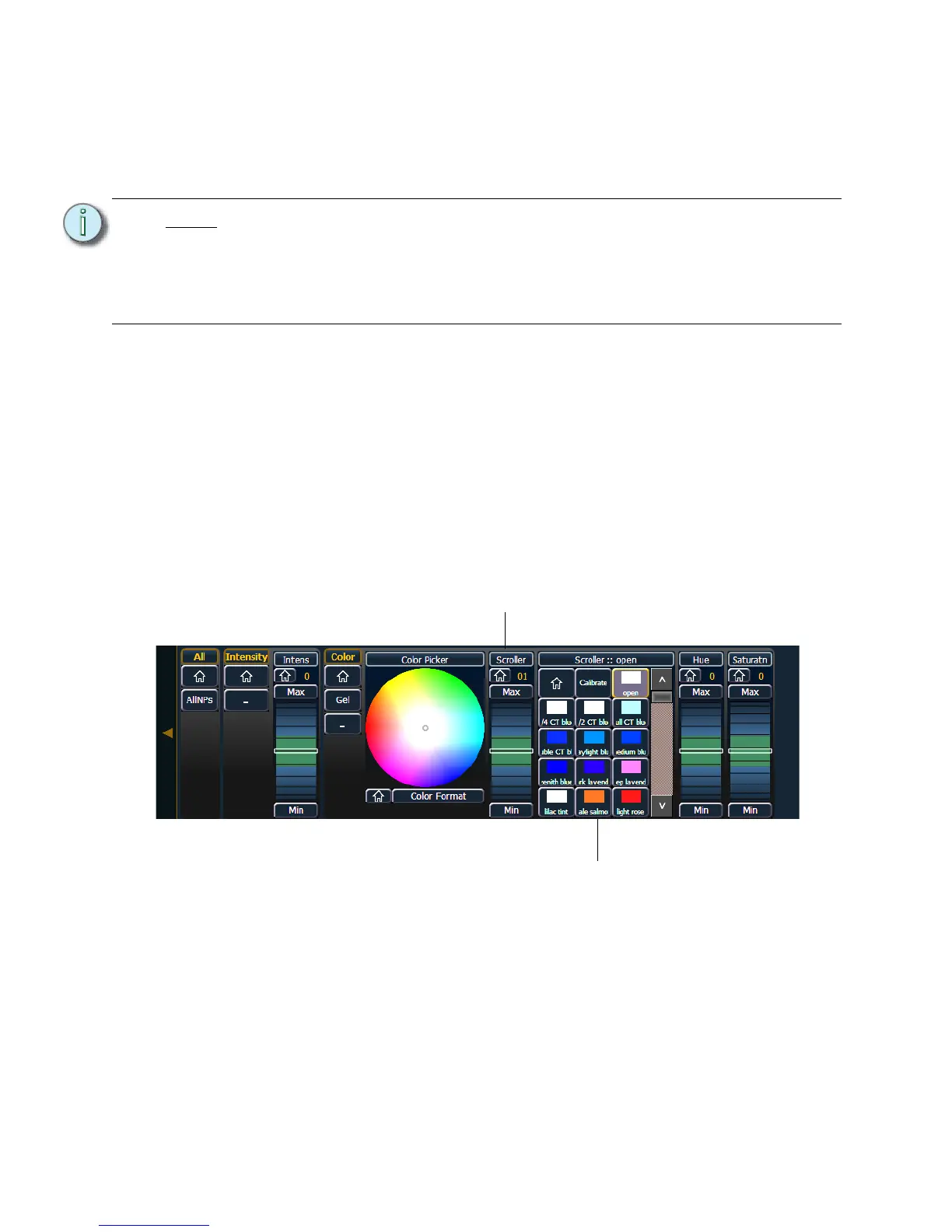
Step 1: In the Live display, select the scroller channel.
Step 2: Use the [ML Controls] key to open the ML Controls display.
• The color category will display automatically with the Hue and Saturation
encoders and a frame picker.
Step 3: To begin calibrating, click on the {Scroller ::} button. The scroller encoder will be
displayed.
Step 4: Use the scroller encoder to adjust the centerpoint of a frame. It is recommended that
you start with the last frame in the scroll.
Step 5: When the frame is centered, click {Calibrate}.
Step 6: Repeat for any remaining frames that need to be calibrated.
Note:
It is recommended that you calibrate your scroller frames starting with the last
frame and working backward to the first frame. This will help ensure a complete
and accurate calibration.
Calibration may need to be performed when you initially patch a scroller and may
need to be adjusted through the course of operation as spring tension changes in
a color scroller.














 To Next Page