56 Element User Manual
Editing a copy of a scroll or wheel
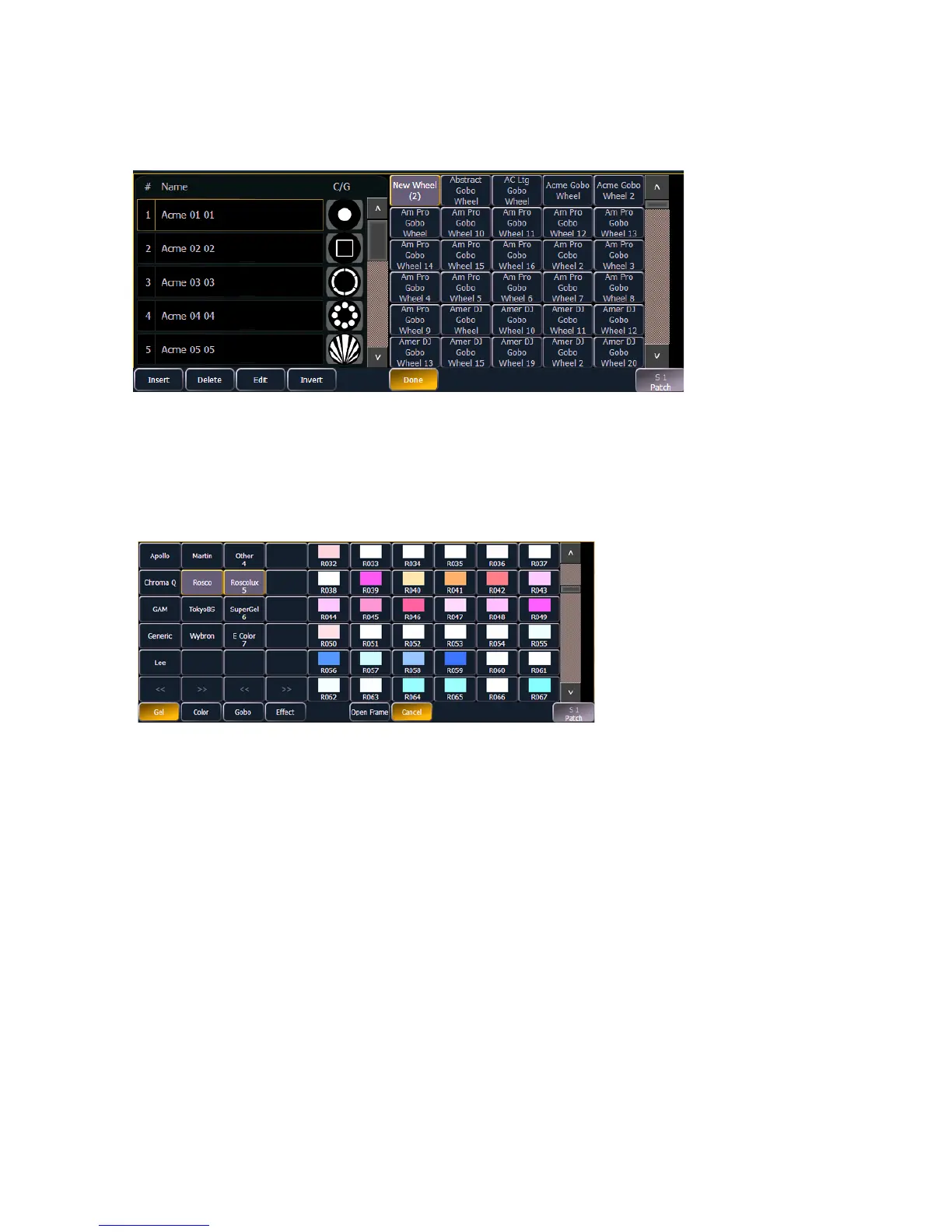
If a copy has been made of an existing scroll or wheel, the copied scroll or wheel will display as
{New Wheel x} before the standard manufacturer offerings. The frame list will include an exact
duplicate of the copied selection.
To make a change to a frame you must first select the frame then press {Edit} to display the media
selection. Or you can insert a new frame above a selected frame using the {Insert} softkey.
For example, to insert a new frame in between existing frames 2 and 3, select frame 3 and press
the {Insert} key. The media selection will display.
When a manufacturer is selected from the list, the catalog selection changes to display only the
selected manufacturer’s offerings. When a specific catalog is selected, the media will display in the
last three columns of the editor.
When you make a media selection, the display returns to the new wheel frame list where additional
frames can be edited in the scroll or wheel.
The media selection includes the following softkeys:
• {Gel}, {Color}, {Gobo}, and {Effect} - each will display available media selections as they are
cataloged by the associated scroll or wheel manufacturers.
• {Open} - places the frame in Open White.
• {Cancel} - cancels the media selection and returns to the frame editor.
Manufacturer
List
Manufacturer
catalog
Cataloged media
(sorted numerically)














 To Next Page