6 Patch 67
Element will display the following information that it receives from the dimmers:
•Address
• Channel
• Label
• System
•Rack
•Lug
• Properties
• Module Type
• Firing Mode
• Control Mode
•Curve
• Loads
Recorded Loads
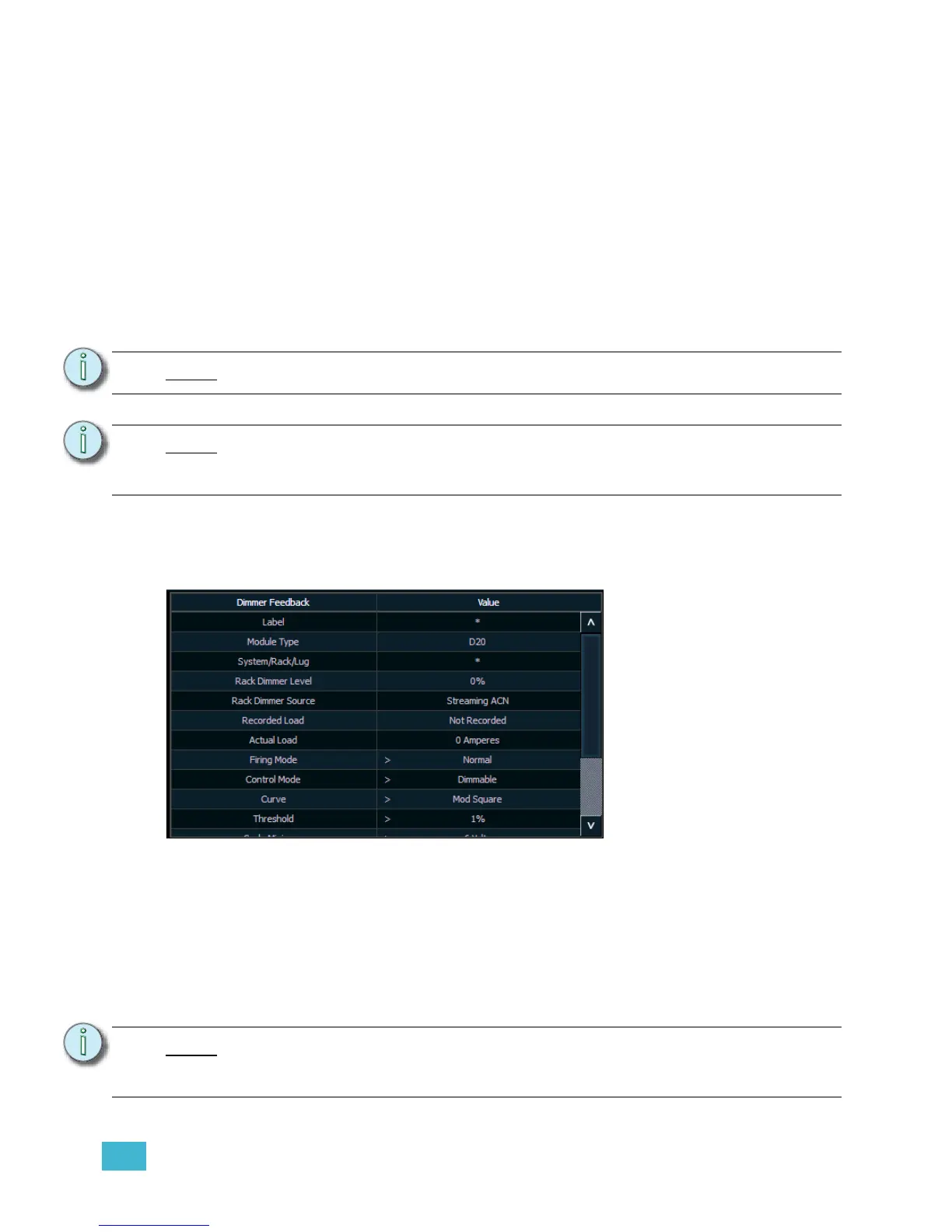
With a dimmer or dimmers selected, you can edit various dimmer settings in the property view,
which will display in the CIA. Items with a caret (>) are editable. When multiple dimmers are
selected together for editing, an “*” will show for data that is different between the selected
dimmers.
FDX dimmers will not display data for the following:
• Recorded Load
• Actual Load
• Rack Dimmer Source
• Threshold
• Scale Minimum
• Preheat Enable
• Preheat Timing
•AF Enable
Note:
The System ID number from CEM3 is not currently supported.
Note:
Rack numbers and dimmer numbers need to be unique for Element to properly
recognize them. For CEM+, dimmers also need to be patched to different sACN
addresses.
Note:
When dimmers are discovered, they are not automatically attached to patched
channels in Element; you must attach a dimmer to a channel. See “Patching
Discovered Dimmers and RDM Devices” on page 70.














 To Next Page