120
Eversense E3 CGM User Guide
9
Alert Descriptions and Actions (continued)
Alerts
App Display
Description
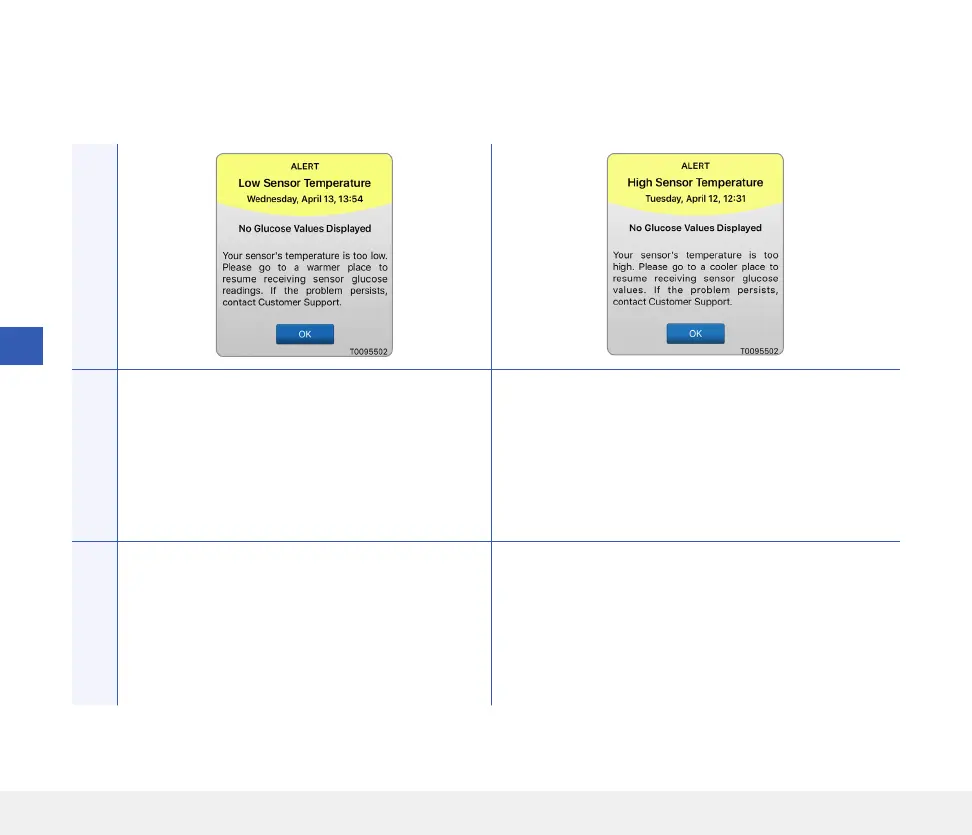
Low Sensor Temperature*
Appears every 20 minutes when the sensor
temperature is too low.
No glucose readings are displayed until the
sensor temperature is within normal operating
conditions.
High Sensor Temperature*
Appears every 20 minutes when the sensor
temperature is too high.
No glucose readings are displayed until the sensor
temperature is within normal operating conditions.
Actions
Go to a warmer environment to increase the
sensor temperature. Keep your smart transmitter
turned on so you will start receiving glucose
values when the sensor temperature is between
26-40°C (81-104°F).
Go to a cooler environment to reduce the sensor
temperature. Briefly remove the smart transmitter
while the sensor temperature cools to between
26-40°C (81-104°F). Then put the smart transmitter
back on to start receiving glucose values again from
the sensor.



 To Next Page