14
167
Eversense E3 CGM User Guide
167
Eversense E3 CGM User Guide
Alerts and Notifications Displayed on the Apple Watch (continued)
Apple Watch
Display
Description
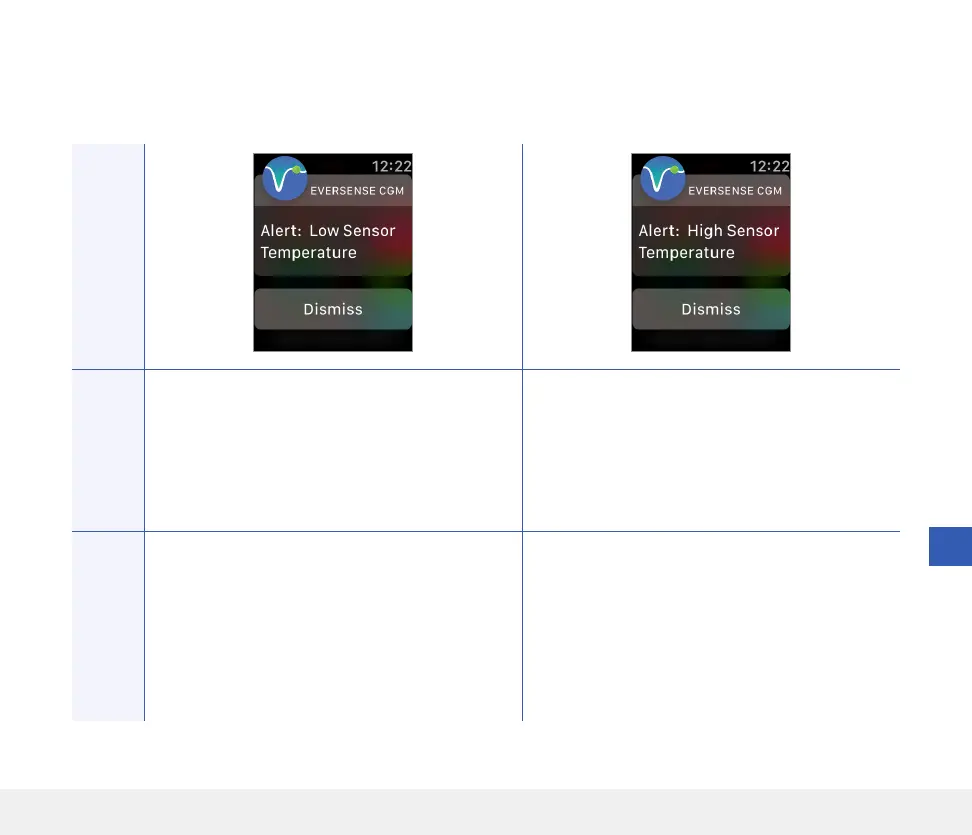
Low Sensor Temperature
Appears every 20 minutes when the sensor
temperature is too low.
No glucose readings are displayed until the sensor
temperature is within normal operating conditions.
High Sensor Temperature
Appears every 20 minutes when the sensor
temperature is too high.
No glucose readings are displayed until the sensor
temperature is within normal operating conditions.
Actions
Confirm the alert on your Eversense CGM Mobile
App. Go to a warmer environment to increase the
sensor temperature. Keep your smart transmitter
turned on so you will start receiving glucose
values when the sensor temperature is between
26-40°C (81-104°F).
Confirm the alert on your Eversense CGM Mobile
App. Go to a cooler environment to reduce the
sensor temperature. Briefly remove the smart
transmitter while the sensor temperature cools
to between 26-40°C (81-104°F). Then put the
smart transmitter back on to start receiving
glucose values again from the sensor.
Alerts



 To Next Page