14
171
Eversense E3 CGM User Guide
171
Eversense E3 CGM User Guide
Alerts and Notifications Displayed on the Apple Watch (continued)
Apple Watch
Display
Description
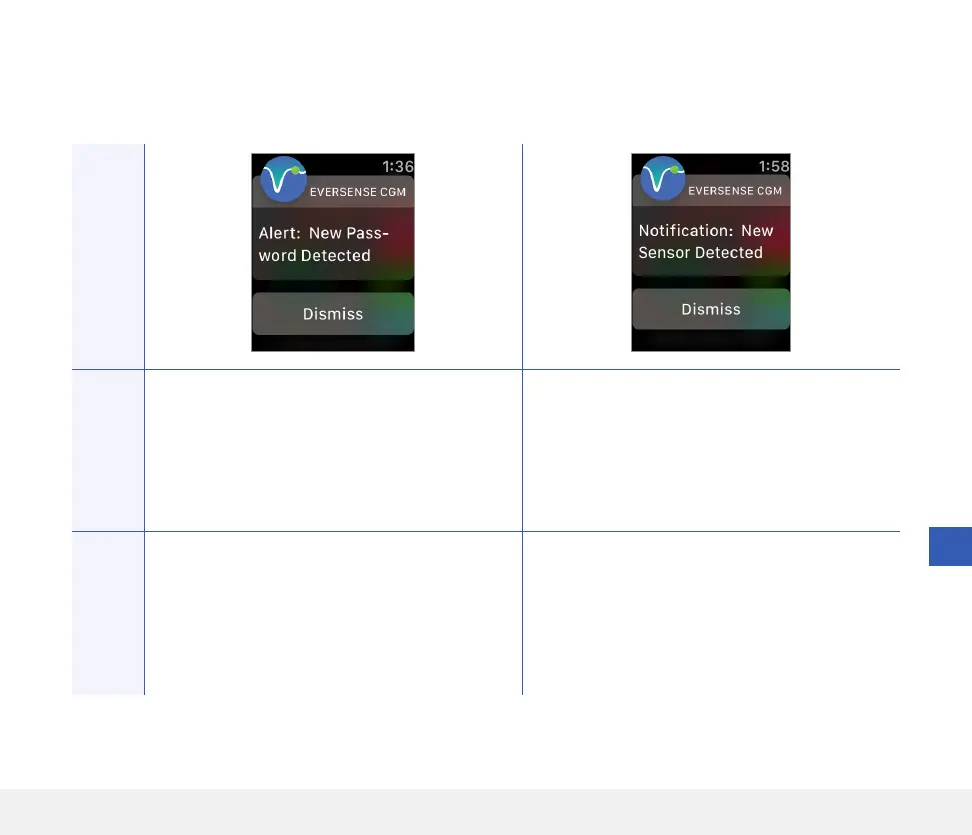
New Password Detected
Appears once when the system detects the
password was changed via your Eversense DMS
account.
New Sensor Detected
Appears when the smart transmitter detects
a new sensor. The inserted sensor and the
smart transmitter must be linked to begin
communication.
Actions
Confirm the alert on your Eversense CGM Mobile
App. Log out of the mobile app and log back in
with the new password.
Confirm the alert on your Eversense CGM Mobile
App. In your mobile app, tap Link Sensor
to complete the linking process and begin the
24-hour Warm-Up Phase. You do not need to
wear your smart transmitter over the sensor
until the Warm-Up Phase is complete.
Alerts



 To Next Page