35
Eversense E3 CGM User Guide
4
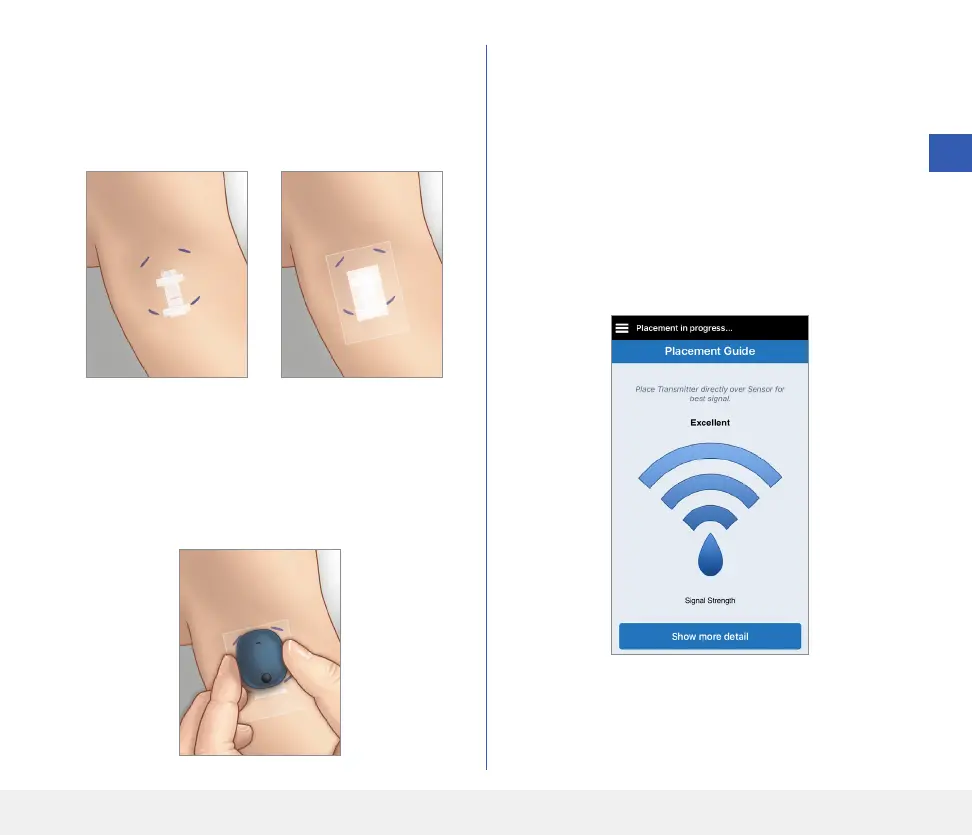
When you first link the sensor, with the Tegaderm
bandage over the insertion site, the incision is likely
to be in the centre of the Tegaderm. This means the
sensor is likely to be above the centre of the Tegaderm.
The first time you link the sensor, do not use an
Eversense adhesive patch on the smart transmitter.
When positioning the smart transmitter over the
sensor, it should be slightly above the centre of the
Tegaderm patch.
1. Make sure your smart transmitter is turned ON
(see Using the Smart Transmitter) and that your
mobile device has access to the internet.
• Position the smart transmitter directly over the
inserted sensor until the Placement Guide
in the app shows some connection and keep
in position without applying pressure. The
Placement Guide page is located in Menu >
Placement Guide.



 To Next Page