36
Eversense E3 CGM User Guide
4
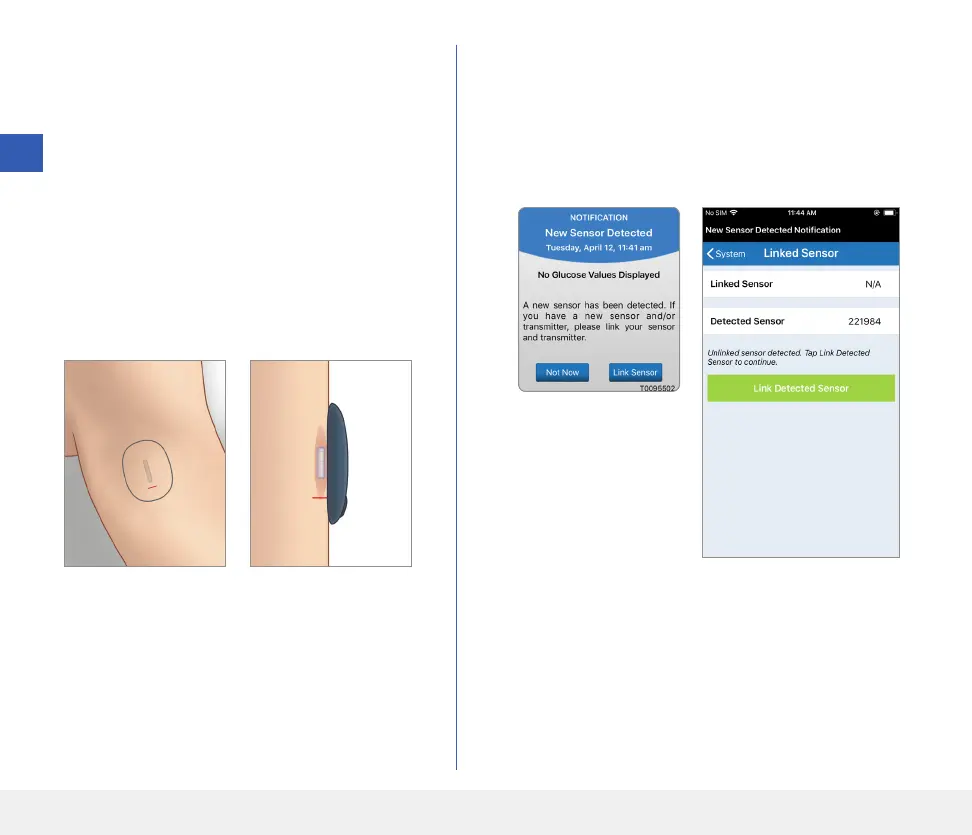
2. Navigate away from the Placement Guide
page to the Main Menu screen once you have
confirmed that there is a signal.
Note: The connection between the sensor
and the smart transmitter is sensitive to the
orientation of the transmitter. If the smart
transmitter is directly over the sensor and the
Placement Guide indicates there is no connection,
try rotating the smart transmitter slightly to the
left or right so transmitter is centred over the
sensor vertically.
3. To link the smart transmitter and sensor, tap
Link Sensor on either the New Sensor
Detected pop-up screen or by tapping Menu >
Settings > System > Linked Sensor and
then tap Link Detected Sensor.
Note: It may take
up to 5 minutes for the
New Sensor Detected
notification to be
displayed.
4



 To Next Page